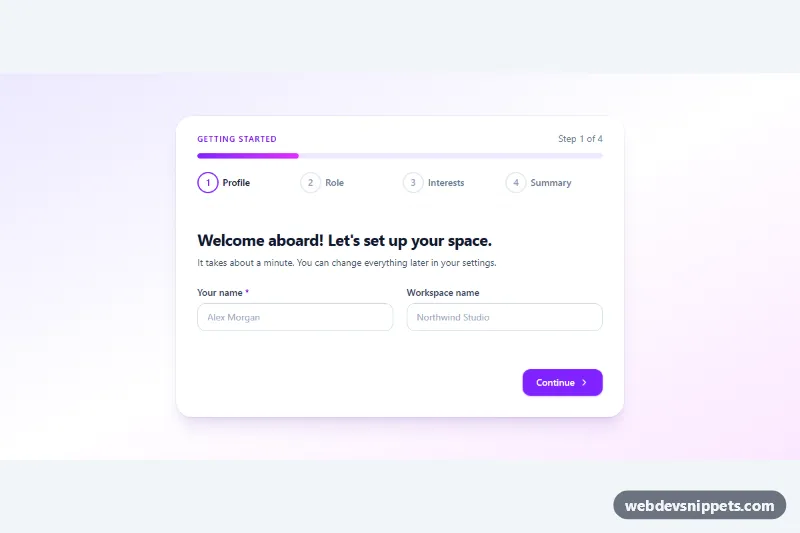
A Bootstrap 5 registration form split into three steps (account, profile and plan) with a progress bar, numbered step indicators and validation that runs on each step before the user can continue. Use it for sign-up flows, onboarding wizards and long forms that feel lighter in smaller pieces.
How it works
The root is section.msr-register with a single .msr-card. The .msr-head header has a violet gradient, a "Step 1 of 3" counter, a Bootstrap .progress bar and the ol.msr-steps indicator list. Below it, form.msr-form contains three fieldset.msr-step elements; only the current one is visible, the others carry the hidden attribute. Each fieldset stores its short name in data-msr-name, which the counter displays.
The form uses novalidate, and the Continue button is a real submit button, so pressing Enter in a field also advances. On submit the script calls checkValidity() on the fields of the current step only. If something is invalid, that fieldset gets was-validated (Bootstrap then shows the .invalid-feedback messages), aria-invalid is set and the first invalid field gets focus. The confirm field uses setCustomValidity() so it fails until it matches the password. A valid step moves forward: the progress width and aria-valuenow update, finished markers get is-done (a check mark drawn in CSS) and the new step's legend is focused. The Back button returns without validating. On the last step the plan cards (Bootstrap btn-check radios) and the terms checkbox are checked, a spinner shows for a moment and the .msr-done panel replaces the form with a personal welcome message.
Customization
--msr-head-fromand--msr-head-toin.msr-register: change the header gradient and the success icon.--msr-accent,--msr-accent-hoverand--msr-accent-rgbin.msr-register: recolor the Continue button, focus rings, checkbox and selected plan card.--msr-page-bgin.msr-register: set the section background, ortransparentto blend into your page.--msr-radiusin.msr-register: round or square the card corners.- Add a fieldset with the
msr-stepclass and adata-msr-namevalue, plus a matching.msr-steps__item, to create a fourth step; the progress math uses the number of steps. Update the "of 3" text in.msr-counteras well. minlength="8"on#msr-password: change the password rule and the help text next to it.- The
window.setTimeoutcall inscript.js: replace it with afetch()that postsnew FormData(form)to your backend.
Accessibility
Each step is a fieldset with a legend, and every field has a visible label. The current marker has aria-current="step", the counter is a polite live region, and the progress bar exposes role="progressbar" with aria-valuenow. Focus moves to the new legend on every step change and to the success panel at the end. While sending, the button uses aria-disabled so focus is not lost. Step and progress animations are removed with prefers-reduced-motion: reduce.
Usage notes
Requires Bootstrap 5 and Bootstrap Icons. Always validate the data again on the server.