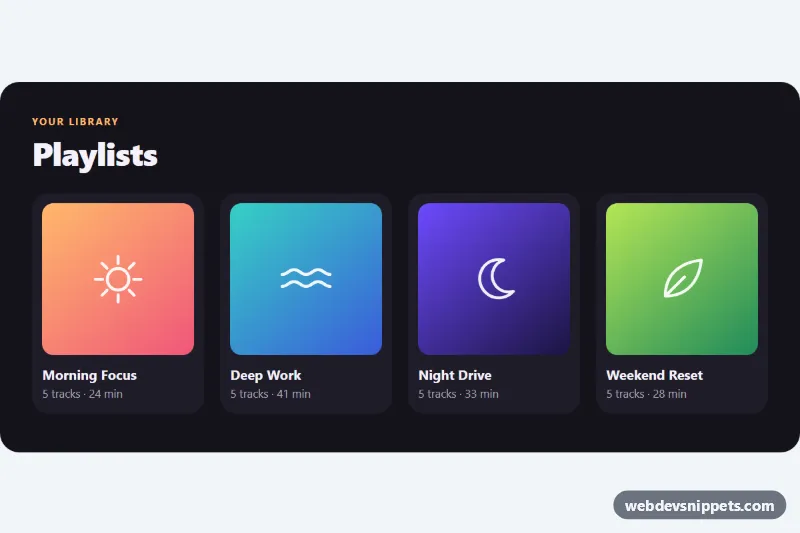
A playlist library that switches between a grid view and a detail view with the native View Transitions API. The old view fades out, the new one fades in, and the cover art morphs from its card into the large detail cover. It is plain HTML, CSS and a small vanilla JavaScript file, useful as a starting point for master-detail screens, galleries or app-like navigation without a framework.
How it works
The root section.vtx-app contains a .vtx-stage with several .vtx-view elements: one grid view (data-vtx-view="grid") and one article.vtx-view--detail per playlist. Only one view is visible; the others carry the hidden attribute. Each .vtx-card button has a data-vtx-open value that matches the data-vtx-view of its detail view, and each detail view has a .vtx-back button with data-vtx-back.
The script listens for click on the root. Before switching, it gives the clicked card's .vtx-cover a unique view-transition-name and calls document.startViewTransition(). Inside the update callback it hides the old view, shows the new one and moves the same name to the large cover, so the browser animates one cover into the other. The stage gets its own name per instance and the class vtx-stage through view-transition-class, which lets the shared CSS style ::view-transition-old(*.vtx-stage) and ::view-transition-new(*.vtx-stage) with the vtx-fade-out and vtx-fade-in keyframes. Pressing Escape inside a detail view returns to the grid. In browsers without the API the views simply swap instantly.
Customization
--vtx-bg,--vtx-surfaceand--vtx-accenton.vtx-app: the background, card color and accent used for the eyebrow, track numbers and focus rings..vtx-cover--sun,.vtx-cover--sea,.vtx-cover--nightand.vtx-cover--leaf: each sets--vtx-c1and--vtx-c2, the two gradient stops of a cover. Add a modifier for a new playlist color.animation-durationin::view-transition-group(*.vtx-cover): how long the cover morph takes,0.45sby default.- The
vtx-fade-outandvtx-fade-inkeyframes: change thetranslateYvalues or add ascale()for a different page feel. grid-template-columnsin.vtx-grid: two columns on phones and four from 720px.- Add a new playlist by copying a
.vtx-cardand anarticle.vtx-view--detail, then give both the samedata-vtx-open/data-vtx-viewvalue.
Use cases
- Music and podcast apps: a playlist cover morphs from its grid card into the large detail view
- Galleries: switch between grid and detail views with a cross-fade and no framework
- App-like websites: master-detail screens feel smooth while falling back to an instant swap in older browsers
- Media libraries: a back button and Escape key return to the grid and restore focus
- Front-end prototypes: a starting point for learning how to use document.startViewTransition() in practice
Accessibility
Cards and the back button are real button elements with visible :focus-visible outlines. After a switch, focus moves to the detail heading (tabindex="-1"), and going back returns focus to the card that opened it. A visually hidden .vtx-status region with aria-live="polite" announces the current view. With prefers-reduced-motion: reduce the script skips the transition and the CSS shortens all view transition animations.
Usage notes
View Transitions with view-transition-class work in current Chromium browsers and Safari 18.2+; other browsers fall back to an instant swap. Several instances can share a page because the names include an index.