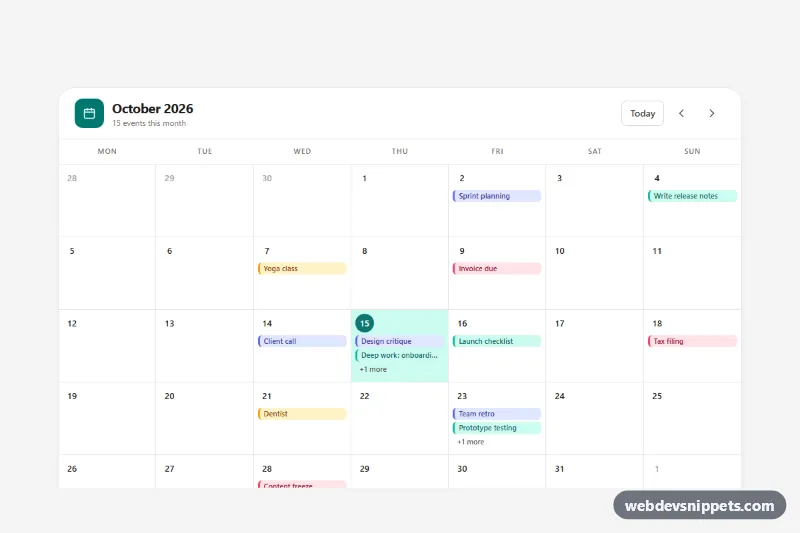
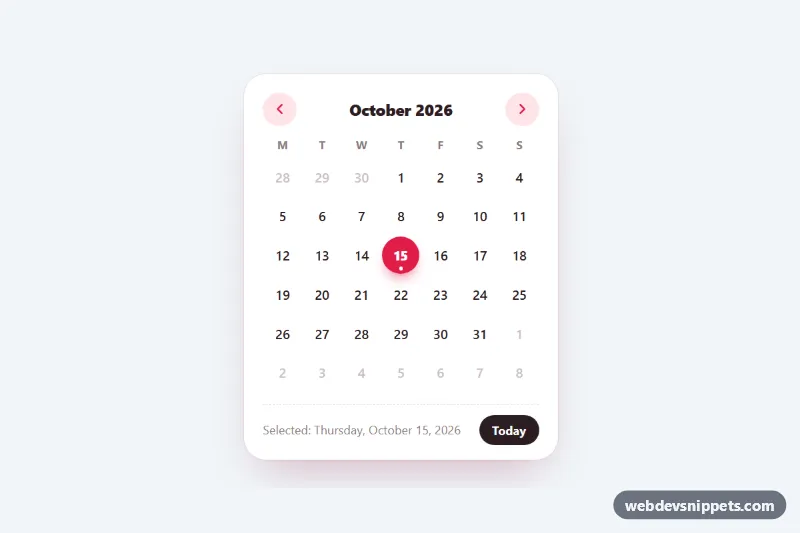
A month calendar with colored event pills, a highlighted today, previous and next month navigation and an agenda for the selected day, built with Tailwind CSS and vanilla JavaScript. Use it for booking dashboards, team schedules, content calendars or course timetables.
How it works
The root is .tmc-root. Tailwind utilities style the static frame: a white card with a toolbar (data-tmc-title, data-tmc-subtitle, and the data-tmc-today, data-tmc-prev and data-tmc-next buttons), the grid container data-tmc-grid and the agenda panel below it. Because the day cells are generated, they are styled in style.css with tmc- classes.
On DOMContentLoaded the script builds the weekday header with Intl.DateTimeFormat, then renders six weeks (42 cells) so the card height never jumps. Each role="gridcell" contains a .tmc-day button with the date number, up to two .tmc-pill elements and a "+N more" label. Days outside the month get .tmc-cell--muted. Today gets aria-current="date" and a filled teal circle, and the selected day is marked with aria-selected="true". Below 640px the pills are replaced by small .tmc-dots, so the grid stays readable on phones.
Clicking a day, or moving with the keyboard, updates the selection and fills data-tmc-agenda with that day's events, sorted by time. The arrow buttons change the month and keep the same day number where possible, and "Today" jumps back to the current date.
Events come from the sampleEvents() function in script.js, which creates demo entries relative to the current month so the preview is never empty. Each event is an object with date, time, title and type.
Customization
sampleEvents()inscript.js: return your own array, e.g.{ date: '2026-11-03', time: '09:30', title: 'Sprint planning', type: 'meeting' }, or load it withfetch()..tmc-type-meeting,.tmc-type-work,.tmc-type-deadlineand.tmc-type-personalinstyle.css: change--tmc-bg,--tmc-fgand--tmc-solidto recolor a category, or add a new.tmc-type-*class and a label inTYPE_LABELS.data-tmc-week-start="1"on.tmc-root: use0to start weeks on Sunday.- Add
data-tmc-locale="de-DE"to.tmc-rootto translate month and weekday names. MAX_PILLSinscript.js: show more or fewer pills before the "+N more" label.--tmc-accentand--tmc-accent-softon.tmc-root: change the today circle, selection and focus color.--tmc-cell-height-smon.tmc-root: make the desktop cells taller to fit more pills.
Accessibility
The grid uses role="grid", row, columnheader and gridcell, is labelled by the month heading and described by hidden keyboard help. Only the selected day is in the tab order (roving tabindex). Arrow keys move by day and week, Home and End jump to the start or end of the week, and Page Up and Page Down change the month (with Shift, the year). Each day button has a full aria-label, for example "Thursday, October 15, 2026, today, 3 events"; the pills are aria-hidden. The month title is an aria-live region, the navigation buttons have labels and every control shows a visible focus outline. Animations are disabled under prefers-reduced-motion: reduce.
Usage notes
Several calendars can share a page; ids are generated per instance.