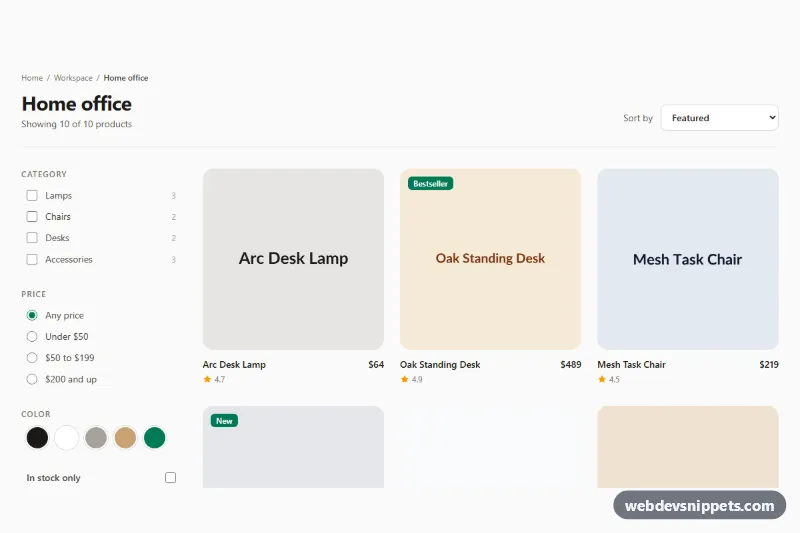
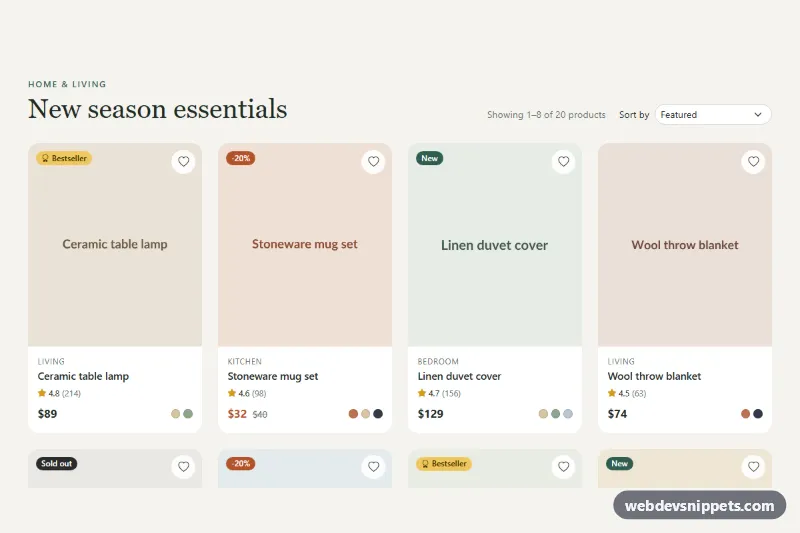
A Tailwind CSS category page with a filter sidebar and a sortable product grid, the classic layout for online stores, catalogs and marketplace listings. Shoppers can narrow ten sample products by category, price range, color and stock, sort them five ways, and see the result count update instantly, all handled by a small vanilla JavaScript file.
How it works
The root is .tpg-shop. Below the breadcrumb, the header holds the page title, a live result count (data-tpg-count), a mobile "Filters" button (data-tpg-toggle) and the sort select (data-tpg-sort). The body is a two-column grid from lg up (lg:grid-cols-[15rem_minmax(0,1fr)]): the aside#tpg-filters with a form (data-tpg-form) and the product list (data-tpg-grid).
Every product is an li.tpg-item that stores its facts in data attributes: data-category, data-price, data-color, data-stock, data-rating and data-added. The script reads them once on DOMContentLoaded and keeps the original order as the "Featured" sort.
A single change listener on the form re-runs the filter: checked categories and colors are combined with OR inside each group and AND across groups, the price radio value such as 50-199 is split into a min and max, and "In stock only" drops items whose data-stock is false. Non-matching items get the hidden attribute, the visible ones are re-appended in the chosen sort order, and the count text is rewritten. When nothing matches, the grid hides and the data-tpg-empty panel appears with a data-tpg-clear button. The form's native reset button clears everything. Below lg, the sidebar starts collapsed and the toggle button shows the number of active filters in data-tpg-active.
Customization
data-price,data-categoryand the other data attributes on each.tpg-item: describe your own products; the filters read them, not the visible text.valueon the price radios (for example0-49): set any min-max range in whole currency units.SORTERSinscript.js: add a new sort function and a matchingoptionindata-tpg-sort, such as sorting by name.md:grid-cols-3 xl:grid-cols-4ondata-tpg-grid: change the number of columns per breakpoint.lg:grid-cols-[15rem_minmax(0,1fr)]: widen or narrow the sidebar column.accent-emerald-700and theemeraldutilities: swap to another Tailwind color to rebrand checkboxes, badges and focus rings.- Replace the
placehold.coimages with your product photos; keepwidth,heightandaspect-squareto avoid layout shift.
Accessibility
Filters are grouped in fieldset elements with a legend, using native checkboxes and radios, so they work with the keyboard and screen readers. Color swatches are visually hidden checkboxes with readable names. The result count is a role="status" region, so every filter change is announced. The mobile toggle uses aria-expanded and aria-controls and moves focus into the panel when it opens. All links and controls show an emerald focus outline. The image hover zoom is disabled with motion-reduce:transition-none.
Usage notes
Filtering happens in the browser and suits catalogs of up to a few hundred items. For larger catalogs, send the form values to your server with fetch() in the update function and render the returned items instead.