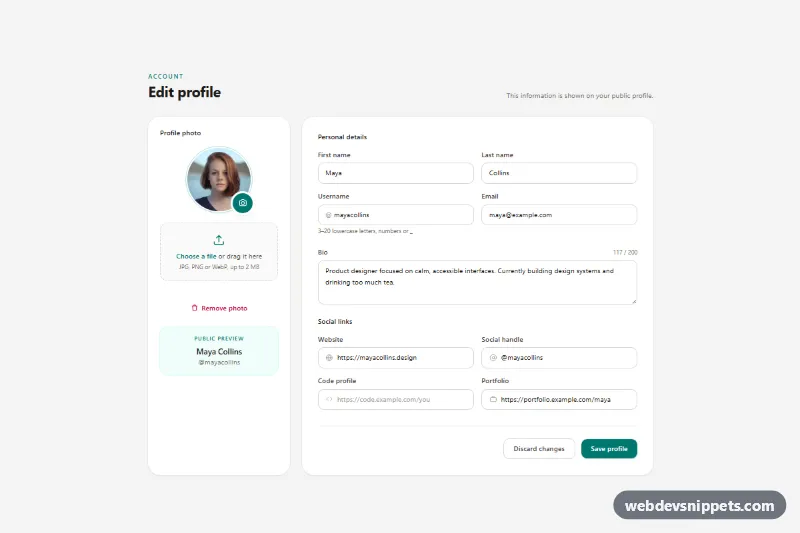
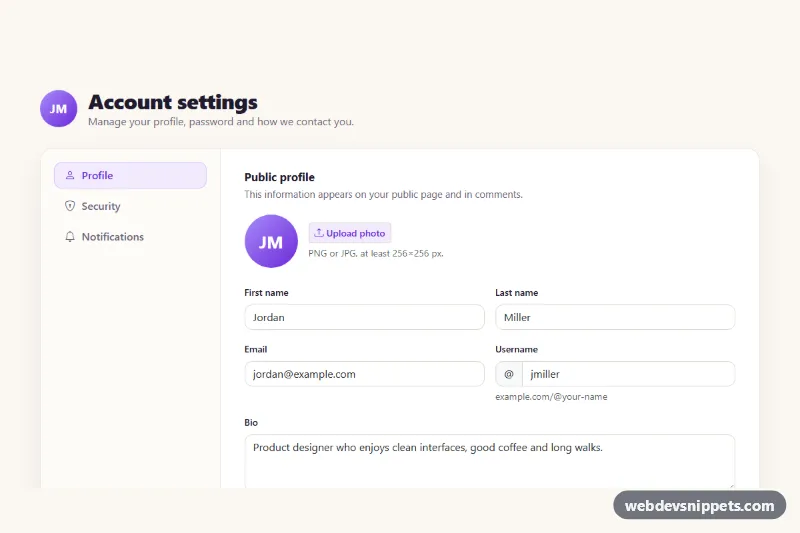
An edit profile form built with Tailwind CSS and vanilla JavaScript: a photo column with drag-and-drop upload and instant preview, plus personal details, a bio with a character counter and four social link fields. Use it as the settings or account page of a SaaS app, community site or portfolio platform.
How it works
The root is section.epu-profile, which wraps a single form with data-epu-form. On large screens a two-column grid (lg:grid-cols-[18rem_1fr]) places the photo aside next to the details card; on phones both stack.
The avatar is .epu-avatar with an <img data-epu-preview> and an initials fallback (data-epu-initials). The real file input (#epu-file, data-epu-file) is visually hidden; the camera badge and the "Choose a file" link are label elements pointing to it, and the dashed .epu-drop zone also accepts dropped files. On change or drop the script checks the MIME type and the size limit, creates a preview with URL.createObjectURL() and revokes the previous URL to free memory. "Remove photo" adds .is-empty to the avatar, which hides the image and shows the initials.
The bio textarea updates the data-epu-count counter on every input event. The "Public preview" card in the photo column mirrors the name and username as you type. On submit the script runs checkValidity() on every field, marks failures with aria-invalid="true" and focuses the first one; otherwise it shows a spinner and "Saving…" for 900 ms and then reports "Profile saved.". "Discard changes" is a native reset button, and the reset handler restores the original photo, counter and preview.
Customization
data-epu-max-mb="2"on#epu-file: raise or lower the maximum upload size; the error message uses the same value.accepton#epu-fileand theACCEPTEDarray inscript.js: allow other formats such as GIF or AVIF.maxlength="200"on#epu-bio: change the bio limit; the counter reads it automatically and turns amber within 20 characters.teal-700,teal-50andfocus:ring-teal-600/15: swaptealforindigoororangeto rebrand buttons, rings and the preview card.rounded-3xlon both cards androunded-xlon inputs: use smaller radii for a sharper look.- The
setTimeoutin thesubmithandler: replace it withfetch()and aFormData(form)body to save to your API. pattern="[a-z0-9_]{3,20}"on#epu-username: adjust the allowed username format.
Use cases
- SaaS apps: the account or settings page where users change their photo and details
- Community and social sites: a profile editor with bio and social links
- Portfolio platforms: let creators update their public profile
Accessibility
Every field has a visible label; the two groups use fieldset and legend. The hidden file input remains in the tab order, and .epu-drop:focus-within draws a visible outline around the drop zone when it receives keyboard focus. Upload errors and the save result are announced through aria-live regions, and the counter only announces the remaining characters near the limit. Decorative icons are aria-hidden. Animations (photo pop, spinner) stop under prefers-reduced-motion: reduce.
Usage notes
The sample portrait comes from Unsplash; replace it with the user's own photo URL. Uploads are never sent anywhere: wire the fetch() call yourself. For several forms on one page give each copy unique id values.