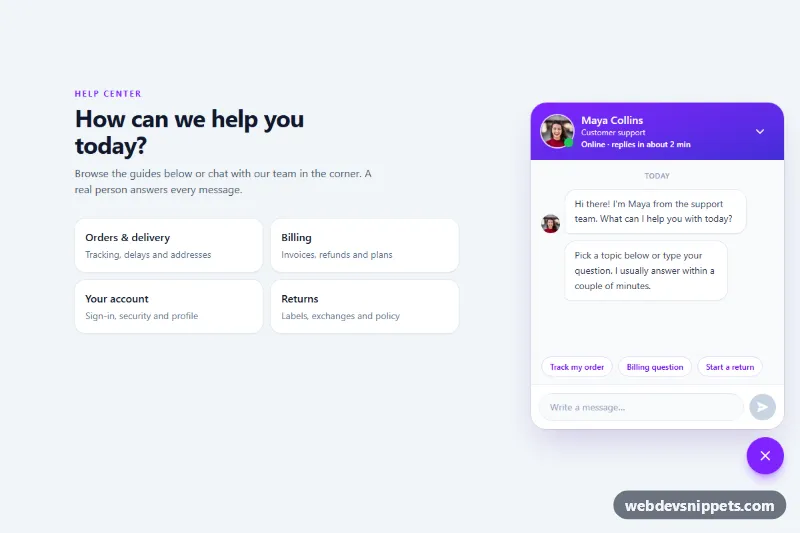
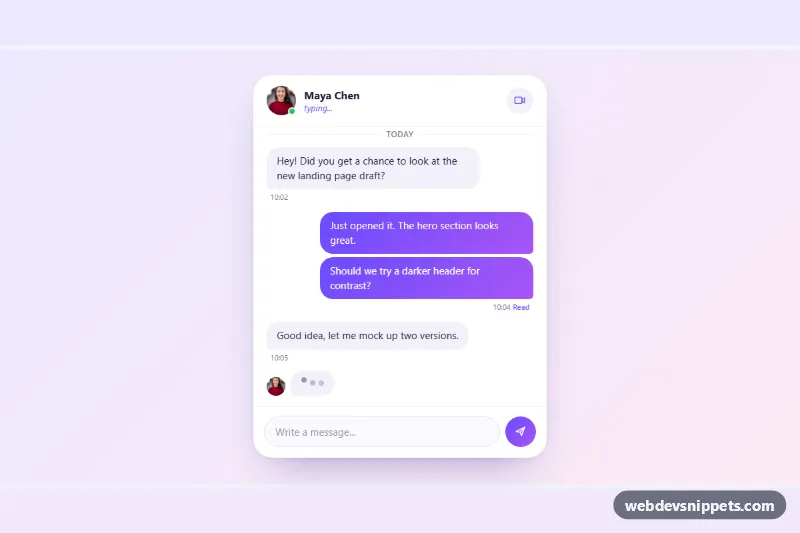
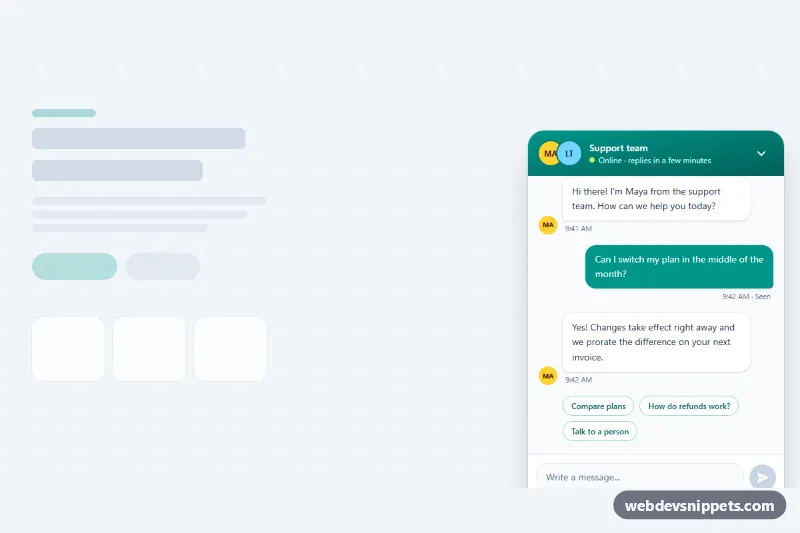
A support chat popup built with Tailwind CSS and vanilla JavaScript, featuring a real agent photo with a live online indicator, a message log, suggested questions, a typing indicator and an unread badge on the launcher. Use it on help centers, dashboards and online stores.
How it works
The root is .tsc-chat. It holds a sample help page and the widget in the corner. The #tsc-panel section (data-tsc-panel, role="dialog") has a gradient header with the agent photo, the pulsing .tsc-dot status indicator, name, role and the data-tsc-status-text line. Below are the role="log" message list (data-tsc-log), the suggested question chips (data-tsc-quick) and the composer form (data-tsc-form). The round launcher button (data-tsc-toggle) swaps between a chat icon and a close icon through its aria-expanded value.
The script initializes every .tsc-chat on DOMContentLoaded. It reads data-tsc-status and fills the status line from the STATUS_TEXT map. Submitting the form or clicking a chip adds your message as a violet bubble, shows the animated .tsc-typing dots and, after 1.4 seconds, appends an answer chosen by getReply() from the keyword patterns in REPLIES. If the panel is minimized when the answer arrives, the data-tsc-badge counter appears on the launcher. Escape or the minimize button closes the panel and returns focus to the launcher; opening it moves focus to the message field. Messages are built with textContent, so input is never parsed as HTML.
Customization
data-tsc-statuson.tsc-chat: setonline,awayorofflineto change the dot color and the status line.--tsc-online,--tsc-awayand--tsc-offlineinstyle.css: the colors of the status dot.- Replace the Unsplash photo URL in the header
img(and itsalt) and the first message avatar with your agent's portrait; new answers reuse the header photo automatically. The photo comes from Unsplash and is only a placeholder. REPLIESandFALLBACKinscript.js: edit the demo answers, or replacegetReply()with afetch()call to your chat backend or helpdesk API.from-violet-600 to-indigo-700on the header andbg-violet-600on the launcher: swapvioletfor your brand color.absolute bottom-5on the widget wrapper: change tofixedto pin the chat to the browser window on a real site.sm:w-[380px]on#tsc-panelandh-[290px]on the log: adjust the popup size.- Call
setOpen(false, null)at the end ofinitChat()instead ofsetOpen(true, null)to start minimized.
Accessibility
The panel is a non-modal role="dialog" labelled by the agent name and described by the status line. The launcher has aria-controls, aria-expanded and a visually hidden label that includes the unread count. New messages are announced through the role="log" region, each prefixed with a hidden "You said" or "Maya Collins says" label, and the typing state has a hidden text equivalent. The composer input has a label, the send button stays disabled while empty, and all controls show visible focus outlines. The pulse, typing and entrance animations stop under prefers-reduced-motion: reduce.