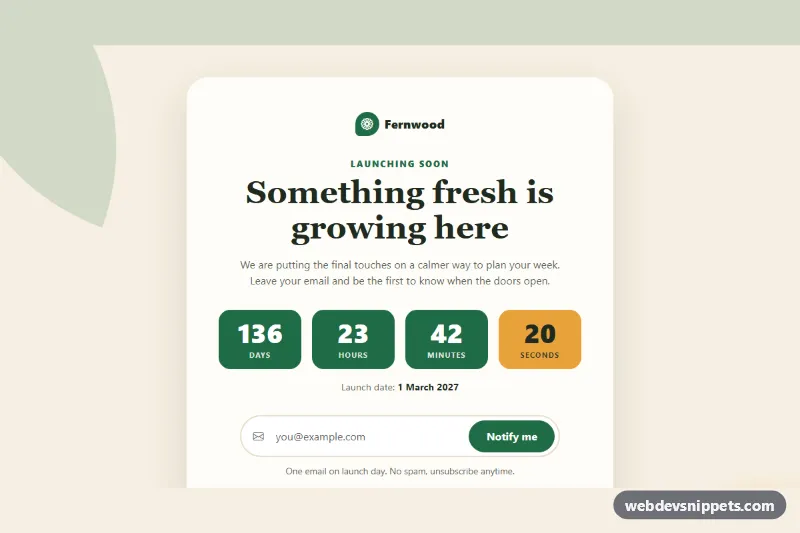
A warm, minimal Bootstrap 5 coming soon page with a live countdown, an email notify form with validation and a row of social links, all inside a single centered card. Use it as a pre-launch page for a product, a store, a blog or a website that is being rebuilt.
How it works
The root is main.bcs-page, a full-height section with a sand background and two decorative .bcs-shape elements. The content sits in .bcs-card: the .bcs-logo, a serif heading, the .bcs-countdown grid, the launch date, the .bcs-form and the .bcs-social list.
The countdown reads the target date from data-bcs-launch on the root. Each number is a .bcs-unit__value with a data-bcs-unit attribute (days, hours, minutes, seconds). The script fills them immediately on DOMContentLoaded and then every second with setInterval. It also rewrites the .bcs-date__value time element from the same date, so the visible date never drifts from the countdown. When the date is reached, the timer stops at zero and the hidden .bcs-live message appears. If the attribute is missing or invalid, the page counts down 30 days from now.
The form uses novalidate and the browser's own validity check. An invalid email sets aria-invalid, shows .bcs-error and focuses the field. A valid email shows a spinner in .bcs-submit for a moment, resets the form and reveals the .bcs-success message.
Customization
data-bcs-launchon.bcs-page: set your launch date in ISO 8601, e.g.2027-03-01T09:00:00Z.--bcs-green,--bcs-green-darkand--bcs-green-rgbin.bcs-page: change the main color of the countdown, button, logo and focus ring.--bcs-sunin.bcs-page: recolor the seconds box, the glow shape and the focus outline.--bcs-bgand--bcs-cardin.bcs-page: adjust the page and card backgrounds.--bcs-radiusin.bcs-page: make the card corners rounder or square.- Delete the
.bcs-unitwithdata-bcs-unit="seconds"for a calmer countdown without a ticking number. - The
window.setTimeoutin the submit handler ofscript.js: replace it with afetch()to your newsletter or waitlist service. - The
hrefandaria-labelof each.bcs-sociallink: point them to your own profiles.
Accessibility
The page is a main landmark labelled by the heading. The countdown container has role="timer", which is not announced every second, plus an aria-label; the exact date is also given as text in a time element. The email field has a visually hidden label and is described by the hint, and by the error while it is invalid. The success message sits in a role="status" region. Icon-only social links have descriptive aria-labels, focus outlines are clearly visible, and hover transitions are removed with prefers-reduced-motion: reduce.
Usage notes
Requires Bootstrap 5 and Bootstrap Icons. The countdown uses the visitor's clock, so give the date with a time zone offset or Z.