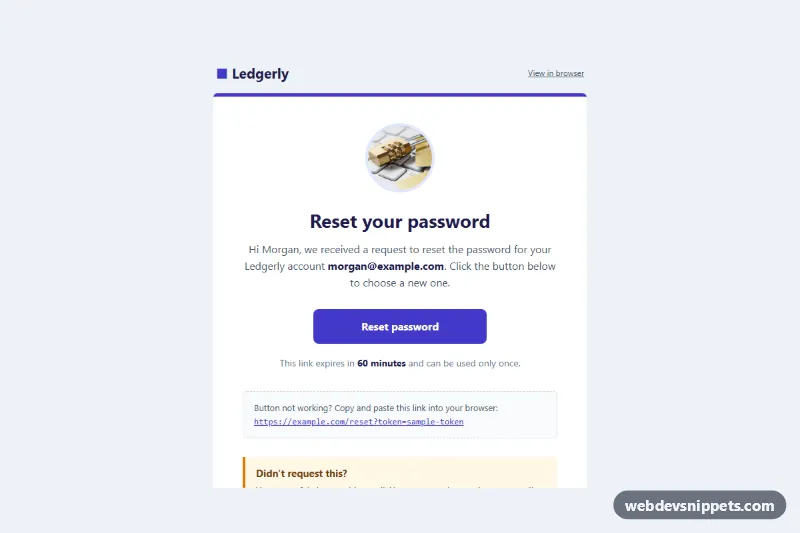
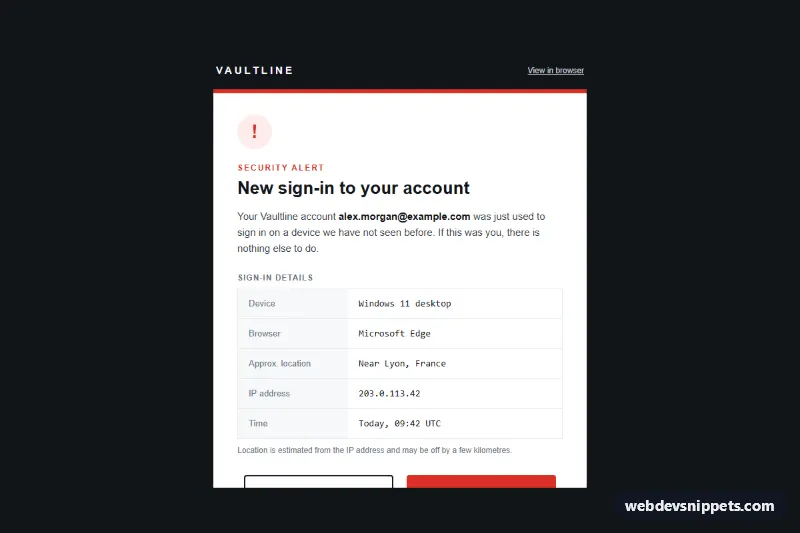
An email-safe password reset template for web apps and fintech products, built with HTML tables and inline styles only. A centered white card shows a round lock image, a clear "Reset your password" heading, a VML-backed bulletproof button, the link expiry, a copy-and-paste fallback link, a "Didn't request this?" security note and a table of request details.
How it works
The hidden .pr-preheader sets the preview line in the inbox. The .pr-wrap table paints the cool gray page and .pr-container holds a slightly narrower 560px card, wrapped in MSO conditional comments as a fixed 560px table for Outlook desktop. All styles are inline, and backgrounds are repeated as bgcolor attributes.
The lock is an <img> with width/height attributes, display:block and a light indigo ring. The call to action uses two versions of the same button. Outlook on Windows reads the v:roundrect VML shape inside <!--[if mso]>, which draws a real rounded, filled button. Every other client skips that block and renders the .pr-btn link inside <!--[if !mso]><!-->, styled as an inline-block with a fixed width and line-height.
Below the button, a dashed box repeats the reset URL as plain text in .pr-link with word-break:break-all, so a long token wraps on phones. The amber security note uses a left border and an <h2>, and the request details table lists the time, device, approximate location and IP address.
The optional style.css adds a hover color and focus ring for .pr-btn, and a mobile media query that tightens .pr-pad and .pr-outer, shrinks .pr-h1 and stretches .pr-btn to full width.
Customization
- Brand color: replace
#4338cain the card top border, the logo square,.pr-btn,.pr-linkand thefillcolorof thev:roundrect. - Button label or size: change the text in both the VML
<center>and.pr-btn, and keepwidth:260pxand the height in sync in both versions. - Expiry: edit "60 minutes" to match your token lifetime; keep it relative so the email never shows a stale date.
- Lock image: swap the
srcfor your own icon. The photo comes from Unsplash; replace it with your own artwork at 192x192. - Request details: fill the rows from your auth service (time, user agent, geo-IP) or delete rows you do not track.
- Card width: change
max-width:560pxon.pr-containerand thewidth="560"of the MSO table together.
Use cases
- Web apps: send a reset link with a clear heading and a bulletproof button
- Fintech products: an expiry note and security notice help protect account owners
- SaaS accounts: a copy-and-paste fallback link works when the button is blocked
- Security flows: a table of request details shows where the reset was asked from
Accessibility
Layout tables use role="presentation", the wrapper declares lang="en", and real <h1> and <h2> elements structure the message. The fallback link gives screen reader and keyboard users a second, visible way to reset. The security note uses text, not only color, and all text meets WCAG AA contrast on its background.
Usage notes
The patterns target Outlook 2016-2021 and Microsoft 365 on Windows (VML button), Outlook.com, Gmail (web and apps), Apple Mail and iOS Mail. Add the xmlns:v namespace to your <html> tag for older Outlook builds, copy style.css into a <style> block in the <head>, and replace sample-token with the real one-time token from your backend.