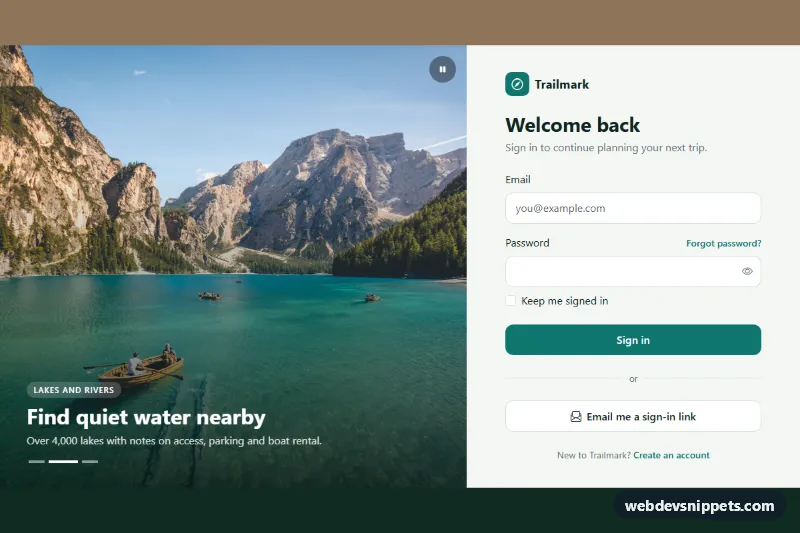
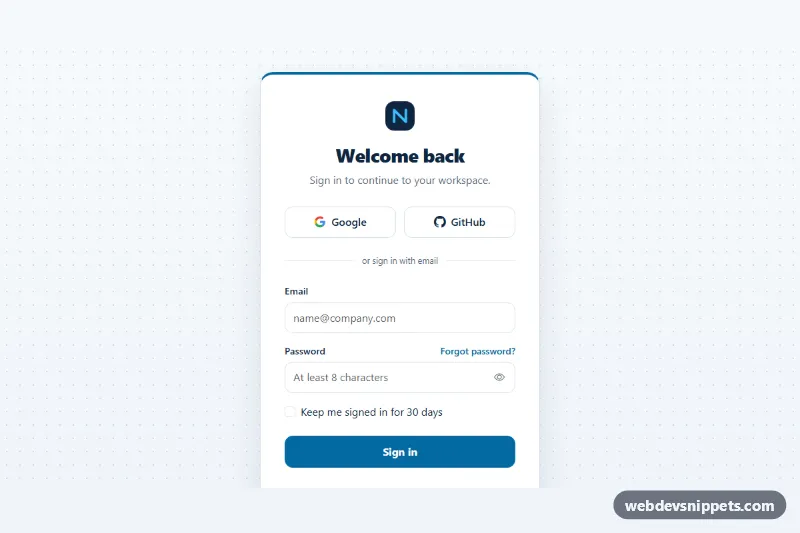
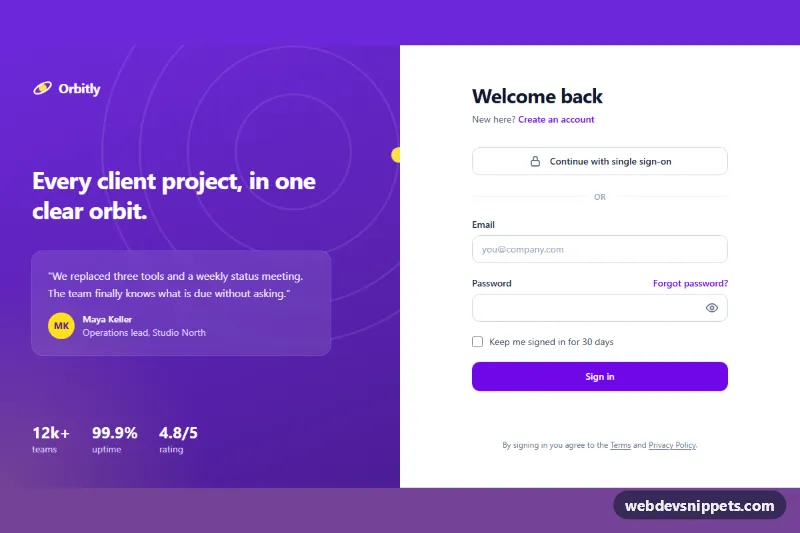
A Bootstrap 5 split-screen login page with a rotating photo carousel on the left and a clean sign-in form on the right. It suits travel, outdoor and lifestyle apps or any product that wants a branded, image-led sign-in screen.
How it works
The page is a main.lic-page with a single .lic-row that fills the viewport height. The left column, .lic-media, holds a standard Bootstrap carousel (.carousel.slide.carousel-fade) with data-bs-ride="carousel" and data-bs-interval="5000". Each .carousel-item contains a full-bleed .lic-img and a .lic-caption with a small pill label, a heading and a short line of text. A gradient pseudo-element on every slide keeps the white caption readable. The indicators are restyled as short bars in .lic-indicators; the active one stretches wider.
On phones the photo column becomes a 15rem banner above the form; from the md breakpoint the two columns sit side by side and the carousel fills its column.
The script runs on DOMContentLoaded for every .lic-page. The round .lic-pause button calls bootstrap.Carousel.getOrCreateInstance() and switches between pause() and cycle(). The .lic-reveal button toggles the password field between password and text. On submit the form calls preventDefault(), checks checkValidity(), adds was-validated for Bootstrap's feedback styles and focuses the first invalid field. Valid input shows a spinner for 1.2 seconds and then writes a confirmation into .lic-status.
Customization
--lic-accentand--lic-accent-darkon.lic-pageinstyle.css: change the teal brand color of the logo, links, focus rings and buttons.--lic-panel-bgon.lic-page: sets the background behind the form.data-bs-interval="5000"on#licCarousel: change the slide duration in milliseconds.- Remove
carousel-fadefrom#licCarouselto slide the photos horizontally instead of cross-fading. col-md-6 col-lg-7on.lic-mediaandcol-md-6 col-lg-5on.lic-panel: change the split ratio between photo and form.- The
window.setTimeoutin the submit handler ofscript.js: replace it with afetch()call to your authentication endpoint. - The
linear-gradientin.lic-carousel .carousel-item::after: darken or lighten the overlay behind the captions.
Use cases
- Travel and outdoor apps: rotating photos with captions give sign-in a branded, image-led look
- Lifestyle products: fade through pictures on the left while the form stays calm on the right
- SaaS products: a pause button lets users stop the auto-rotating slideshow
- Mobile layouts: the photo column becomes a banner above the form on phones
- Prototypes: password toggle and validation show a complete simulated sign-in
Accessibility
The form uses real label elements, autocomplete hints and Bootstrap's invalid-feedback messages; the first invalid field receives focus. The password toggle has aria-controls, aria-pressed and a changing aria-label. .lic-status is a role="status" live region, so the result is announced. The pause button lets users stop the auto-rotating slideshow, and when prefers-reduced-motion: reduce is set the carousel starts paused. All controls have a visible :focus-visible outline, and every photo has a descriptive alt.
Usage notes
Requires Bootstrap 5 (added automatically) and Bootstrap Icons. The photos come from Unsplash; replace them with your own images. If you use the carousel more than once on a page, give each copy a unique id and update the data-bs-target values of its indicators.