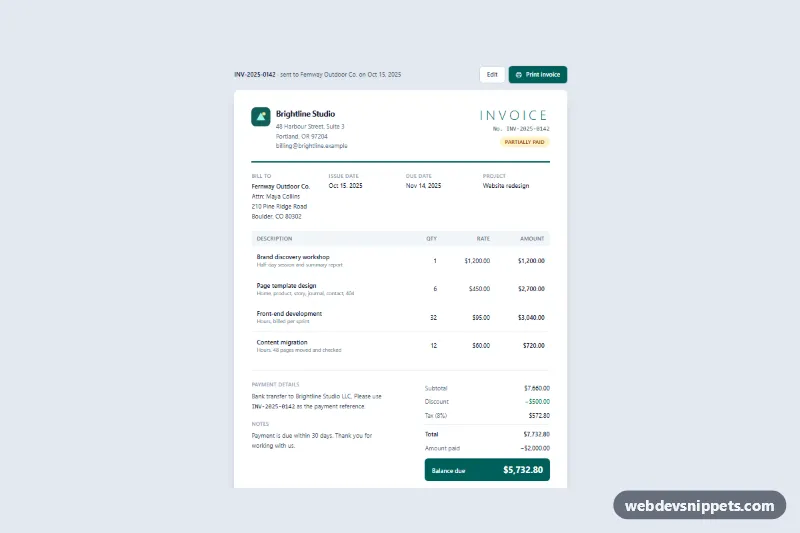
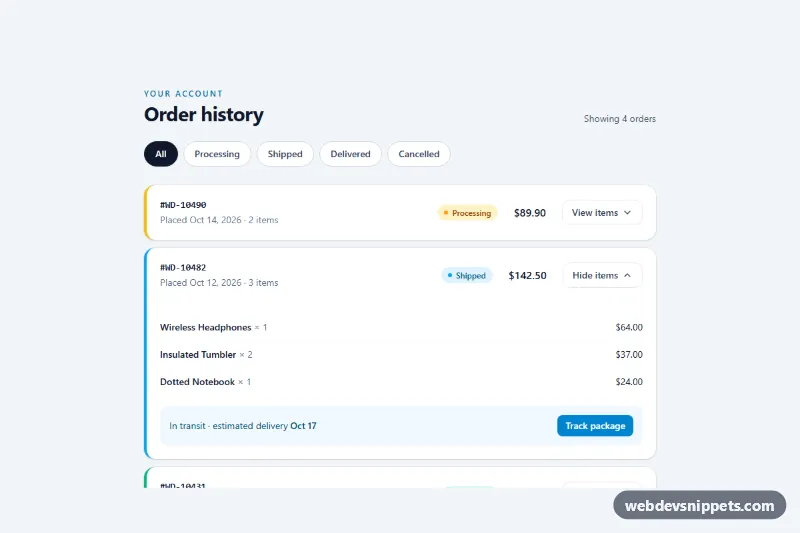
A clean, printable invoice layout built with Tailwind CSS and a small vanilla JavaScript helper that recalculates line amounts, discount, tax and balance due. Use it for customer account pages, order history details, freelancer billing tools or any admin screen where an invoice has to look right on screen and on paper.
How it works
The root is .inv-invoice. It starts with the .inv-actions toolbar (invoice number, an Edit link and the data-inv-print button), followed by the article.inv-sheet paper. The sheet has a header with the sender's logo and address, the large "Invoice" title with number and status pill, and a thick border-teal-800 rule. A four-column dl holds bill-to details, dates and project. Line items sit in a real table inside .inv-table-wrap, which scrolls horizontally on narrow phones instead of squeezing columns. Payment details and notes sit next to the .inv-totals list, which ends with the highlighted .inv-balance box.
All amounts are written in the HTML, so the invoice is complete without JavaScript. On DOMContentLoaded the script reads data-qty and data-rate from each data-inv-item row, plus data-inv-tax-rate, data-inv-discount and data-inv-paid from the root. It formats everything with Intl.NumberFormat using data-inv-locale and data-inv-currency, then fills data-inv-amount, data-inv-subtotal, data-inv-tax, data-inv-total and data-inv-balance. The print button calls window.print().
In style.css, the @media print block hides .inv-actions, removes the grey page background, shadow and rounding, lets the table expand fully, repeats the table header on each page and keeps rows and totals from splitting. @page sets A4 with 14 mm margins, and print-color-adjust: exact keeps the teal rule and balance box in color.
Customization
data-inv-currencyanddata-inv-localeon.inv-invoice: switch toEURandde-DE, for example, to get7.660,00 €formatting everywhere.data-inv-tax-rate: set the rate as a decimal (0.2for 20%); the label indata-inv-tax-labelupdates automatically.data-inv-discountanddata-inv-paid: set fixed amounts, or use0and delete their rows from.inv-totals.- Add a line item: copy a
trwithdata-inv-itemand change itsdata-qtyanddata-rate; the totals follow. bg-teal-800andborder-teal-800: replacetealwith your brand color for the header rule, button and balance box.size: A4in the@pagerule: change toletterfor US paper, and adjustmarginto suit your printer.bg-amber-100andtext-amber-800on the status pill: use green for "Paid" or red for "Overdue".
Accessibility
The invoice uses semantic markup: an article labelled by #inv-title, an address for the sender, description lists for metadata and totals, and a table with a hidden caption and scope="col" headers. The scrollable table wrapper is a focusable role="region" with an aria-label, so keyboard users can scroll it and see a focus outline. Buttons and links show visible focus rings, decorative SVGs are aria-hidden, and if window.print() throws, a message appears in the role="status" region.
Usage notes
@page applies to the whole document, so keep the invoice on its own page. Inside sandboxed preview iframes the print dialog can be blocked; it works on a normal page.