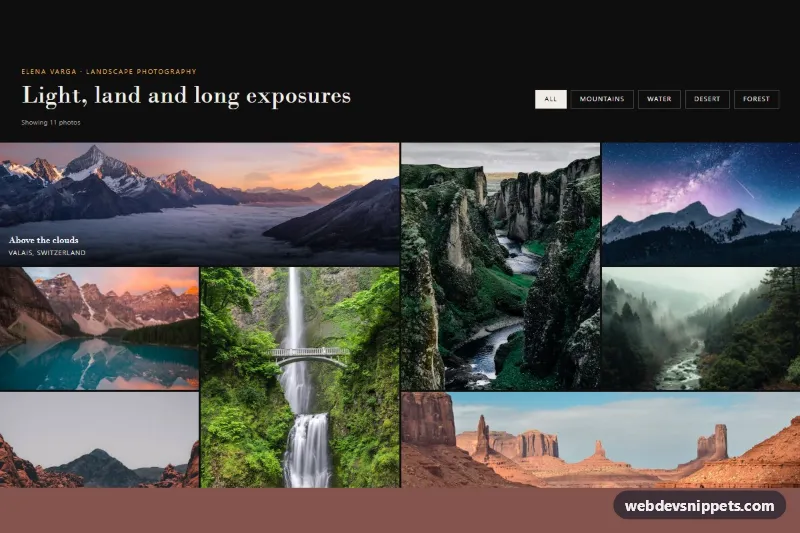
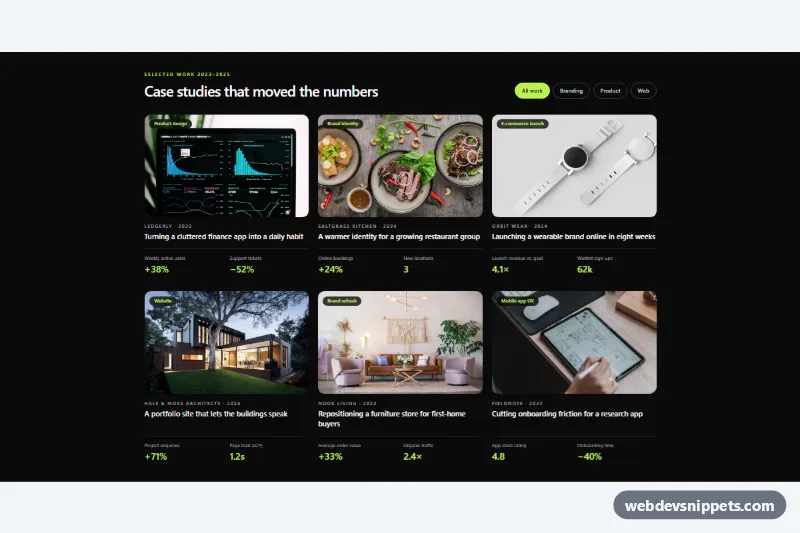
A dark Bootstrap 5 portfolio page for photographers: a minimal header with subject filters and a full-bleed photo grid that mixes wide, tall and square tiles, with hover captions and a modal lightbox. Use it for landscape, wedding or architecture portfolios and agency showcases.
How it works
The root is section.pf-portfolio. The header.pf-head holds the photographer name, the h2.pf-title and a group of .pf-filter buttons. Below it, ul.pf-grid is a CSS grid with grid-auto-flow: dense that runs edge to edge with a hairline gap: one column on phones, two from 576px and four from 992px. Each li.pf-cell contains an a.pf-item link to the large version of the photo. .pf-cell--wide spans two columns and .pf-cell--tall spans two rows, and the dense flow fills the holes so the wall stays tight. On hover or focus the image zooms slightly and the .pf-meta gradient caption slides in; on touch devices captions are always visible.
The script runs on DOMContentLoaded for every .pf-portfolio. A filter button reads its data-pf-filter value, hides each cell whose data-pf-category list does not contain it, updates aria-pressed and writes "Showing 4 photos" into .pf-count. Clicking a photo opens the Bootstrap modal .pf-modal with the full-size image and the data-pf-caption text. The .pf-modal__prev and .pf-modal__next buttons and the Left and Right arrow keys step through the visible photos only, so the lightbox respects the active filter. Without JavaScript the links simply open the large photo.
The photos come from Unsplash; replace them with your own work.
Customization
--pf-accentin.pf-portfolio, .pf-modal: changes the gold kicker text and the focus outlines.--pf-bgand--pf-text: switch the page to another dark tone or to a light gallery.--pf-row: sets the height of one grid row; tall tiles are two rows high.--pf-gap: widen the hairline gap between photos, for example to12pxfor a framed look.- Add
pf-cell--wideorpf-cell--tallto anyli.pf-cellto change the rhythm of the grid. data-pf-categoryon each cell and a matchingdata-pf-filterbutton: add your own subjects such asweddingsorportraits.grid-template-columns: repeat(4, 1fr)in the992pxmedia query: userepeat(3, 1fr)for larger tiles.
Accessibility
Filters sit in a labelled role="group" and expose their state through aria-pressed; .pf-count is a role="status" region. Every photo has a descriptive alt, and the lightbox reuses it. The modal is labelled by its caption, focus moves into it and returns to the clicked photo on close. All controls show a gold :focus-visible outline, and zoom and fade transitions stop under prefers-reduced-motion: reduce.
Usage notes
Requires Bootstrap 5 with its JS bundle and Bootstrap Icons. The script moves each modal to body, so several portfolios can share a page.