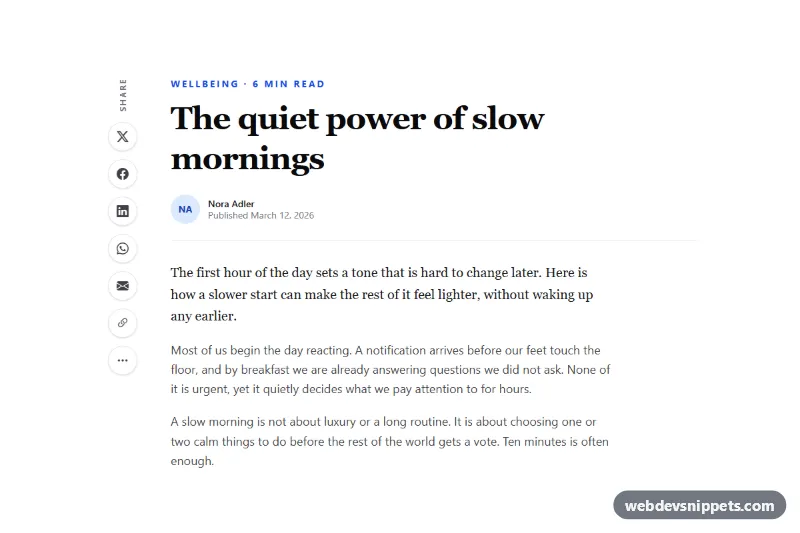
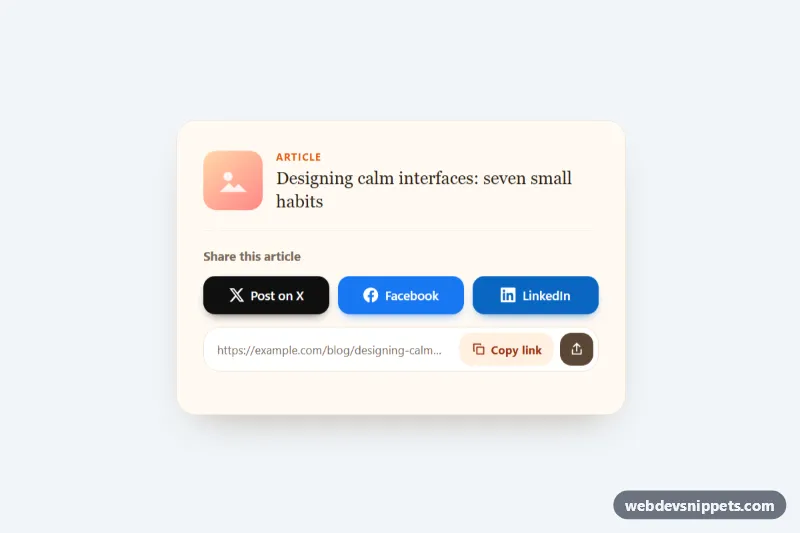
A blog article layout with a sticky social share sidebar, built with Tailwind CSS and Bootstrap Icons. On large screens a vertical column of round share buttons stays beside the article while the reader scrolls; on phones and tablets the same buttons become a fixed bar at the bottom of the screen. It fits blogs, news sites, documentation and long-form landing pages.
How it works
The root div.ss-share-layout holds a two-column grid (lg:grid-cols-[64px_minmax(0,1fr)]): the aside.ss-bar and the article. Below the lg breakpoint the aside uses fixed inset-x-0 bottom-0 with a translucent, blurred white background, so it floats over the content; the root adds pb-28 so the last paragraph is never hidden. From lg up, lg:sticky lg:top-8 lg:self-start turns it into a sticky column that follows the reader, with a rotated "Share" label using writing-mode: vertical-rl.
Each .ss-btn is a round link with an icon, a screen-reader label and a .ss-tip tooltip that style.css shows to the right of the button on hover or keyboard focus (large screens only). Hovering fills a button with its network color, for example hover:bg-[#1877f2] for Facebook.
On DOMContentLoaded the script finds every .ss-share-layout, reads data-share-url and data-share-title (falling back to the current page address and document.title), and rewrites the href of each [data-ss-network] link from the NETWORKS templates. The [data-ss-copy] button copies the URL with the Clipboard API, falls back to a hidden textarea, then shows a green .ss-btn--copied state with a check icon for two seconds. Where the Web Share API exists, the hidden [data-ss-native-item] appears and opens the system share sheet. Without JavaScript the links still work with their static fallback URLs.
Customization
data-share-urlanddata-share-titleon.ss-share-layout: set the canonical address and title to share; removedata-share-urlto use the current page URL.NETWORKSinscript.js: add a network (for example Reddit or Telegram) by adding a template and a link with the matchingdata-ss-networkvalue.lg:top-8onaside.ss-bar: increase it if your site has a sticky header so the bar stops below it.lg:grid-cols-[64px_minmax(0,1fr)]andmax-w-4xl: change the sidebar column width or the overall reading width.h-11 w-11 rounded-fullon.ss-btn: userounded-xlfor square buttons orh-12 w-12for larger targets.background: #18181bon.ss-tipinstyle.css: restyle the tooltip color.
Use cases
- Blogs and news sites: a vertical share bar stays beside the article while the reader scrolls
- Mobile article pages: the same buttons become a fixed bar at the bottom of the screen
- Documentation and long-form pages: a copy link button gives readers a quick way to share
- Phones with native sharing: the system share sheet opens where the Web Share API exists
- Content marketing: network-colored hover states and tooltips make each button clear
Accessibility
The bar is an aside with aria-label="Share this article" and a list of links. Each icon is aria-hidden; a sr-only label names the action and notes when a new tab opens, while the visual tooltip is hidden from assistive technology to avoid duplicate announcements. Copy results are announced through a role="status" region. Buttons are at least 44 px, show a blue focus ring, and tooltips also appear on :focus-visible. Transitions are disabled for prefers-reduced-motion.
Usage notes
Requires the Tailwind browser build (added automatically) and Bootstrap Icons (listed in external libraries). Copying needs a secure context or a browser that still supports execCommand('copy'); inside sandboxed previews the button may report "Copy failed".