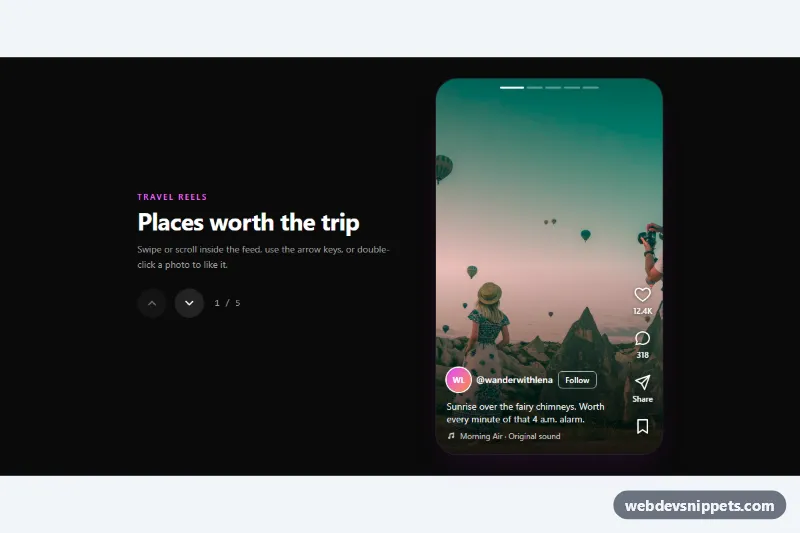
A reels-style vertical feed built with Tailwind CSS and a small vanilla JavaScript controller: full-height photos snap into place one at a time, with like, comment, share and save buttons stacked on the right and the creator, caption and audio track at the bottom. Use it for travel inspiration pages, social media mockups, product stories or any short-form content stream.
How it works
The root is .trv-reels. Next to a short intro with previous/next buttons (data-trv-prev, data-trv-next) and a counter (data-trv-counter) sits the scroll container .trv-feed, marked data-trv-feed with role="feed". It uses the utilities snap-y snap-mandatory overflow-y-auto, and every .trv-reel article is h-full snap-start snap-always, so each swipe or wheel step lands exactly on one photo. The img fills the article with object-cover under a dark gradient that keeps the white text readable. Without JavaScript the feed still scrolls and snaps.
The script runs on DOMContentLoaded for every .trv-reels on the page. It creates one .trv-dot progress bar per reel inside data-trv-dots, derives the visible reel from scrollTop in a passive scroll listener, and updates the dots, the counter and the disabled state of the arrow buttons. A keydown listener on the feed handles Arrow Up/Down, Page Up/Down, Home, End and J/K. The like button (data-trv-like) toggles aria-pressed and adds one to data-trv-count, formatted with Intl.NumberFormat compact notation. Double-clicking a photo likes it and plays the .trv-burst heart animation. Save, Follow, Share and Comment update their state or write a message into the data-trv-status live region.
Customization
- Add or remove
.trv-reelarticles in.trv-feed; dots and the counter adapt automatically. Updatearia-posinsetandaria-setsizeto match. h-[600px]andw-[340px]on the feed: change the frame size, or useh-svh w-full rounded-nonefor a true full-screen mobile feed.data-trv-counton each like button: the base like count shown before the viewer likes it.fill: #f43f5ein.trv-like[aria-pressed="true"] svgandfill: #facc15for.trv-save: the liked and saved colors.text-fuchsia-400andfocus-visible:outline-fuchsia-400: swapfuchsiafor another Tailwind color to retheme the accents.from-black/85on the overlay gradient: raise or lower it to balance photo brightness and caption contrast.- The comment
Replace with navigator.share()inscript.jsmarks where to plug in a real share sheet.
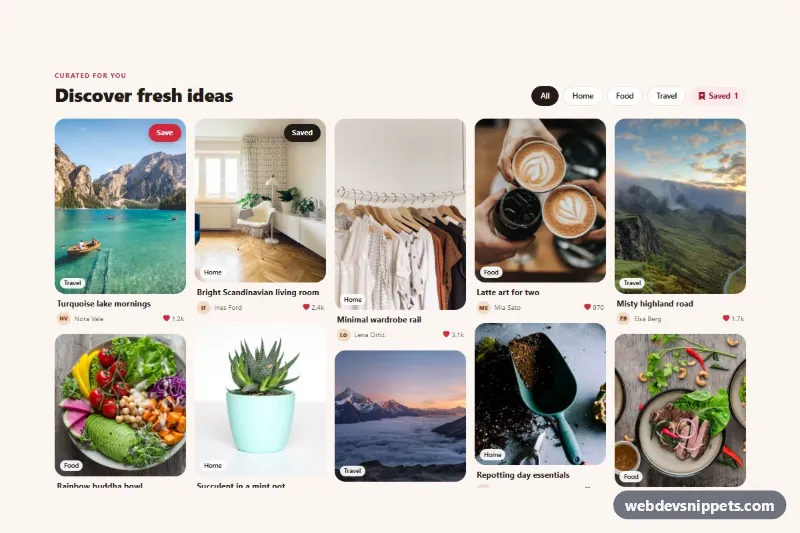
The photos come from Unsplash; replace them with your own images or video posters.
Use cases
- Travel inspiration pages: visitors swipe through full-height destination photos one at a time with like and save buttons
- Social media mockups: designers prototype a short-form content stream with double-click to like and keyboard navigation
- Product stories: brands show products as snapping full-screen cards with creator, caption and audio track at the bottom
- Photo and creator showcases: previous and next buttons plus a counter help people move through a curated stream
Accessibility
The container uses role="feed" with an aria-label, and each article has aria-posinset, aria-setsize and aria-labelledby pointing to its caption. The feed is focusable, so keyboard users can scroll it with the arrow keys; when focus is inside a reel, focus follows to the next article. Toggle buttons expose aria-pressed, icon-only controls have labels, decorative SVGs are aria-hidden, and status messages are announced politely. Every control has a visible focus outline, and smooth scrolling, transitions and the heart burst are disabled under prefers-reduced-motion: reduce.
Usage notes
For several feeds on one page, give each .trv-feed a unique id and update the aria-controls of its arrow buttons.