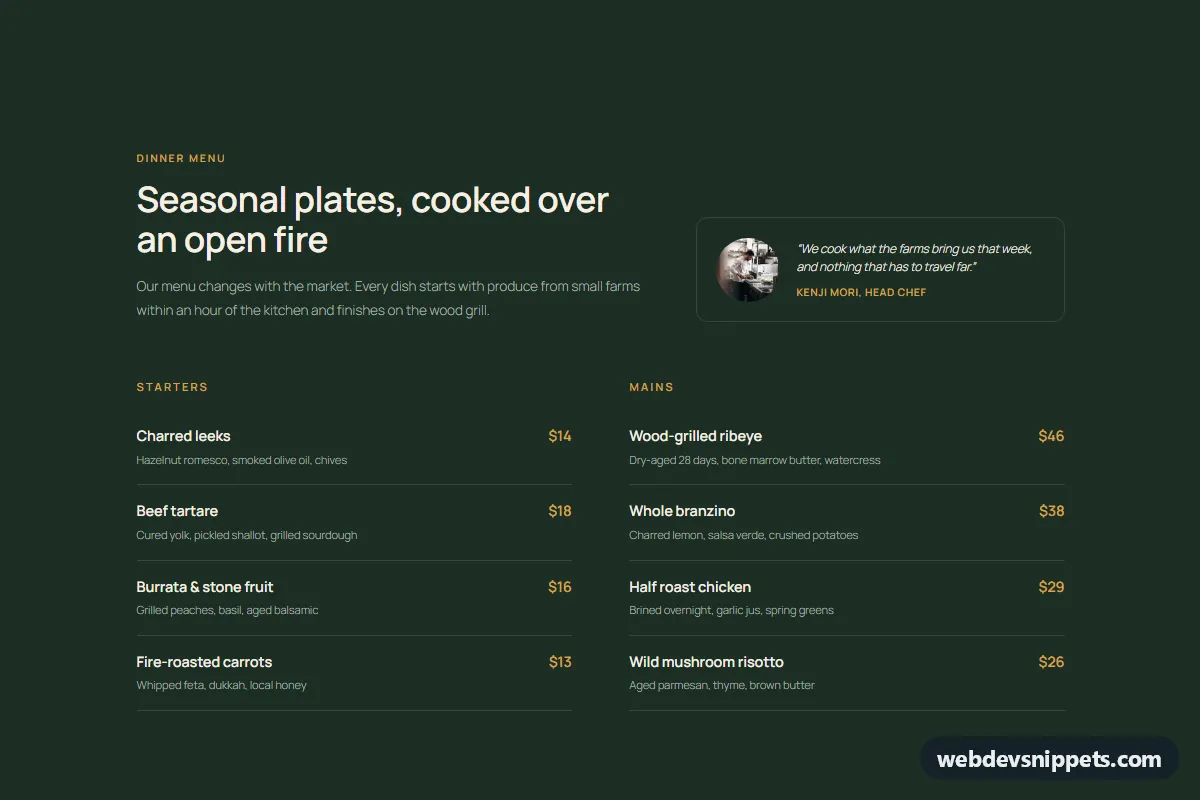
A dark restaurant menu section with starters and mains, dish descriptions, right-aligned prices and a chef note, a food menu layout for restaurant sites.
Also known as: restaurant menu block, food menu with prices, menu section layout, cafe menu page, dinner menu design
A restaurant menu section with starters and mains, short dish descriptions and right-aligned prices, built as a WordPress block pattern from core blocks. The dark green and gold food menu with prices suits restaurants, bistros, wine bars and cafes that want an elegant dinner menu page in the block editor, with a small chef note that adds a personal touch.
How it works
The outer Group is full width with a deep green #1c2e24 background and a constrained 1160px inner layout. The header is a Columns block: on the left a gold "Dinner menu" label, a 44px cream Heading and an intro Paragraph; on the right a bordered card with a round chef photo and a short quote. The menu itself is a second Columns block with "Starters" and "Mains". Every dish is a Group with the Row (flex) layout, no wrapping and space-between justification: the name and description sit in a stack that fills the width, and the gold price has a fixed 56px width and right-aligned text, so all prices line up. A 1px bottom border separates the dishes. An allergy note and a "Reserve a table" button close the section.
Use cases
Restaurant and bistro websites: a full dinner menu on the menu page
Cafes and bakeries: breakfast and lunch items with prices
Wine bars and cocktail bars: small plates next to the drinks list
Hotel restaurants and event venues: a set menu or a seasonal tasting menu
How to use it
Copy the block markup with the copy button.
In the block editor, click into an empty paragraph and paste.
Replace the dishes, descriptions, prices and the chef photo; link the button to your booking page.
Customization
Background: select the outer Group, Color > Background, #1c2e24.
Gold accent: the labels, category headings and prices use Color > Text #d4a24c, and the button uses Color > Background #d4a24c with text #1c2e24.
Add a dish: select a dish Group and duplicate it (Options > Duplicate), then edit the name, description and price.
Price column width: select a price Paragraph, Layout > Width "Fixed" 56px. Increase it for longer prices such as "$128".
Dish dividers: select a dish Group, Border > Bottom, 1px solid #33493b, with Dimensions > Padding 20px top and bottom.
Chef photo: select the Image block and click Replace; it is 80 by 80px with Border > Radius 999px for the circle. The sample photo comes from Unsplash and should be replaced with your own image.
More categories: copy the menu Columns block below the first one for "Desserts" and "Drinks".
Accessibility
Cream #f5efe2 text on #1c2e24 reaches about 13:1 contrast and the muted descriptions #a7b5aa about 7:1. Category names and dish names are headings, so screen reader users can jump through the menu. The chef photo has a descriptive alt text; update it with the real name.
Can I use the Restaurant Menu Section with Prices code for free?
Yes. You can copy or download the block markup and use it in personal and commercial projects, including client work. No sign-up is needed. Reselling it as part of a component library or template collection is not allowed; see the license.
How do I add it to my WordPress site?
Copy the block markup, open a page in the block editor, click into an empty paragraph and paste. WordPress turns it into regular blocks that you can edit like any other content. You can also paste it in the Code editor view (Options menu > Code editor).
Does it need a page builder or plugin?
No. The pattern is built only from core blocks such as Group, Columns, Heading, Image and Buttons, so it works without Elementor, Spectra, Kadence or any other plugin. Colors and spacing are set on the blocks themselves; headings and text use your theme's fonts.
Will it look the same in my theme?
The layout, colors and spacing come with the blocks, so they carry over. Fonts, link styles and the content width follow your theme, so small differences are normal. The live demo shows the pattern in the default Twenty Twenty-Five theme. It works best with block themes; in classic themes the block editor still renders it, with your theme's styles.
Does it work on mobile?
Yes. The layout adapts to small screens. Use the Mobile and Tablet buttons above the live demo to check it at phone and tablet width.
How to install
Copy the block markup above.
Open a page or post in the WordPress block editor, click into an empty paragraph and paste. The editor turns the markup into blocks.
Replace the sample text and images. To reuse it, select the blocks and choose Create pattern from the block toolbar menu.
Uses only core WordPress blocks, so no plugin is needed. Tested with WordPress 6.8 and later. Fonts come from your theme; the live demo uses the default Twenty Twenty-Five theme. WebDevSnippets is not affiliated with or endorsed by the WordPress Foundation.
Restaurant Menu Section with Prices · free WordPress content section template
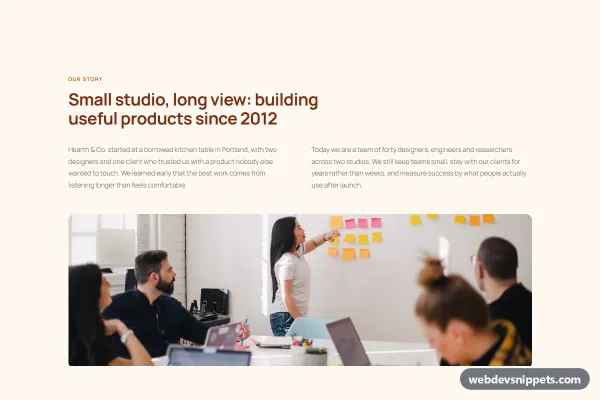
An about us section with a company story in two columns, a wide team photo and four milestone years, a warm company history layout for any business site.