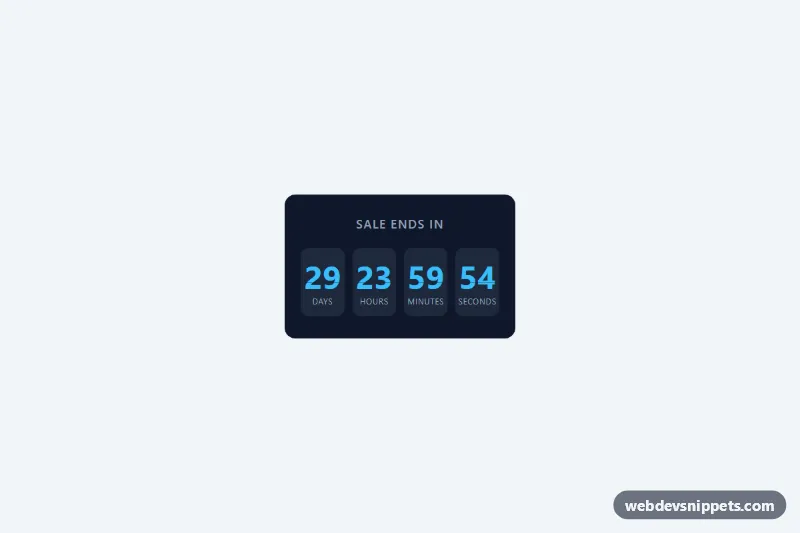
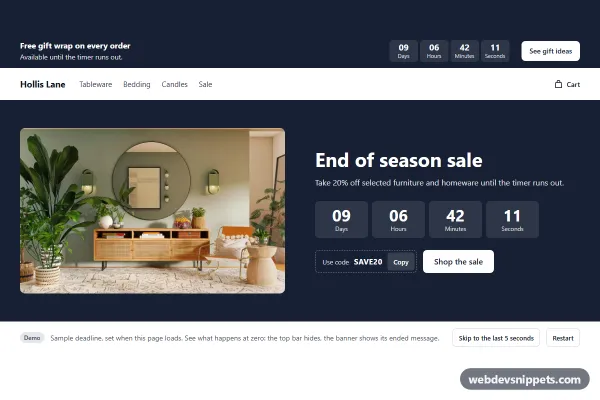
A dark countdown timer with four flip-style cards for days, hours, minutes and seconds, written in pure CSS and vanilla JavaScript. Use it for sale banners, event pages, webinar registrations or any deadline that should feel urgent.
How it works
The root element is section.cd-timer, which holds a .cd-title heading, the .cd-grid of four .cd-unit cards, a visually hidden live region and a .cd-done message that starts out hidden. Each card contains a .cd-value number with a data-unit attribute (days, hours, minutes or seconds) and a .cd-label caption. A thin ::after line across the middle of every card gives the flip-clock look, and font-variant-numeric: tabular-nums keeps the digits from jumping as they change.
On DOMContentLoaded the script initializes every .cd-timer. It first reads data-countdown as an absolute date. If that is missing or invalid it falls back to data-countdown-days, counting that many days from the moment the page loads (handy for demos), and to 7 days if neither is set. A tick() function runs every second, splits the remaining time into units and writes zero-padded values into the data-unit elements. When the time reaches zero the interval is cleared, .cd-grid is hidden and .cd-done is shown.
Customization
data-countdownon.cd-timer: set a real deadline in ISO 8601, e.g.2026-12-31T23:59:59Z; it takes priority over the demo value.data-countdown-days="30"on.cd-timer: change or remove the relative demo duration.--cd-accentin.cd-timer: changes the color of the large digits.--cd-bgand--cd-card: set the panel background and the card background, for example a light theme with matching--cd-text.--cd-muted: changes the color of.cd-titleand the.cd-labelcaptions.- Edit the text of
.cd-titleand.cd-doneto match your campaign, such as "Doors open in" and a launch message. grid-template-columnsin the@media (max-width: 360px)rule of.cd-grid: controls when the cards wrap into a 2 by 2 grid.font-size: clamp(1.75rem, 8vw, 3rem)on.cd-value: make the digits larger or smaller.
Use cases
- Sale and promo banners: four flip-style cards count down the days, hours, minutes and seconds until an offer ends
- Event pages: show visitors exactly how long remains until the doors open
- Webinar registration pages: build urgency by counting down to the live session start time
- Several deadlines on one page: each timer keeps its own target date and interval
Accessibility
The ticking cards are marked aria-hidden="true" so screen readers are not flooded with a change every second. Instead the paragraph with data-countdown-summary is an aria-live="polite" region, hidden visually with .cd-sr, that the script updates only when the minute changes, with text such as "12 days, 4 hours and 30 minutes left." The section is labelled by its heading through aria-labelledby="cd-title". Light digits on the dark slate background provide strong contrast, and there are no animations to reduce.
Usage notes
Several timers can share a page; each .cd-timer keeps its own target and interval. Give each instance a unique heading id. The countdown uses the visitor's clock, so use a UTC timestamp in data-countdown for a deadline that is the same for everyone.