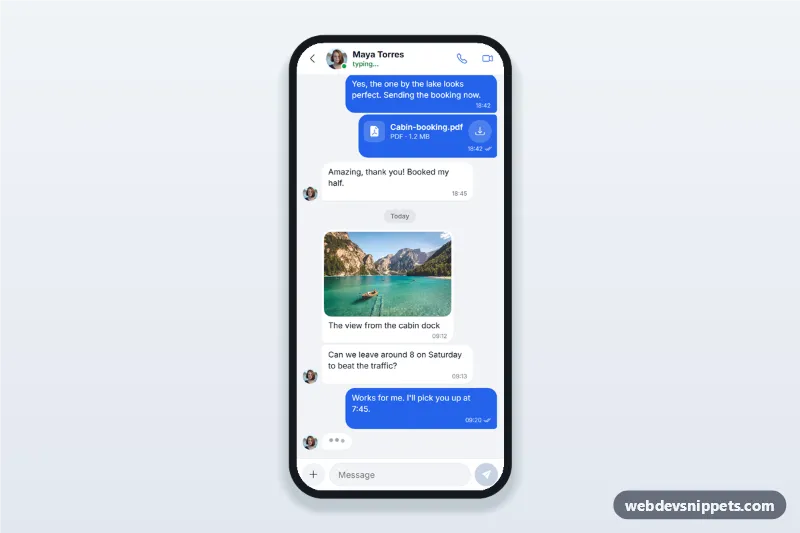
Mobile chat thread screen with a contact header and call buttons, message bubbles grouped by day, image and file messages, a typing indicator and a composer with an attachment sheet.
Also known as: chat app ui, messaging app conversation screen, chat bubbles with file attachments, mobile chat interface html, instant messenger screen
A chat thread screen built with Bootstrap 5: an HTML mobile template for a messaging app with a contact header, message bubbles grouped by day, image and file messages, a typing indicator and a composer with an attachment sheet. Use this chat app UI for support chat, marketplace messaging or a social PWA, or package it with Capacitor.
How it works
The root .cht-app is a 430 px app column with a fixed 100dvh height, split into three parts:
.cht-head: back link, avatar with online dot, name, a .cht-status line ("typing..." or "Online") and call buttons that open the .cht-callbar banner.
.cht-thread: the scrollable role="log" list. .cht-day separators split Yesterday and Today. Consecutive messages share a .cht-group (--in or --out), so only the last bubble gets the small corner and avatar. .cht-msg--image shows a photo with caption, .cht-msg--file a file with size and download button, and .cht-typing three animated dots.
.cht-composer: attach button, message input and send button.
script.js keeps the thread scrolled to the newest message. Sending adds an outgoing bubble with the current time; its tick changes from sent to read, then the contact types and a simulated reply arrives. The attach button opens a Bootstrap 5 Offcanvas bottom sheet: picked images become image messages, other files show their real name and size, and Location adds a map card. The avatar and lake photo come from Unsplash; replace them with your own images.
Customization
--cht-blue on .cht-app: outgoing bubbles, send button and focus colour.
--cht-bg on .cht-app: the light grey thread background.
data-contact on .cht-app: the sender name read out before the contact's new messages.
REPLIES in script.js: the simulated answers; remove scheduleReply() when you connect a real backend.
accept on each .cht-file input: the file types for Photos, Camera and Document.
Add a sheet option with a new .cht-option and data-pick value.
Replace the comment in the submit handler with fetch() to your messages API.
Use cases
Messaging and social apps: one-to-one conversations with media and documents.
Marketplace apps: buyers and sellers share photos, invoices and meeting points.
Customer support chat: agents send PDFs and guides inside the thread.
Booking and travel apps: guests and hosts exchange directions.
Accessibility
The thread is a role="log" region, so new messages are announced, and each group starts with a visually hidden sender name. Ticks have hidden "Sent" or "Read" text, icon buttons have aria-labels and the typing dots are a labelled image. The sheet traps focus and closes with Escape or the backdrop; focus returns to the attach button, or to the input after sharing. Touch targets are at least 44 px, and animations stop for prefers-reduced-motion.
Usage notes
Requires Bootstrap 5 (added automatically), Bootstrap Icons and the Inter font. Change the cht-attach-sheet id if you place two chats on one page.
Can I use the Chat Thread with Attachments code for free?
Yes. You can copy or download the code and use it in personal and commercial projects, including client work. No sign-up is needed. Reselling it as part of a component library or template collection is not allowed; see the license.
How do I add it to my website?
Load Bootstrap 5 and Bootstrap Icons and fonts.googleapis.com from a CDN (the links are under Requirements).
Paste the HTML where the component should appear, add the CSS to your stylesheet and load the JavaScript before the closing </body> tag.
Download HTML gives you a complete page with everything already linked.
Does it need jQuery or a JavaScript framework?
No. The script is plain vanilla JavaScript, so it works without jQuery, React or Vue. You can still use the markup inside those frameworks.
Can I turn this screen into an iOS or Android app?
Yes. It is plain HTML, CSS and JavaScript, so it works in a mobile website or progressive web app as it is. To ship it as a store app, put it in the web folder of a Capacitor or Cordova project and build it for iOS and Android; replace the sample data with calls to your own API.
How does it look on a desktop screen?
The screen is designed for phones. On wider screens it stays at phone width in the middle of the page, so it still looks like an app. The live demo opens at mobile width; use the Tablet and Desktop buttons to check other sizes.
Requirements
Add these to your page (already included in the download):
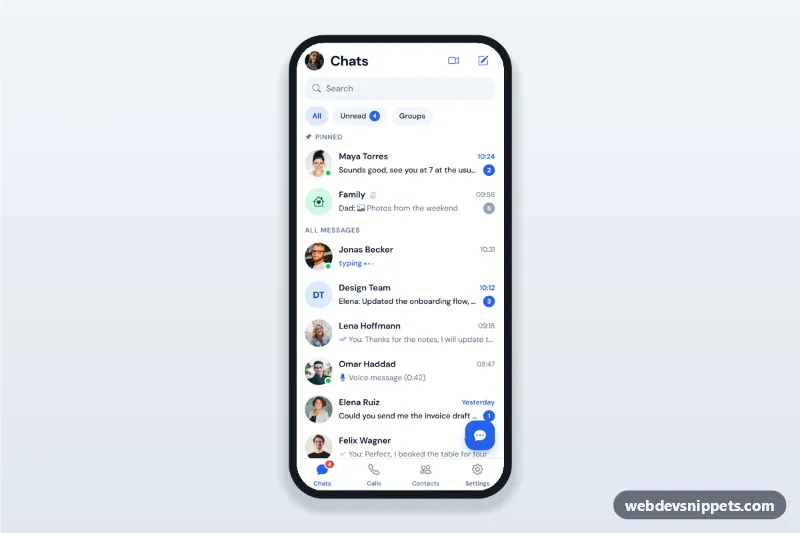
Messaging app chat list screen with search, unread and group filters, pinned chats, online dots, message previews, unread counts and a new chat bottom sheet.
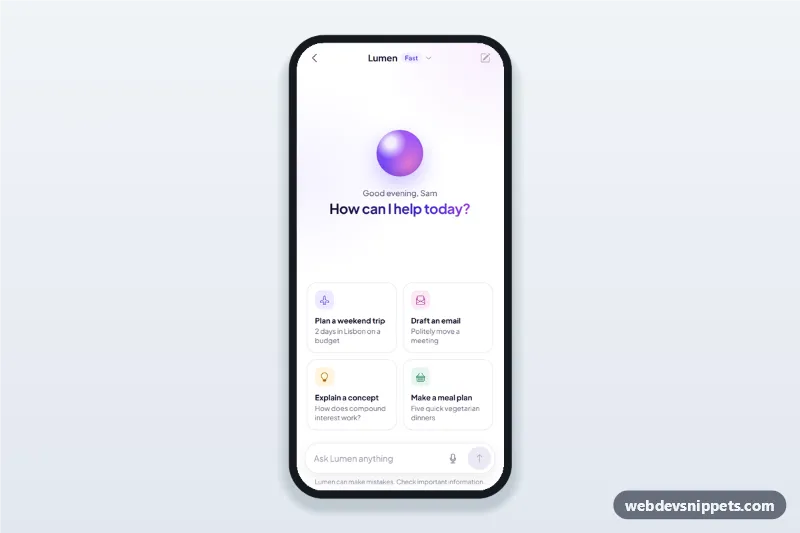
AI assistant chat screen for mobile apps with suggestion cards, a streaming chatbot answer typed in word by word, copy and regenerate actions and voice input.