Skip to content

Messaging App Conversation List

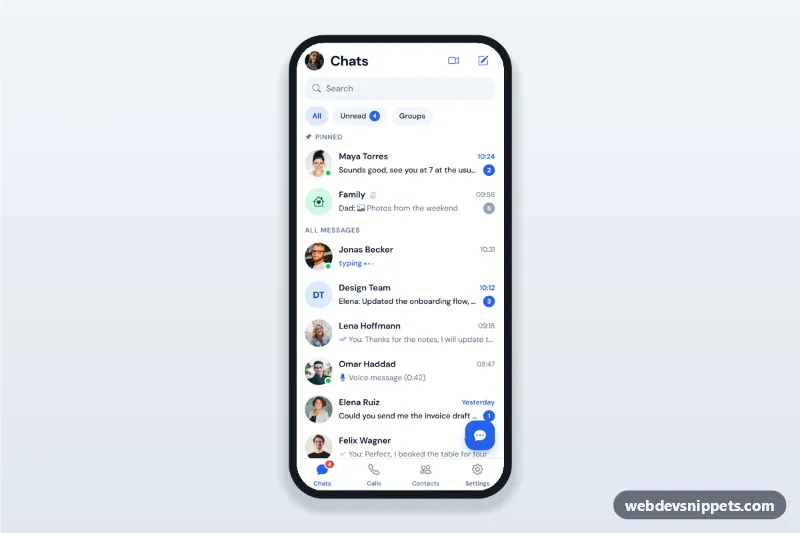
Messaging app chat list screen with search, unread and group filters, pinned chats, online dots, message previews, unread counts and a new chat bottom sheet.

Also known as: chat app ui, chat list screen, messenger inbox template, mobile chat app html

Messaging App Conversation List live demo

Open in new tab

Tailwind CSS code (HTML, CSS, JS)

A messaging app conversation list built with Tailwind CSS: a Chats header, search, All, Unread and Groups filters, pinned chats, avatars with online dots, last message previews, read ticks, unread counts, a floating new chat button and a bottom tab bar. It is an HTML mobile template for mobile websites and PWAs and can be packaged as a native app with Capacitor. Use it as the inbox of a messenger or team chat app.

How it works

The root .mcl-app is a phone-width column. Each conversation is an li with data-mcl-chat, a data-name and a data-type of person or group; the row is a link (.mcl-row) with an optional .mcl-unread badge marked data-mcl-unread.

apply() in script.js combines the search text with the active .mcl-filter pill (aria-pressed), hides rows that do not match and shows [data-mcl-empty] when nothing is left. Tapping a row marks it as read and updateCounts() refreshes the Unread pill and the Chats tab badge.

The pencil icon and the floating .mcl-fab open #mcl-new, a native <dialog> bottom sheet with a contact search and a radio list of contacts. Submitting without a contact shows "Choose a contact to start a chat."; with a contact the sheet closes and a toast confirms the new chat. The sheet closes with Escape or a backdrop tap.

Customization

  • --mcl-accent and --mcl-accent-press on .mcl-app in style.css: blue for unread badges, times, the floating button and the active tab.
  • --mcl-online: colour of the .mcl-online presence dot; remove the dot span for offline contacts.
  • Add a conversation by copying an li[data-mcl-chat]; add or remove the .mcl-unread badge, .mcl-preview--unread and .mcl-time--unread to set its unread state.
  • Use .mcl-initials with any background utility for group avatars without a photo.
  • .mcl-typing with .mcl-dots shows the animated typing indicator in a preview.
  • Replace the toasts in the row click and sheet submit handlers with navigation to your chat screen and a call to your messaging API.

Use cases

  • Messenger and chat apps: the main inbox with pinned and unread chats.
  • Team and workplace chat: channels and direct messages in one list.
  • Marketplace and booking apps: buyer and seller conversations.
  • Support and community PWAs: a member inbox with search and filters.

Accessibility

Rows are real links, avatars are decorative and each row has hidden text for online status and unread counts. Filter pills are toggle buttons with aria-pressed, icon buttons have labels and the active tab has aria-current="page". The new chat sheet is a labelled modal <dialog> with a fieldset of radio buttons, and its error is announced with aria-live. The typing animation respects prefers-reduced-motion.

Usage notes

The portraits come from Unsplash; replace them with your own images. Names and messages are fictional. Bootstrap Icons and DM Sans load from CDNs.
Messaging App Conversation List at a glance

Framework
Tailwind CSS
Code
HTML, CSS, JavaScript
JavaScript
Vanilla JavaScript, no jQuery
Dependencies
Tailwind CSS, fonts.googleapis.com, Bootstrap Icons
Layout
Mobile-first app screen, centred on wider screens
Category
Mobile Chat & Messaging
License
Free for personal and commercial use

Questions about this template

Can I use the Messaging App Conversation List code for free?

Yes. You can copy or download the code and use it in personal and commercial projects, including client work. No sign-up is needed. Reselling it as part of a component library or template collection is not allowed; see the license.

How do I add it to my website?

Load Tailwind CSS and fonts.googleapis.com and Bootstrap Icons from a CDN (the links are under Requirements). Paste the HTML where the component should appear, add the CSS to your stylesheet and load the JavaScript before the closing </body> tag. Download HTML gives you a complete page with everything already linked.

Does it need jQuery or a JavaScript framework?

No. The script is plain vanilla JavaScript, so it works without jQuery, React or Vue. You can still use the markup inside those frameworks.

Can I turn this screen into an iOS or Android app?

Yes. It is plain HTML, CSS and JavaScript, so it works in a mobile website or progressive web app as it is. To ship it as a store app, put it in the web folder of a Capacitor or Cordova project and build it for iOS and Android; replace the sample data with calls to your own API.

How does it look on a desktop screen?

The screen is designed for phones. On wider screens it stays at phone width in the middle of the page, so it still looks like an app. The live demo opens at mobile width; use the Tablet and Desktop buttons to check other sizes.

Requirements

Add these to your page (already included in the download):

  • <script src="https://cdn.jsdelivr.net/npm/@tailwindcss/browser@4"></script>
  • <link rel="stylesheet" href="https://fonts.googleapis.com/css2?family=DM+Sans:opsz,wght@9..40,400;9..40,500;9..40,600;9..40,700&display=swap">
  • <link rel="stylesheet" href="https://cdn.jsdelivr.net/npm/bootstrap-icons@1.11.3/font/bootstrap-icons.min.css">

The Tailwind browser build is for prototyping. In production, compile Tailwind with its CLI or your bundler.

Messaging App Conversation List – Tailwind CSS mobile chat & messaging component screenshot
Messaging App Conversation List · Tailwind CSS Mobile Chat & Messaging

More Mobile Chat & Messaging

Chat Thread with Attachments – Bootstrap 5 mobile chat & messaging preview

Chat Thread with Attachments

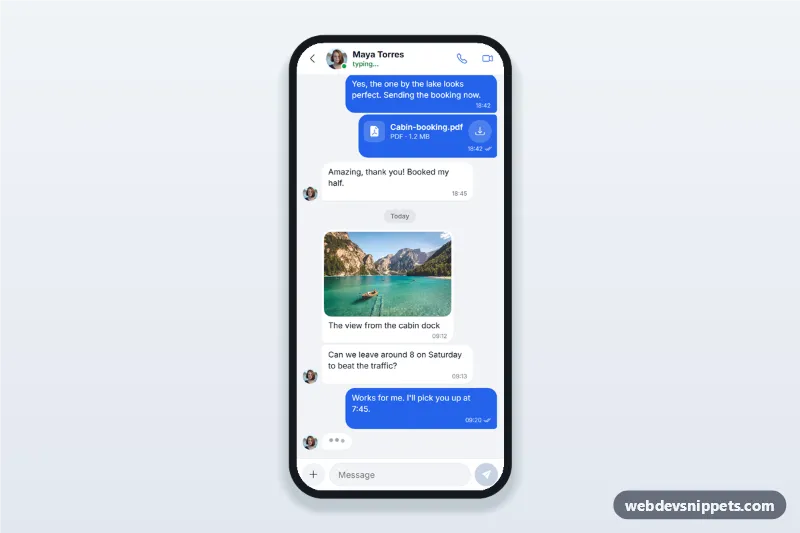
Mobile chat thread screen with a contact header and call buttons, message bubbles grouped by day, image and file messages, a typing indicator and a composer with an attachment sheet.

AI Assistant Chat Screen – Bootstrap 6 mobile chat & messaging preview

AI Assistant Chat Screen

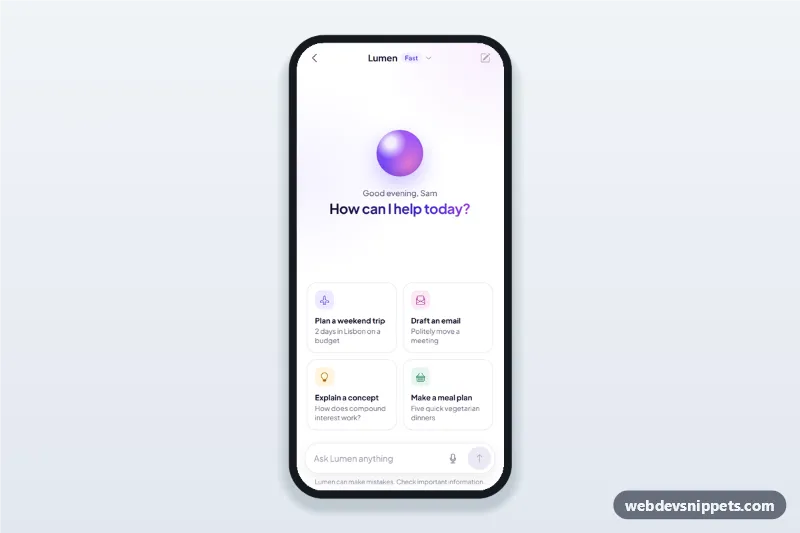
AI assistant chat screen for mobile apps with suggestion cards, a streaming chatbot answer typed in word by word, copy and regenerate actions and voice input.