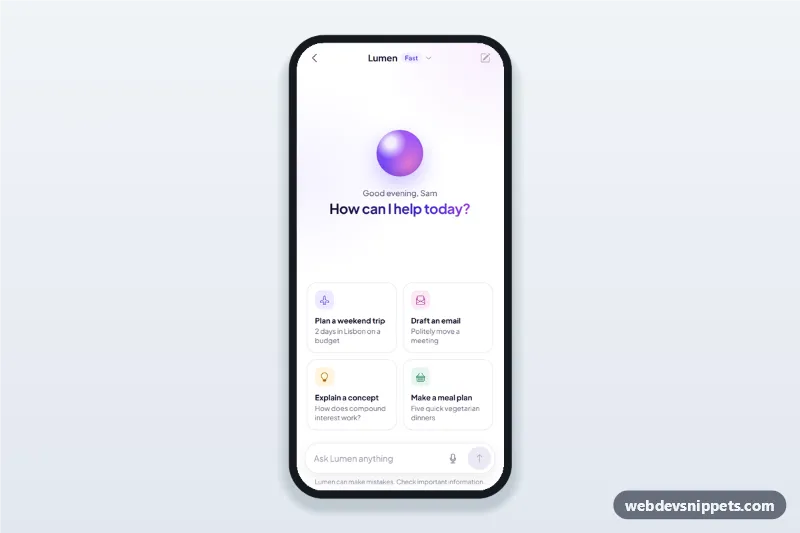
AI Assistant Chat Screen
AI assistant chat screen for mobile apps with suggestion cards, a streaming chatbot answer typed in word by word, copy and regenerate actions and voice input.
Mobile chat screens: conversation lists, message threads, typing indicators and attachments.
1 component
AI assistant chat screen for mobile apps with suggestion cards, a streaming chatbot answer typed in word by word, copy and regenerate actions and voice input.
Chat screens show a list of conversations and a message thread with bubbles, timestamps, read states and a composer at the bottom. They are the core of messaging, support and community apps.
Use them for messaging apps, customer support, marketplaces where buyers and sellers talk, and team or community tools.
Each screen is available in one of Bootstrap 6, Bootstrap 5, Tailwind CSS or pure CSS. The live preview opens at phone width; switch to tablet or desktop to see how the screen stays centred on larger displays. Copy the HTML, CSS and JavaScript or download the complete page, replace the sample data and connect it to your own API.