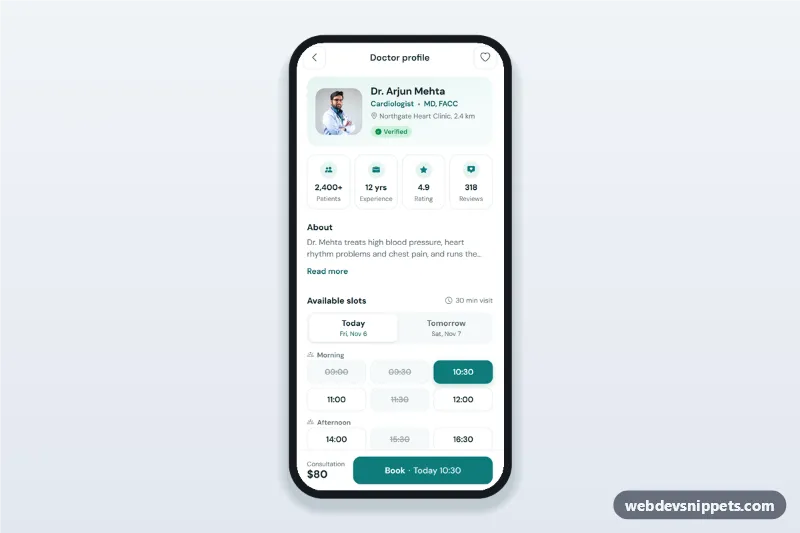
A doctor profile screen built with Bootstrap 6: an HTML mobile template for healthcare apps with the doctor's photo, specialty, verified badge, experience stats, an About text, a day switcher with today and tomorrow time slots, and a booking bottom sheet. Use this doctor appointment booking UI in clinic websites, telemedicine PWAs and patient apps, or package it as a native app with Capacitor.
How it works
The root .dpb-app is a 430 px app column with a sticky top bar (.dpb-bar) and a sticky booking bar (.dpb-cta).
Hero and stats: .dpb-hero holds the portrait and clinic; .dpb-stats is a four-column grid.
About: .dpb-about is clamped to two lines; the "Read more" button toggles .is-open and aria-expanded.
Days: .dpb-days is a Bootstrap 6 Tab list (data-bs-toggle="tab") with two .tab-pane-instant panes. The date under "Today" and "Tomorrow" is computed in script.js, so it never goes stale.
Slots: every .dpb-slot is a real radio button (name="dpb-slot") grouped in a fieldset per part of the day. Booked times are disabled and struck through.
Booking: "Book" opens a Bootstrap 6 Drawer (.dpb-sheet) with the slot summary, a visit type choice and the price lines. "Confirm booking" shows a spinner, then the success step ([data-step="done"]) and marks the slot as booked. Without a slot, .dpb-error appears.
Customization
--dpb-teal on .dpb-app: the accent for selected slots, icons and the buttons (together with --bs-primary-bg).
value="1|14:30" on a slot radio: the day offset and time; add or remove <label class="dpb-slot"> items to match the real schedule, and add disabled for booked times.
data-offset on .dpb-day-date: the number of days from today shown in each tab; add a third tab and pane for "In 2 days".
Change -webkit-line-clamp in .dpb-about to show more lines before "Read more".
Replace the timeout in the .dpb-confirm click handler with a fetch() to your booking API.
Use cases
Clinic and hospital apps: patients see a doctor's profile and book a visit in two taps.
Telemedicine platforms: choose between an in-clinic visit and a video call.
Dental, physiotherapy and wellness practices: the same layout works for any practitioner.
Accessibility
The day switcher uses role="tablist", role="tab" and aria-selected, with arrow key support from the Tab plugin. Slots are native radios in fieldsets, so arrow keys skip booked times. The favourite button uses aria-pressed. The booking sheet is a native modal <dialog>: focus moves to the visit type, Escape and the backdrop close it, and the success heading receives focus. Touch targets are at least 44 px.
Bootstrap 6 notes
Built on Bootstrap 6.0.0-alpha.1 (alpha APIs can still change). The booking sheet uses the new Drawer (drawer drawer-bottom) instead of Offcanvas, the visit type uses the .radio input instead of form-check-input, the badge uses badge badge-subtle theme-success, and buttons use btn-solid theme-primary. The portrait comes from Unsplash; replace it with your own photo.
Can I use the Doctor Profile with Booking Slots code for free?
Yes. You can copy or download the code and use it in personal and commercial projects, including client work. No sign-up is needed. Reselling it as part of a component library or template collection is not allowed; see the license.
How do I add it to my website?
Load Bootstrap 6 and Bootstrap Icons and fonts.googleapis.com from a CDN (the links are under Requirements).
Paste the HTML where the component should appear, add the CSS to your stylesheet and load the JavaScript before the closing </body> tag.
Download HTML gives you a complete page with everything already linked.
Does it need jQuery or a JavaScript framework?
No. The script is plain vanilla JavaScript, so it works without jQuery, React or Vue. You can still use the markup inside those frameworks.
Can I turn this screen into an iOS or Android app?
Yes. It is plain HTML, CSS and JavaScript, so it works in a mobile website or progressive web app as it is. To ship it as a store app, put it in the web folder of a Capacitor or Cordova project and build it for iOS and Android; replace the sample data with calls to your own API.
How does it look on a desktop screen?
The screen is designed for phones. On wider screens it stays at phone width in the middle of the page, so it still looks like an app. The live demo opens at mobile width; use the Tablet and Desktop buttons to check other sizes.
Requirements
Add these to your page (already included in the download):
Built for Bootstrap 6.0.0-alpha.1. Bootstrap 6 ships as an ES module, so its script and this component's
JavaScript load with type="module". Alpha releases can still change before the stable version.
Doctor Profile with Booking Slots · Bootstrap 6 Mobile Profile Screens
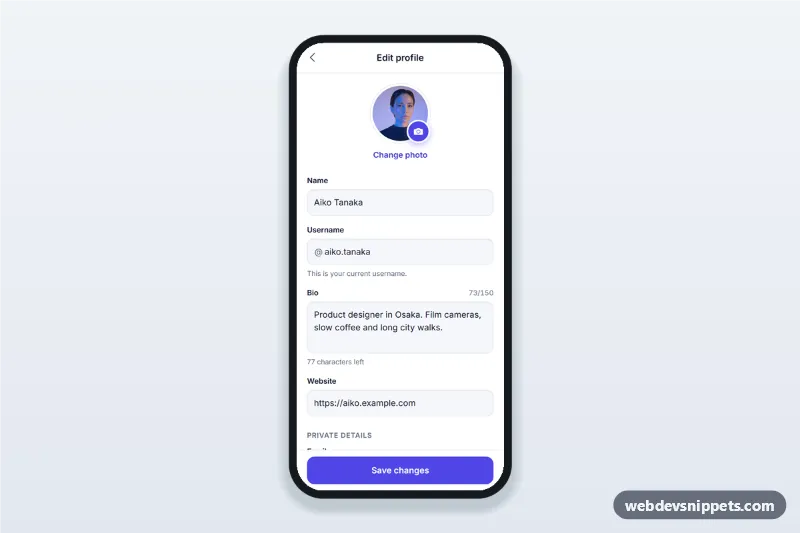
Edit profile screen for mobile apps with an avatar picker bottom sheet, username availability check, bio character counter, validation and a sticky save button.