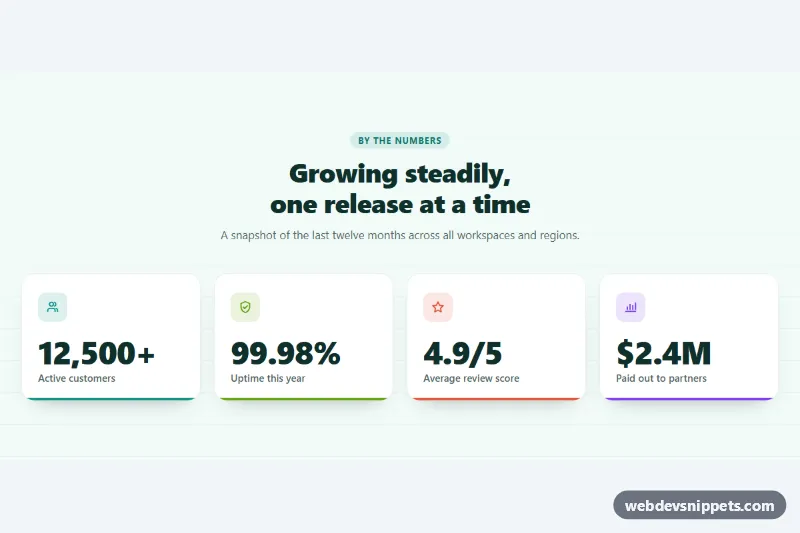
A statistics section with four number cards that count up from zero the first time they scroll into view. It is built with pure CSS and a small vanilla JavaScript file using IntersectionObserver and requestAnimationFrame, and works well on landing pages, about pages and annual report summaries.
How it works
The root section.ac-stats holds a centered .ac-head and a ul.ac-grid of li.ac-item cards. Each card has an .ac-icon, a p.ac-number and a .ac-label. Inside the number, .ac-value is the animated text and carries the settings as data attributes: data-target, data-decimals, data-prefix and data-suffix. The markup already contains the final values, so the section reads correctly without JavaScript.
On DOMContentLoaded the script initializes every .ac-stats. It adds .ac-ready to the root, resets each .ac-value to zero and observes it with an IntersectionObserver (threshold 0.6). When a value becomes visible it is unobserved, so each counter runs only once. A requestAnimationFrame loop with an ease-out cubic curve updates the text, formatted with toLocaleString() so thousands separators and decimals stay consistent. At the same moment the card receives .is-counted, and the colored bar at its bottom edge grows from left to right in sync with the number. font-variant-numeric: tabular-nums keeps the digits from wobbling while they change.
The grid shows one column on phones, two from 520px and four from 960px.
Customization
data-target,data-decimals,data-prefixanddata-suffixon each.ac-value: the final number and how it is written, e.g.data-prefix="$"withdata-suffix="M". Update the static text and the.ac-srtext to match.data-duration="2000"on.ac-stats: how long every count takes, in milliseconds; the bottom bar uses the same duration.data-locale="en-US": the number format;de-DEgives12.500..ac-item--teal,.ac-item--lime,.ac-item--coraland.ac-item--violet: each sets--ac-colorfor the icon tile and the bottom bar. Add your own modifier for a new color.--ac-bg,--ac-cardand--ac-radiuson.ac-stats: page background, card background and corner radius.- Change
threshold: 0.6inscript.jsto start counting earlier or later while scrolling.
Accessibility
The changing digits in .ac-value are aria-hidden="true", and each number has a visually hidden .ac-sr twin with the final value in plain words, for example "4.9 out of 5". Screen readers therefore hear one stable value instead of a stream of intermediate numbers. Icons are decorative and hidden from assistive technology. When prefers-reduced-motion: reduce is set, the script leaves the final values in place, does not animate and shows the bars at full width. Text colors meet WCAG AA contrast on the white cards.
Usage notes
Several stat sections can share a page; each one has its own observer and settings. Browsers without IntersectionObserver simply show the final values.