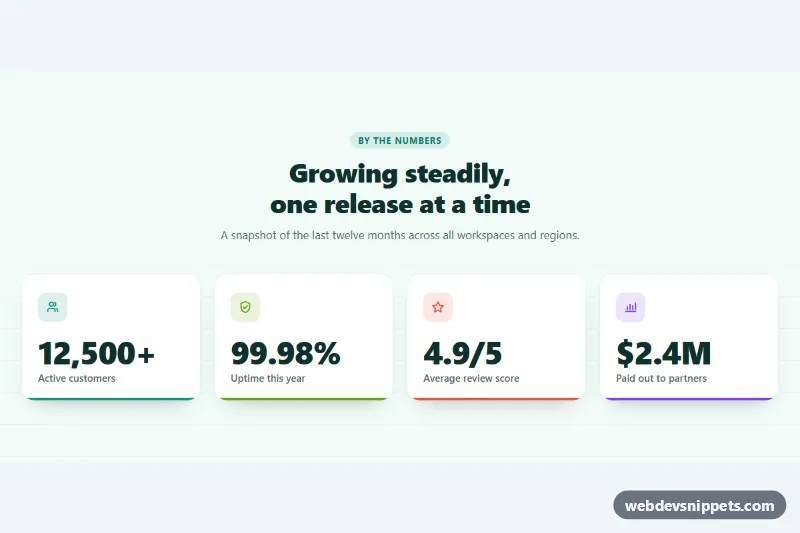
A Bootstrap 5 stats section that shows four key numbers in frosted glass cards on top of a darkened background photo. The numbers count up when the section scrolls into view. Use it on landing pages, about pages and company profiles to back up your claims with figures.
How it works
The root section.sbi-stats draws the photo with CSS: background-image stacks a dark linear-gradient overlay over the --sbi-image URL, and background-size: cover keeps it filling the section at any width. The overlay keeps white text readable on every part of the photo.
Inside a Bootstrap container, a first row places the kicker, the h2.sbi-heading and the .sbi-lead paragraph side by side on large screens. The numbers live in a ul.row with four col-6 col-lg-3 items, so you get a 2×2 grid on phones and a single row from the lg breakpoint. Every .sbi-stat card has a semi-transparent background, a thin border and backdrop-filter: blur(). It holds a .sbi-icon, the .sbi-value with the .sbi-num and an amber .sbi-suffix, and the .sbi-label.
The script runs on DOMContentLoaded for every .sbi-stats. It first adds a visually hidden copy of each final value for screen readers. Then it resets the numbers to zero and uses an IntersectionObserver to start a requestAnimationFrame count-up with an ease-out curve when 30% of the section is visible. Without JavaScript, or with reduced motion, the final values from the markup are shown straight away.
Customization
--sbi-imageon.sbi-statsinstyle.css: replace the URL with your own background photo.--sbi-overlay: make the overlay darker or lighter; keep enough contrast for the white text.--sbi-accent: change the amber color of the kicker, icons and suffixes.data-sbi-targeton a.sbi-num: set the final number; keep the same value as the visible text so the no-JS fallback matches.data-sbi-decimals: show decimals during the count-up, e.g.2for99.98.DURATIONinscript.js: make the count-up faster or slower (in milliseconds).col-6 col-lg-3on the list items: usecol-lg-4for three stats per row.
Accessibility
The section is labelled by its h2 through aria-labelledby, and the stats are a real list. Icons are decorative and marked aria-hidden="true". Screen readers read the visually hidden final value instead of the animated digits, so they never hear intermediate numbers. The count-up is skipped entirely when prefers-reduced-motion: reduce is set. White text on the dark overlay keeps contrast well above WCAG AA.
Usage notes
The background photo comes from Unsplash and should be replaced with your own image. Requires Bootstrap 5.3 and Bootstrap Icons. Several sections on one page work independently because each one has its own observer.