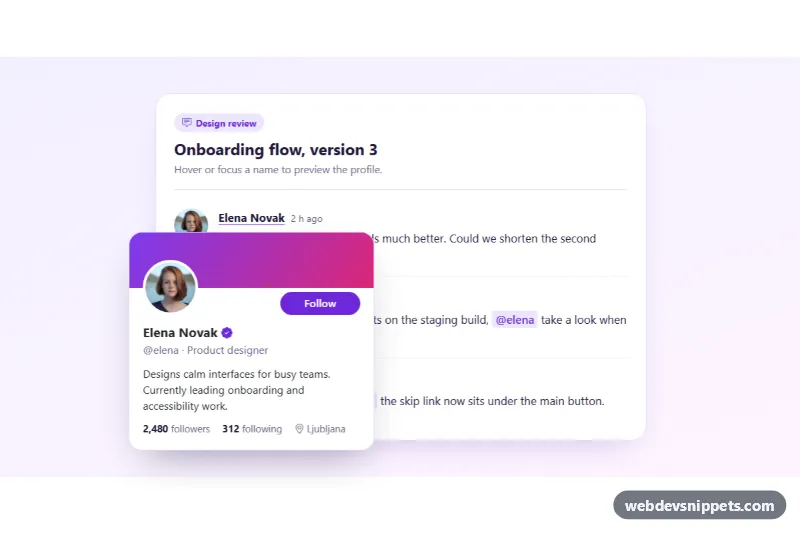
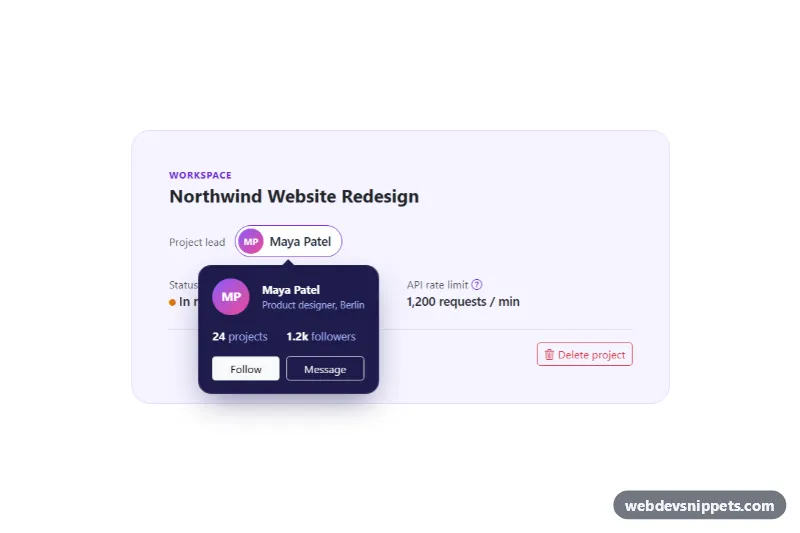
A Bootstrap 5 user hover card built on the Popover component: hovering or focusing a name shows a profile card with photo, cover band, bio, follower counts and a working Follow button. It fits comment threads, team chats, social feeds and any list of authors or @mentions.
How it works
The root section.uhc-thread contains a comment list and one template.uhc-template per user. Author names and mentions are button.uhc-trigger elements whose data-uhc-user points to a template. On DOMContentLoaded the script clones every template once into a .uhc-profile element and creates a bootstrap.Popover for each trigger with trigger: 'manual', html: true, placement: 'bottom', container set to the root and customClass: 'uhc-popover'. Because the profile element is shared, "Elena Novak" and "@elena" show the same card and the same follow state.
Hover opens the card after SHOW_DELAY (250 ms) and closes it HIDE_DELAY (200 ms) after the pointer leaves. Moving the pointer onto the card cancels the close, so the Follow button is easy to reach. The script attaches those listeners on inserted.bs.popover, because Bootstrap rebuilds the popover element on every show. Opening one card closes the others, and clicking outside closes all of them. The Follow button toggles aria-pressed, swaps its text and changes the follower count stored in data-uhc-count. A trigger with data-uhc-open opens its card on page load.
The portraits come from Unsplash; replace them with your users' own photos.
Customization
--uhc-card-widthin.uhc-thread: the popover width, passed to Bootstrap through--bs-popover-max-width.--uhc-accentin.uhc-thread: the violet used by the Follow button, mentions and the verified badge..uhc-cover--violet,.uhc-cover--teal,.uhc-cover--amber: gradient cover bands; add your own modifier per user.SHOW_DELAYandHIDE_DELAYat the top ofscript.js: how fast cards open and close on hover.placement: 'bottom'inscript.js: change to'top'or'right'; Popper flips it automatically when space runs out.- Remove
data-uhc-openfrom the first trigger to start with every card closed. - The Follow click handler in
bindFollow(): replace the local count change with afetch()to your follow endpoint.
Accessibility
Triggers are real buttons with aria-haspopup="dialog" and an aria-expanded state, and Bootstrap links each one to its card with aria-describedby. The popover template uses role="dialog" with an aria-label such as "Profile of Elena Novak". Focus opens the card, and Enter or click moves focus to the Follow button. Escape closes the card and returns focus to the trigger, and tabbing out of the card closes it. Comment avatars use empty alt because the name is written next to them, while the card photo has a descriptive alt. Bootstrap's fade transition is turned off under prefers-reduced-motion.
Usage notes
Requires Bootstrap 5 with its JS bundle (Popper included) and Bootstrap Icons. Each .uhc-thread manages its own triggers and templates, so several threads can share one page.