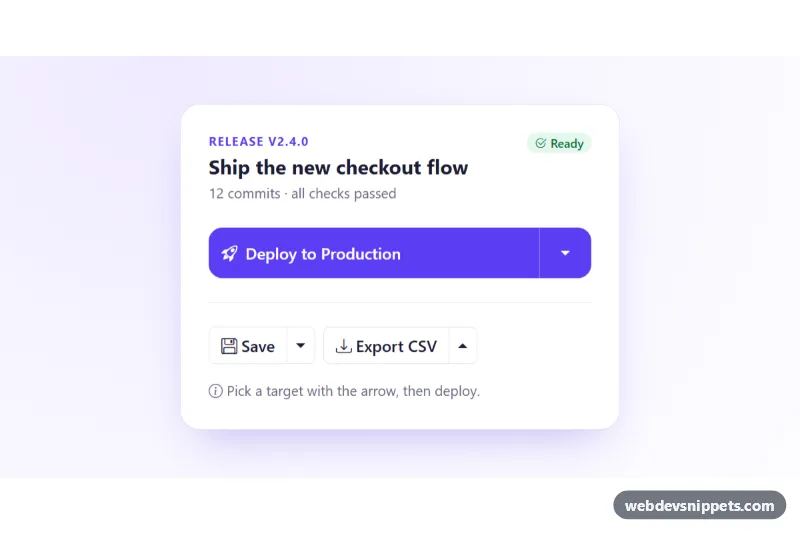
A set of Bootstrap 5 split button dropdowns: a large primary action whose target is picked from an attached menu, and compact secondary split buttons for save and export actions. Use the pattern in toolbars, release dashboards, editors and admin panels where one action is common and a few related actions should stay one click away.
How it works
Everything sits in a white .sbd-card inside the .sbd-demo background. Each split button is a Bootstrap btn-group with two buttons: the main action (.sbd-main) and a narrow dropdown-toggle-split button with data-bs-toggle="dropdown". Bootstrap's own bundle opens the dropdown-menu, positions it with Popper and handles arrow keys and Escape. The colors come from overriding Bootstrap's --bs-btn-* variables in .sbd-btn and .sbd-ghost, and the menu look from --bs-dropdown-* variables in .sbd-menu.
The large split button has data-sbd-mode="select". Its menu items (.sbd-option) are rich two-line entries with an icon, a description and a check mark. The script runs on DOMContentLoaded for every .sbd-card. Clicking an option moves the active class and aria-current, copies data-sbd-value into the main button's data-sbd-target, swaps the label and the icon from data-sbd-icon, and returns focus to the main button. Clicking the main button marks it busy with aria-disabled and .is-busy, then reports "Deployed to Staging successfully." in .sbd-status after a simulated delay.
The smaller split buttons use data-sbd-mode="action": the main button and every menu item carry a data-sbd-message, which is written to the status line when clicked. The export group adds Bootstrap's dropup class so its menu opens upwards.
Customization
--sbd-accentand--sbd-accent-darkin.sbd-demo: change the primary button, menu icons, check marks and focus outlines in one place.- Add another
liwith a.sbd-optionand its owndata-sbd-valueanddata-sbd-icon: a new deploy target appears and works without script changes. data-sbd-messageon any item in adata-sbd-mode="action"group: sets the confirmation text for that action.dropdown-menu-endon the first menu: remove it to align the menu with the left edge of the group.max-width: 440pxin.sbd-card: widen the card for longer button labels.- The
window.setTimeoutin the main button handler inscript.js: replace it with afetch()call to your own API. .sbd-danger: apply it to any destructive menu item to color it red.
Accessibility
Every toggle contains visually-hidden text such as "More deploy targets", and Bootstrap manages aria-expanded on it. Each btn-group has role="group" and an aria-label. The selected target is marked with aria-current="true" as well as a visible check, and decorative icons are aria-hidden. The busy state uses aria-disabled instead of disabled, so keyboard focus is not lost. .sbd-status is a polite live region, and all buttons and menu items have a clear 2px focus outline.
Usage notes
Requires Bootstrap 5 with its JavaScript bundle (added automatically) and Bootstrap Icons. Several cards can share a page because the script queries inside each .sbd-card.