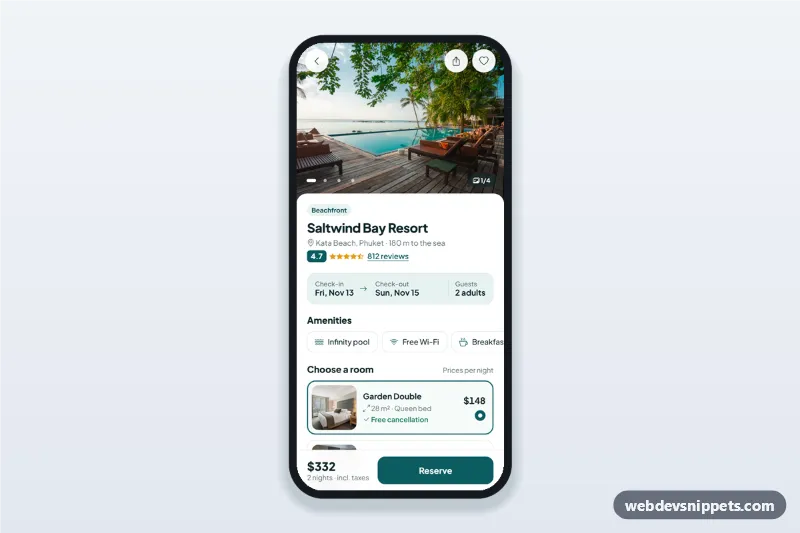
Hotel booking details screen with a swipeable photo gallery, amenities, room options, a check-in and check-out date picker sheet and a reserve bar with the live total.
Also known as: hotel booking app ui, hotel detail page mobile, room booking screen, check-in check-out date picker, travel app template
A hotel booking details screen built with Bootstrap 6: an HTML mobile template with a swipeable photo gallery, rating, amenities, room options, a check-in and check-out date picker sheet and a sticky reserve bar with the live total. Use this hotel booking app UI on hotel and resort websites, travel booking PWAs or vacation rental apps, and package it as a native app with Capacitor.
How it works
The root .hbd-app is a 430 px app column. .hbd-main overlaps the photo, and .hbd-bar keeps the total and Reserve button at the bottom.
Gallery: .hbd-gallery is a scroll-snap strip. Its scroll event updates the .hbd-dot buttons and the counter; dots and Left/Right arrows jump to a photo.
Stay summary: the .hbd-stay button shows dates and guests. Default dates are computed from today (DEFAULT_START, DEFAULT_NIGHTS), so they never go stale.
Date sheet: #hbd-dates is a Bootstrap 6 Drawer with an inline Bootstrap 6 Datepicker in multiple-ranged mode on #hbd-cal; past days are disabled. The change.bs.datepicker event fills the check-in and check-out boxes. Apply checks that check-out is after check-in, otherwise .hbd-cal-error appears. Adults run from 1 to MAX_ADULTS.
Rooms: each .hbd-room is a label around a radio whose value is the nightly price. The total is price × nights plus TAX_RATE; the free cancellation date follows check-in.
Reserve: a spinner, then the #hbd-done sheet with room, dates and a booking code.
Customization
--hbd-teal on .hbd-app: the deep teal for the selected room, rating and buttons (keep --bs-primary-bg in sync).
--bs-datepicker-selected-bg on #hbd-cal: the color of the selected range.
value and data-name on each room radio: the nightly price and the name in the confirmation.
TAX_RATE, DEFAULT_START, DEFAULT_NIGHTS and MAX_ADULTS in script.js: taxes, the default stay and the guest limit.
height: 300px on .hbd-gallery: the photo height; add .hbd-slide figures and dots for more photos.
The setTimeout in the Reserve handler: replace it with a fetch() call to your booking API.
Use cases
Hotel and resort websites: guests compare rooms and pick dates on their phone.
Travel booking apps: the property detail step before checkout.
Vacation rental and guesthouse apps: date range, guests and nightly price in one screen.
Hotel group PWAs and Capacitor apps.
Accessibility
Photos have descriptive alt text, the gallery is focusable and labelled, and dots are buttons with aria-labels. Rooms are real radio buttons with a visible focus ring. Both sheets are native dialogs that close with Escape or the backdrop and move focus inside on open. The date boxes are an aria-live region.
Bootstrap 6 notes
The sheets use the Bootstrap 6 Drawer (drawer drawer-bottom, replacing Offcanvas), the calendar is the new Datepicker created with new Datepicker(el, { inline: true, selectionMode: 'multiple-ranged' }), and buttons use btn-solid theme-primary and btn-icon. Built on 6.0.0-alpha.1; alpha APIs can still change. Photos come from Unsplash; replace them with your own images.
Can I use the Hotel Booking Details Screen code for free?
Yes. You can copy or download the code and use it in personal and commercial projects, including client work. No sign-up is needed. Reselling it as part of a component library or template collection is not allowed; see the license.
How do I add it to my website?
Load Bootstrap 6 and Bootstrap Icons and fonts.googleapis.com from a CDN (the links are under Requirements).
Paste the HTML where the component should appear, add the CSS to your stylesheet and load the JavaScript before the closing </body> tag.
Download HTML gives you a complete page with everything already linked.
Does it need jQuery or a JavaScript framework?
No. The script is plain vanilla JavaScript, so it works without jQuery, React or Vue. You can still use the markup inside those frameworks.
Can I turn this screen into an iOS or Android app?
Yes. It is plain HTML, CSS and JavaScript, so it works in a mobile website or progressive web app as it is. To ship it as a store app, put it in the web folder of a Capacitor or Cordova project and build it for iOS and Android; replace the sample data with calls to your own API.
How does it look on a desktop screen?
The screen is designed for phones. On wider screens it stays at phone width in the middle of the page, so it still looks like an app. The live demo opens at mobile width; use the Tablet and Desktop buttons to check other sizes.
Requirements
Add these to your page (already included in the download):
Built for Bootstrap 6.0.0-alpha.1. Bootstrap 6 ships as an ES module, so its script and this component's
JavaScript load with type="module". Alpha releases can still change before the stable version.
Hotel Booking Details Screen · Bootstrap 6 Mobile Booking Screens
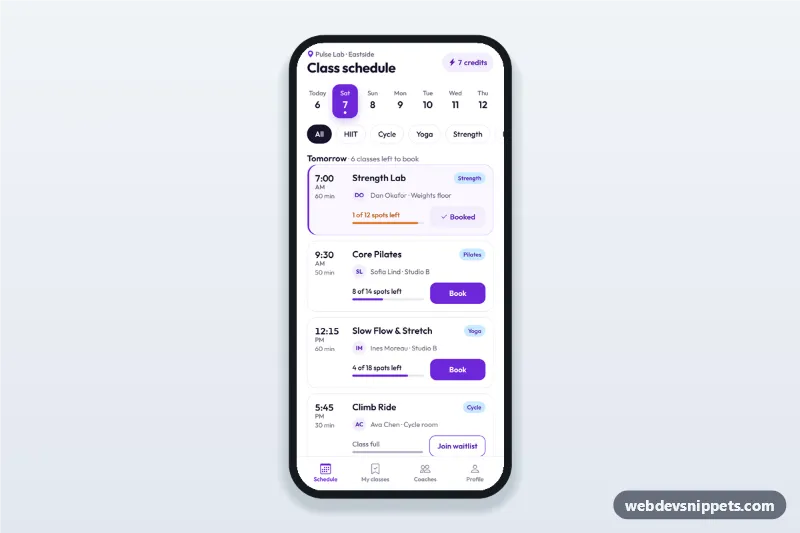
Fitness class schedule app screen with day tabs, class cards showing time, coach and spots left, book and waitlist buttons, a booking sheet and a booked state.
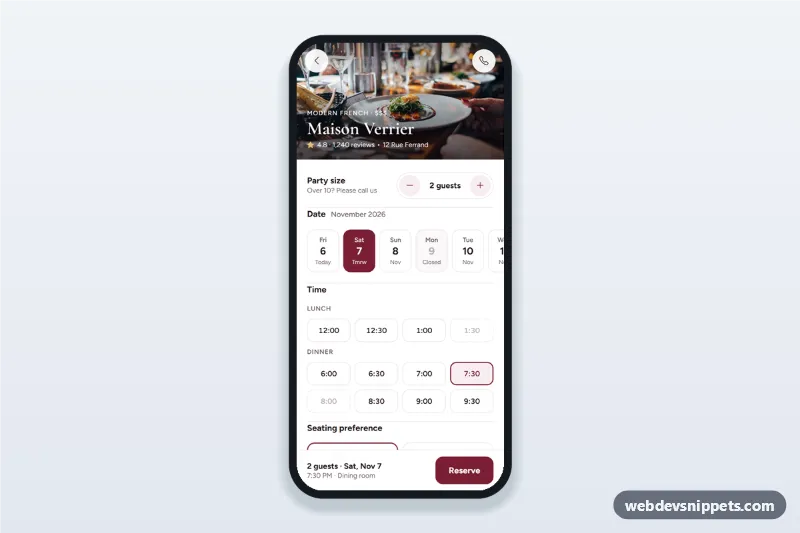
Restaurant table reservation screen with a party size stepper, date strip, lunch and dinner time chips, seating preference, a details sheet and a booking confirmation state.