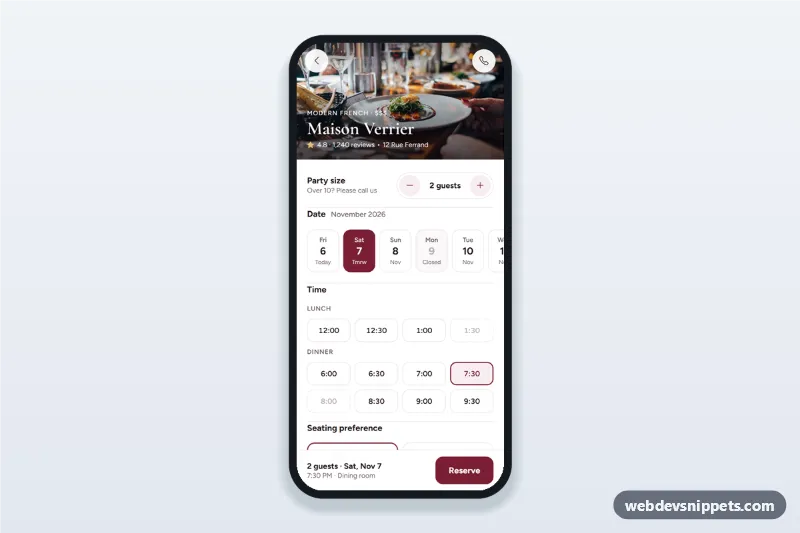
Restaurant table reservation screen with a party size stepper, date strip, lunch and dinner time chips, seating preference, a details sheet and a booking confirmation state.
Also known as: restaurant booking app ui, table booking form mobile, dinner reservation screen, time slot picker, restaurant app template
A restaurant table reservation screen built with Bootstrap 6: an HTML mobile template with a party size stepper, a two-week date strip, lunch and dinner time chips, seating preference, a guest details sheet and a confirmation state. Use this table booking UI on restaurant websites, dining reservation apps and hospitality PWAs, or package it as a native app with Capacitor.
How it works
The root .rtr-app is a 430 px app column with a photo header (.rtr-hero), the form (.rtr-form) and a sticky summary bar (.rtr-bar).
Party size: the .rtr-step buttons change the count from 1 to MAX_GUESTS. Above CHEFS_TABLE_MAX guests the Chef's table option is disabled.
Date strip: script.js builds DAYS_AHEAD radio chips starting today, so dates never go stale. Days in CLOSED_WEEKDAYS are disabled and marked Closed.
Time chips: renderTimes() fills lunch and dinner from SLOTS. isFree() is a sample availability rule; slots less than an hour away are disabled. The screen opens on the first day where DEFAULT_TIME is free.
Reserve: without a time, #rtr-time-error appears and focus moves to the first free slot. Otherwise a Bootstrap 6 Drawer (#rtr-sheet) asks for name, mobile number and email.
Validation: on submit, invalid required fields get .is-invalid, which shows their .invalid-feedback. A valid form shows a spinner, then the .rtr-done confirmation with a reference code.
Customization
--rtr-wine on .rtr-app: the burgundy for selected chips, steppers and buttons (keep --bs-primary-bg in sync); --rtr-gold colors the seating icons.
SLOTS and DEFAULT_TIME in script.js: your lunch and dinner times and the preselected slot.
CLOSED_WEEKDAYS and DAYS_AHEAD: closing days and how far ahead guests can book.
isFree() in script.js: replace the sample rule with availability from your reservation system.
.rtr-name, .rtr-kicker and .rtr-hero-img: the restaurant name, cuisine line and header photo.
The setTimeout in the submit handler: replace it with a fetch() call to your booking API.
Use cases
Restaurant and bistro websites: guests book a table from their phone.
Restaurant group apps: one reservation flow for every location.
Hotel dining and rooftop bar pages: seating preference and time slots per meal.
Hospitality PWAs and Capacitor apps.
Accessibility
Dates, times and seating are native radio buttons in fieldsets with legends, so arrow keys work and screen readers hear full dates and "fully booked" slots. The guest count and bottom summary are aria-live regions, and the time error is linked with aria-describedby. The sheet closes with Escape or the backdrop and focuses the first field; inputs use autocomplete="name", tel and email.
Bootstrap 6 notes
The sheet is a Bootstrap 6 Drawer (drawer drawer-bottom, replacing Offcanvas), fields use the new form-field wrapper, and the occasion select uses form-control, since the Bootstrap 5 select class is gone. Buttons are btn-solid theme-primary and btn-outline theme-primary. Built on 6.0.0-alpha.1; alpha APIs can still change. The header photo comes from Unsplash; replace it with your own image.
Can I use the Restaurant Table Reservation Screen code for free?
Yes. You can copy or download the code and use it in personal and commercial projects, including client work. No sign-up is needed. Reselling it as part of a component library or template collection is not allowed; see the license.
How do I add it to my website?
Load Bootstrap 6 and Bootstrap Icons and fonts.googleapis.com from a CDN (the links are under Requirements).
Paste the HTML where the component should appear, add the CSS to your stylesheet and load the JavaScript before the closing </body> tag.
Download HTML gives you a complete page with everything already linked.
Does it need jQuery or a JavaScript framework?
No. The script is plain vanilla JavaScript, so it works without jQuery, React or Vue. You can still use the markup inside those frameworks.
Can I turn this screen into an iOS or Android app?
Yes. It is plain HTML, CSS and JavaScript, so it works in a mobile website or progressive web app as it is. To ship it as a store app, put it in the web folder of a Capacitor or Cordova project and build it for iOS and Android; replace the sample data with calls to your own API.
How does it look on a desktop screen?
The screen is designed for phones. On wider screens it stays at phone width in the middle of the page, so it still looks like an app. The live demo opens at mobile width; use the Tablet and Desktop buttons to check other sizes.
Requirements
Add these to your page (already included in the download):
Built for Bootstrap 6.0.0-alpha.1. Bootstrap 6 ships as an ES module, so its script and this component's
JavaScript load with type="module". Alpha releases can still change before the stable version.
Restaurant Table Reservation Screen · Bootstrap 6 Mobile Booking Screens
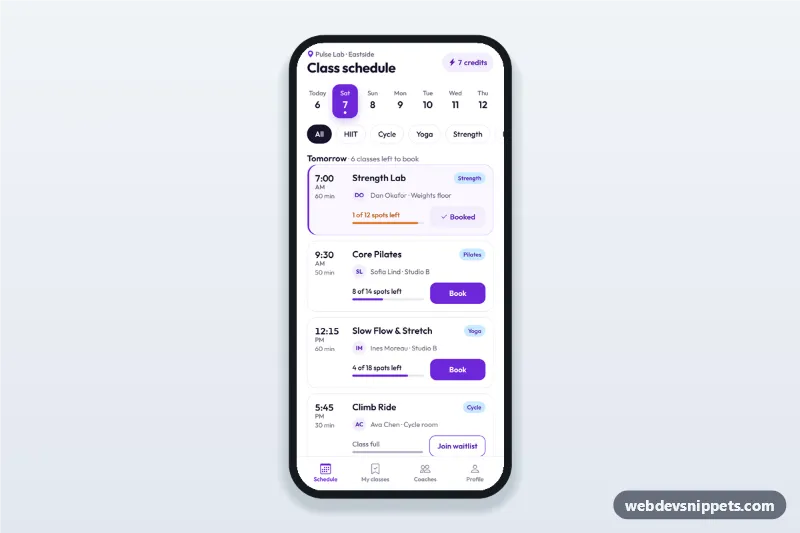
Fitness class schedule app screen with day tabs, class cards showing time, coach and spots left, book and waitlist buttons, a booking sheet and a booked state.
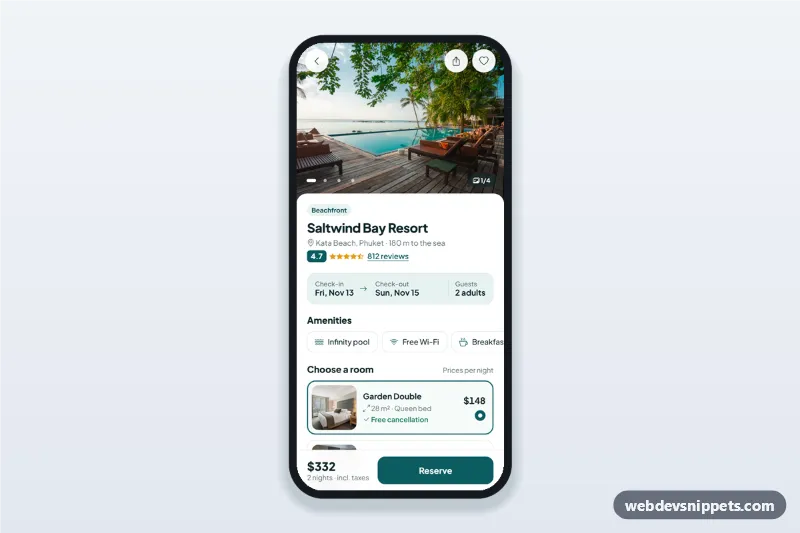
Hotel booking details screen with a swipeable photo gallery, amenities, room options, a check-in and check-out date picker sheet and a reserve bar with the live total.