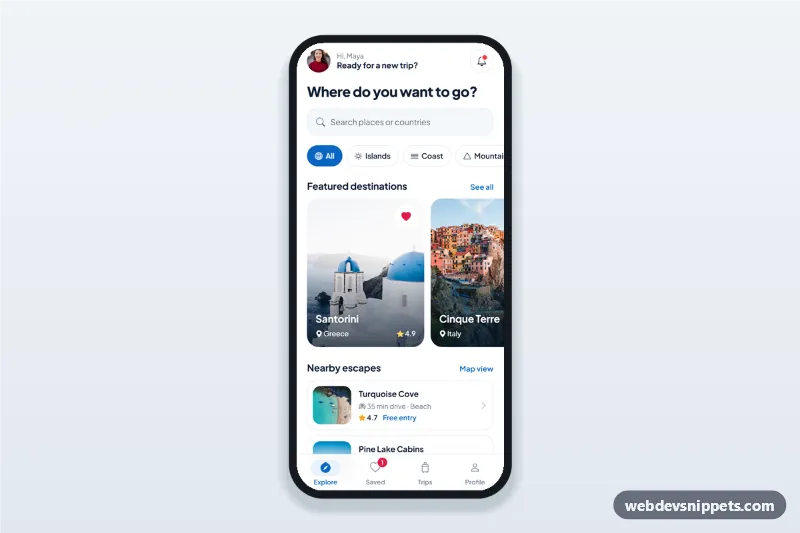
Travel app explore screen with destination search, category chips, featured destination cards in a horizontal scroll, nearby list, bottom sheet details and bottom tab bar.
Also known as: travel app ui, travel app home screen, destination explore screen, trip planner app design, mobile app home screen html
A travel app explore screen built with Bootstrap 6: an HTML mobile template with a destination search, category chips, featured destination cards in a horizontal scroll, a nearby list and a bottom tab bar. Use this travel app UI as the home screen of a booking site, a trip planner PWA or a Capacitor app.
How it works
The root .tex-app is a 430 px app column with its own white background. From top to bottom:
.tex-search: a Bootstrap 6 form-adorn search field. Typing filters the featured cards and the nearby list; a clear button (.tex-clear) appears while there is a query.
.tex-chips: Bootstrap 6 .chip buttons with aria-pressed. Each card lists its types in data-cats, so "Cities" shows only cards whose data-cats contains cities. .tex-empty appears when nothing matches.
.tex-rail: a scroll-snap row of .tex-card photo cards. Each has a heart button (.tex-save) and a full-card button (.tex-card-link) that opens the details sheet.
.tex-near: nearby escapes with thumbnail, drive time, rating and price.
.tex-tabs: a bottom tab bar fixed to the app column with position: sticky; the Saved tab shows a live count.
The bottom sheet is a Bootstrap 6 Drawer (<dialog class="drawer drawer-bottom">). script.js fills it from the card's data-* values and opens it with Drawer.getOrCreateInstance(sheet).show(). Escape, the backdrop and the close button dismiss it, and the heart in the sheet stays in sync with the card.
Customization
--tex-blue on .tex-app: the accent for chips, links, prices and the active tab; --bs-primary-bg keeps the btn-solid theme-primary button in sync.
Add a destination by copying a .tex-card and editing its data-name, data-place, data-cats, data-desc and photo.
Add a filter by adding a .tex-chip with a new data-cat and using that word in the cards' data-cats.
Change width and height on .tex-card for larger or smaller featured cards.
Replace the timeout in the .tex-plan click handler with navigation to your trip planner.
Use cases
Travel booking apps: an explore home screen that leads to destination details.
Tour operators and travel agencies: featured packages with prices in a swipeable row.
City and tourism guides: categories plus nearby places on a PWA.
Accessibility
Chips and hearts are real buttons with aria-pressed, the rail is keyboard scrollable (tabindex="0" with a label) and every card opens with Enter or Space. The drawer is a native modal <dialog>, so focus is trapped while it is open and moves to the close button; on close, focus returns to the card. The active tab uses aria-current="page", and touch targets are at least 44 px.
Bootstrap 6 notes
Built on Bootstrap 6.0.0-alpha.1 (alpha APIs can still change). The bottom sheet uses the new Drawer instead of Offcanvas, filters use .chip, the search uses form-adorn and form-ghost, and buttons use btn-solid theme-primary and btn-outline theme-primary. Photos from Unsplash; replace them with your own images.
Can I use the Travel App Explore Screen code for free?
Yes. You can copy or download the code and use it in personal and commercial projects, including client work. No sign-up is needed. Reselling it as part of a component library or template collection is not allowed; see the license.
How do I add it to my website?
Load Bootstrap 6 and Bootstrap Icons and fonts.googleapis.com from a CDN (the links are under Requirements).
Paste the HTML where the component should appear, add the CSS to your stylesheet and load the JavaScript before the closing </body> tag.
Download HTML gives you a complete page with everything already linked.
Does it need jQuery or a JavaScript framework?
No. The script is plain vanilla JavaScript, so it works without jQuery, React or Vue. You can still use the markup inside those frameworks.
Can I turn this screen into an iOS or Android app?
Yes. It is plain HTML, CSS and JavaScript, so it works in a mobile website or progressive web app as it is. To ship it as a store app, put it in the web folder of a Capacitor or Cordova project and build it for iOS and Android; replace the sample data with calls to your own API.
How does it look on a desktop screen?
The screen is designed for phones. On wider screens it stays at phone width in the middle of the page, so it still looks like an app. The live demo opens at mobile width; use the Tablet and Desktop buttons to check other sizes.
Requirements
Add these to your page (already included in the download):
Built for Bootstrap 6.0.0-alpha.1. Bootstrap 6 ships as an ES module, so its script and this component's
JavaScript load with type="module". Alpha releases can still change before the stable version.
Travel App Explore Screen · Bootstrap 6 Mobile Home & Feed
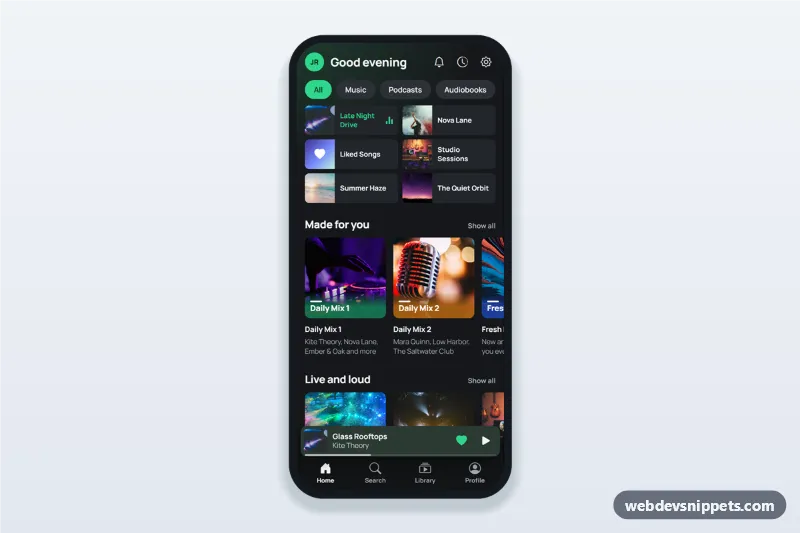
Music streaming app home screen in dark mode with greeting, recently played grid, made for you playlist row, mini player above the tab bar and a full player bottom sheet.