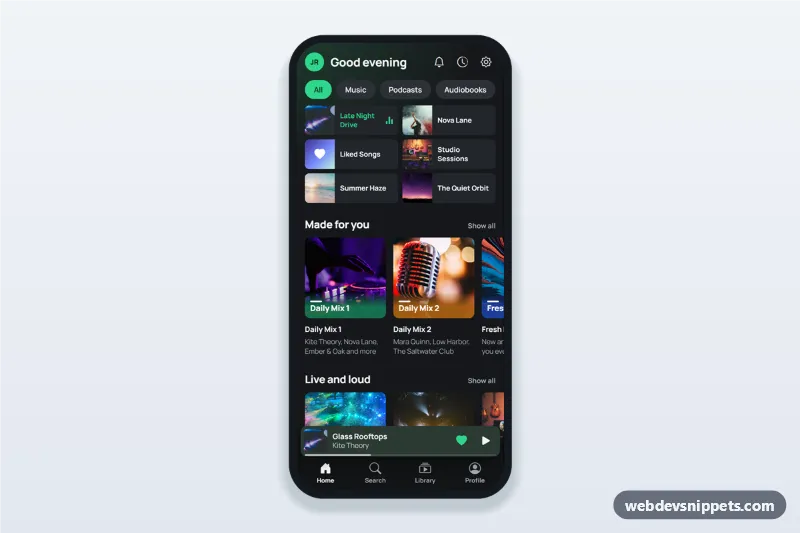
Music Streaming App Home Screen
Music streaming app home screen in dark mode with greeting, recently played grid, made for you playlist row, mini player above the tab bar and a full player bottom sheet.
Mobile home screens and content feeds with tab bars, cards, stories and pull-down style headers.
2 components
Music streaming app home screen in dark mode with greeting, recently played grid, made for you playlist row, mini player above the tab bar and a full player bottom sheet.
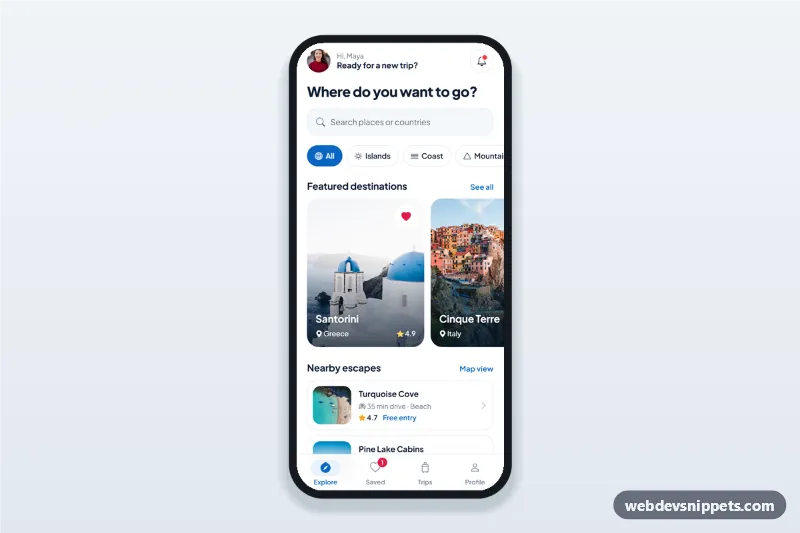
Travel app explore screen with destination search, category chips, featured destination cards in a horizontal scroll, nearby list, bottom sheet details and bottom tab bar.
The home screen is the first view after login: a feed, a set of shortcuts or a personalised overview. It usually combines a compact header, scrollable cards and a bottom tab bar for the main sections of the app.
Use them for news, social, food delivery, fitness, banking or any app where users return daily and need to see what is new at a glance.
aria-current.Each screen is available in one of Bootstrap 6, Bootstrap 5, Tailwind CSS or pure CSS. The live preview opens at phone width; switch to tablet or desktop to see how the screen stays centred on larger displays. Copy the HTML, CSS and JavaScript or download the complete page, replace the sample data and connect it to your own API.