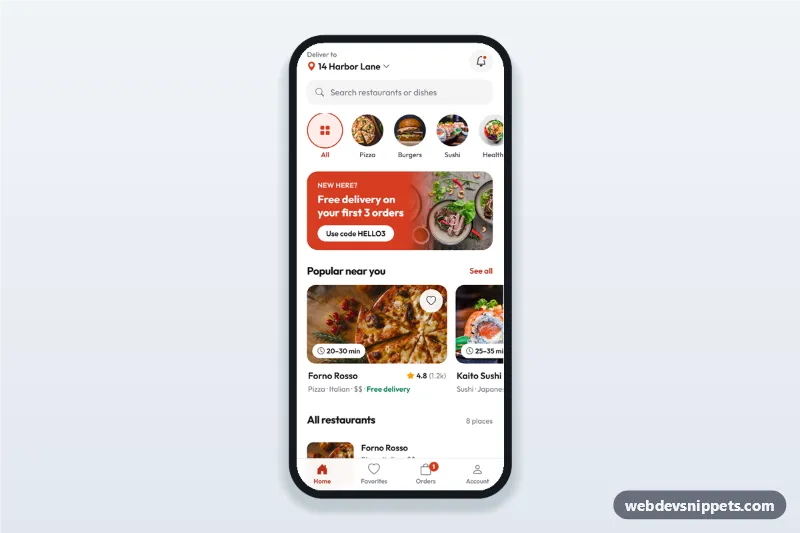
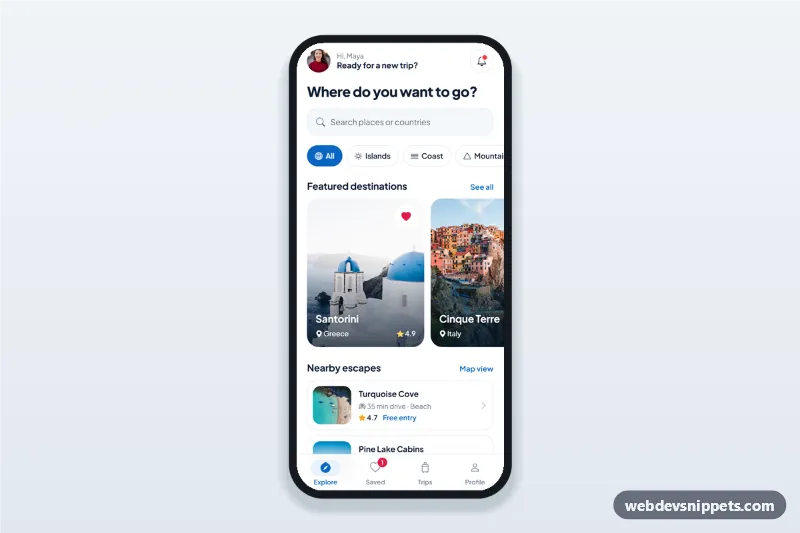
A food delivery app home screen built with Tailwind CSS: a delivery address header with a bottom sheet picker, search, round category chips, a promo banner, popular restaurant cards with rating and delivery time, a filterable list and a bottom tab bar. It is an HTML mobile template for mobile websites and PWAs and can be packaged as a native app with Capacitor. Use it as the home screen or restaurant app UI of a food ordering, grocery or takeaway service.
How it works
The root .fdh-app is a phone-width column with four panels marked data-fdh-panel (home, favorites, orders, account) and a sticky .fdh-tabs bar at the bottom. showTab() in script.js shows the matching panel, sets aria-current="page" on the active .fdh-tab and switches its icon to the filled version from data-fdh-icon.
On the home panel, each .fdh-cat button carries data-fdh-cat, and typing in [data-fdh-search] matches the data-fdh-name text of every [data-fdh-item] row. applyFilters() combines both, updates the list heading and the place count, hides the promo and popular rows while filtering and shows [data-fdh-empty] when nothing matches. Heart buttons (.fdh-fav, aria-pressed) are linked by data-fdh-fav, so the popular card and the list row of the same restaurant stay in sync, and the Favorites tab is rebuilt from the saved rows.
The address in the header opens #fdh-sheet, a native <dialog> styled as a bottom sheet with radio cards. Deliver here writes the chosen address into [data-fdh-address-label].
Customization
--fdh-accent,--fdh-accent-textand--fdh-accent-softinstyle.css: brand colour of the banner, badges, active tab and selected address.font-familyon.fdh-app: replace Outfit and update the Google Fonts URL.- Add a restaurant by copying an
li.fdh-item; setdata-fdh-categoryto adata-fdh-catvalue and list searchable words indata-fdh-name. - Add a category by copying a
.fdh-catbutton with a newdata-fdh-catvalue. .fdh-promo-imgmask instyle.css: remove the gradient mask for a hard photo edge.- Change
grid-cols-4on the tab bar list when you add or remove a tab and itsdata-fdh-panel.
Use cases
- Food delivery and takeaway platforms: the main home screen after sign in.
- Restaurant group apps: browse locations by cuisine with saved favourites.
- Grocery and meal kit PWAs: categories, promos and popular stores in one view.
Accessibility
The tab bar is a nav with 60 px buttons using aria-current; focus moves to each panel heading when you switch. Category and heart buttons are toggle buttons with aria-pressed and descriptive labels. The place count and favourite changes are announced through polite live regions. The sheet is a modal dialog with a focus trap, a legend for the radio group and focus returned to the address button on close. All controls have visible focus outlines, and the sheet animation is off under prefers-reduced-motion.
Usage notes
The photos come from Unsplash; replace them with your own restaurant and dish images.