Skip to content

Table with Checkbox Selection

Bootstrap 6 orders table with row checkboxes, an indeterminate select-all box, Shift-click ranges and a bulk actions bar with export menu, delete and undo.

Also known as: table with checkboxes, table row selection, bulk actions table, orders table, select all table rows

Table with Checkbox Selection live demo

Open in new tab

Bootstrap 6 code (HTML, CSS, JS)

A Bootstrap 6 orders table with a checkbox on every row, a select-all box in the header and a bulk actions bar that turns dark as soon as something is selected. It fits admin panels, order back offices, file managers and any list where users need to act on many records at once.

How it works

The root .tcs-root holds a header, the .tcs-bulk toolbar and a .table-responsive wrapper with a .table.table-hover table. Each body row carries its amount in data-tcs-total and a <input type="checkbox" class="check tcs-row-check">. The header box .tcs-all selects or clears all rows.

script.js runs one sync() function after every change. It adds .tcs-selected to checked rows, sets the header box to checked or indeterminate, writes the count into .tcs-count and the formatted sum of the selected data-tcs-total values into .tcs-sum. It also toggles .tcs-has-selection on the root, which switches the toolbar from the hint text to the action buttons.

A click anywhere on a row toggles its checkbox, and Shift + click selects or clears the whole range since the last clicked row. The actions use data-tcs-action:

  • ship sets the status badge of the selected rows to Shipped.
  • delete fades rows out with .tcs-leaving, removes them, and shows a Toast with Undo that puts them back in their original order.
  • clear unchecks everything.

The Export button opens a Bootstrap 6 Menu with data-tcs-export items (CSV, JSON, PDF). They are simulated and report back through Toast.getOrCreateInstance(...).show().

Customization

  • --tcs-accent and --tcs-accent-soft on .tcs-root: change the checkbox fill, the selected row tint, the count bubble and the primary buttons.
  • --tcs-ink on .tcs-root: sets the dark color of the active bulk bar and the toast.
  • data-tcs-total on each <tr>: the amount added to the selected sum. Change the money formatter in script.js for another currency.
  • Add a button with a new data-tcs-action value in .tcs-bulk-actions and handle it in the action listener (archive, assign, tag…).
  • Remove checked from the first two .tcs-row-check inputs to start with nothing selected.
  • Replace the setTimeout in the delete branch and the export handler with fetch() calls to your API.

Use cases

  • Order management: select orders with row checkboxes and act on them together
  • Admin tables: a select-all box turns indeterminate when only some rows are selected
  • Back-office tools: Shift-click selects a range of rows in one move
  • Exports and cleanup: a bulk actions bar offers an export menu, delete and undo

Accessibility

The bulk bar is a role="toolbar" with a label, and its count sits in an aria-live="polite" paragraph, so screen readers hear "3 selected" as it changes. Every checkbox has an aria-label naming its order, the header checkbox exposes the mixed state through indeterminate, and the order number is a row header (th scope="row"). After a delete or Clear, focus returns to the select-all box. The toast is a polite status. Fades are turned off under prefers-reduced-motion.

Bootstrap 6 notes

Bootstrap 5's form-check-input becomes a bare .check, btn-primary becomes btn-solid theme-primary, and the dropdown is now a flat .menu triggered by data-bs-toggle="menu" with data-bs-placement="bottom-end" instead of dropdown-menu-end. Status labels use badge badge-subtle theme-*. The brand color reaches the checkboxes through --bs-control-checked-bg on the root. Built on Bootstrap 6.0.0-alpha.1, so APIs may still change. Icons come from Bootstrap Icons.
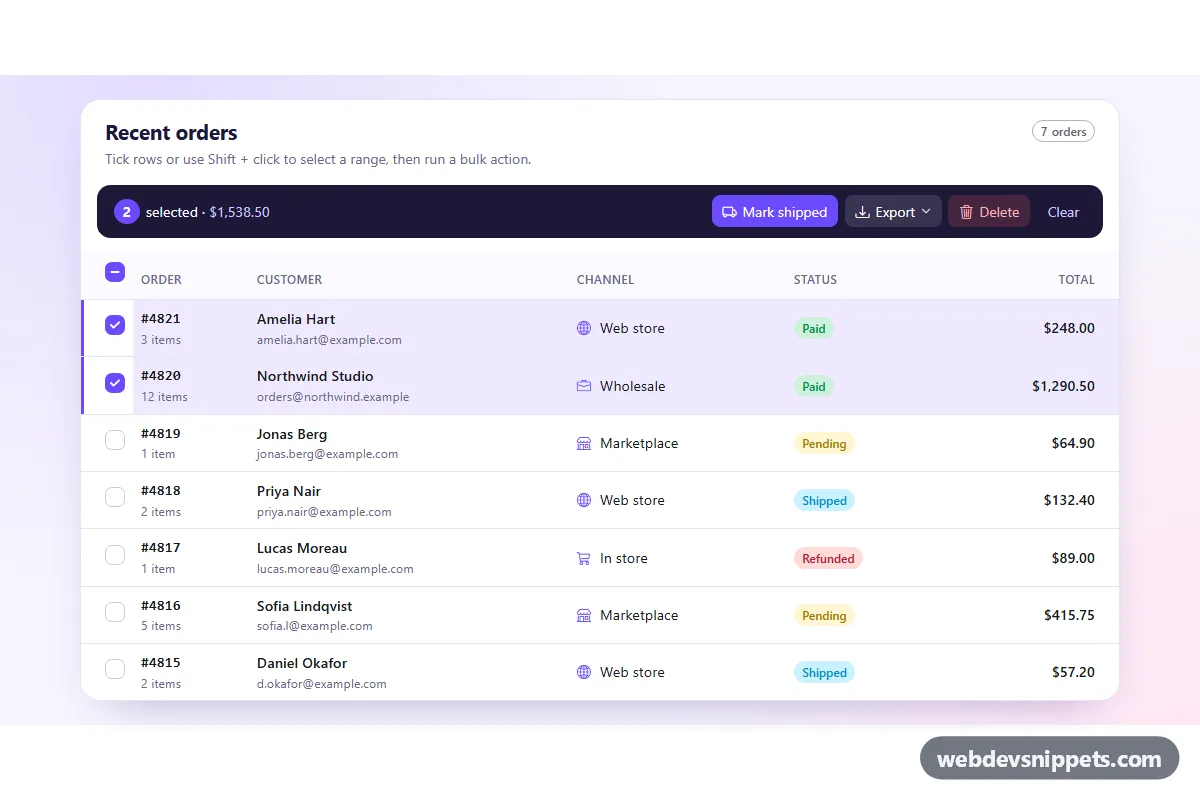
Table with Checkbox Selection at a glance

Framework
Bootstrap 6
Code
HTML, CSS, JavaScript
JavaScript
Vanilla JavaScript, no jQuery
Dependencies
Bootstrap 6, Bootstrap Icons
Layout
Responsive, works on mobile
Category
Tables
License
Free for personal and commercial use

Questions about this template

Can I use the Table with Checkbox Selection code for free?

Yes. You can copy or download the code and use it in personal and commercial projects, including client work. No sign-up is needed. Reselling it as part of a component library or template collection is not allowed; see the license.

How do I add it to my website?

Load Bootstrap 6 and Bootstrap Icons from a CDN (the links are under Requirements). Paste the HTML where the component should appear, add the CSS to your stylesheet and load the JavaScript before the closing </body> tag. Download HTML gives you a complete page with everything already linked.

Does it need jQuery or a JavaScript framework?

No. The script is plain vanilla JavaScript, so it works without jQuery, React or Vue. You can still use the markup inside those frameworks.

Does it work on mobile?

Yes. The layout adapts to small screens. Use the Mobile and Tablet buttons above the live demo to check it at phone and tablet width.

Requirements

Add these to your page (already included in the download):

  • <link rel="stylesheet" href="https://cdn.jsdelivr.net/npm/bootstrap@6.0.0-alpha.1/dist/css/bootstrap.min.css">
  • <script type="module" src="https://cdn.jsdelivr.net/npm/bootstrap@6.0.0-alpha.1/dist/js/bootstrap.bundle.min.js"></script>
  • <link rel="stylesheet" href="https://cdn.jsdelivr.net/npm/bootstrap-icons@1.11.3/font/bootstrap-icons.min.css">

Built for Bootstrap 6.0.0-alpha.1. Bootstrap 6 ships as an ES module, so its script and this component's JavaScript load with type="module". Alpha releases can still change before the stable version.

Table with Checkbox Selection – free Bootstrap 6 table template
Table with Checkbox Selection · free Bootstrap 6 table template

More Tables

Table with Search Filter – free Bootstrap 5 table template

Table with Search Filter

Bootstrap 5 team directory table with live search, status filter, highlighted matches, result counter and empty state.

Sortable Data Table – free Tailwind CSS table template

Sortable Data Table

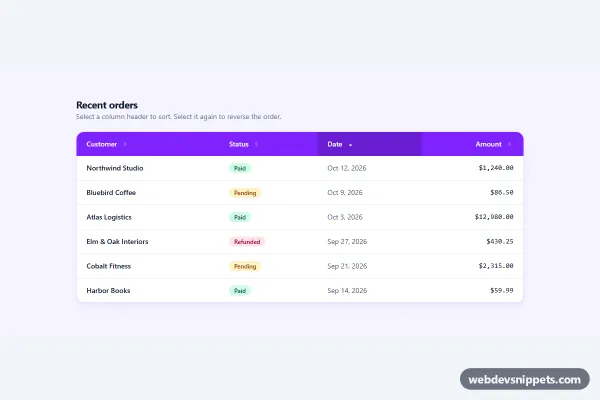
Tailwind CSS data table with clickable column headers that sort text, dates and numbers, with aria-sort, arrow indicators and a responsive scroll wrapper.

Users Table with Avatars – free Bootstrap 6 table template

Users Table with Avatars

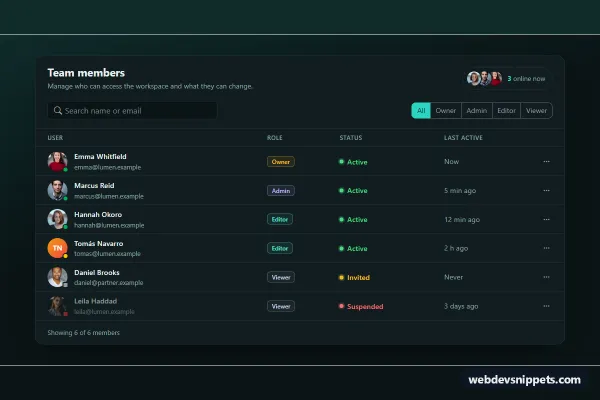
Dark Bootstrap 6 team members table with photo avatars, presence dots, role badges, status, search, role filter and per-row action menus that stacks into cards on mobile.

Striped and Hover Table Styles – free Bootstrap 6 table template

Striped and Hover Table Styles

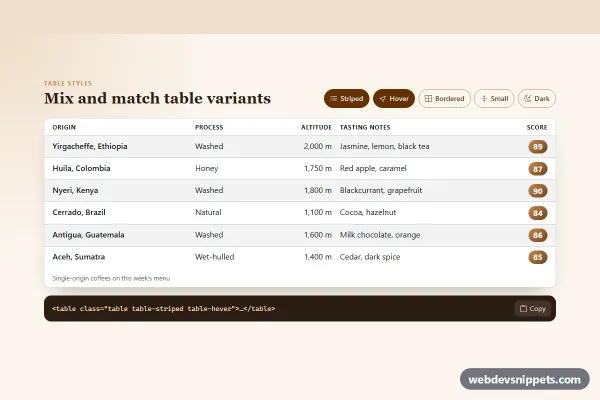
Interactive Bootstrap 6 table style playground: toggle striped, hover, bordered, small and dark variants and copy the resulting table markup.

Table with Search and Pagination – free Bootstrap 6 table template

Table with Search and Pagination

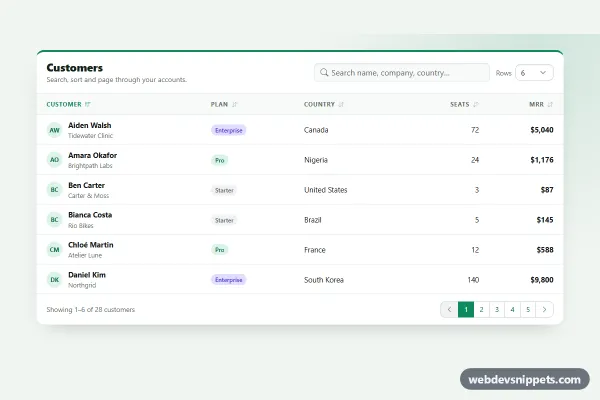
Bootstrap 6 customer table with debounced live search and match highlighting, sortable columns with aria-sort, a rows-per-page select and smart pagination.

Responsive Table with Actions – free Bootstrap 6 table template

Responsive Table with Actions

Bootstrap 6 invoice table with status badges, per-row action Menus, a delete confirmation Dialog, Toast feedback and stacked cards on narrow screens.