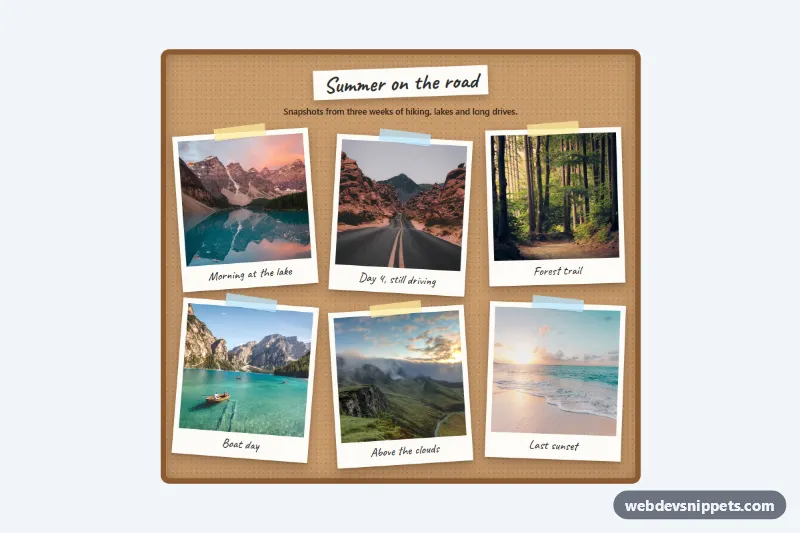
A scattered polaroid photo gallery built with pure CSS. Six square photos sit in white instant-film frames with handwritten captions and strips of washi tape, pinned at random-looking angles on a cork board. Hovering or focusing a photo straightens it, lifts it and brings it to the front. It works well for travel blogs, portfolio "about" pages, wedding sites and event recaps.
How it works
The root section.pl-board draws the cork texture with two speckled radial-gradient layers and an inset frame shadow. The photos live in a ul.pl-grid that uses two columns on phones and three from 720px. Every li.pl-item holds a figure.pl-photo with an img.pl-img and a figcaption.pl-caption.
The scattered look comes from two custom properties. Each .pl-item sets --pl-rotate and --pl-shift through :nth-child(6n + …) rules, so the pattern repeats cleanly if you add more photos, and no inline styles are needed. .pl-photo combines them in transform: translateY(var(--pl-shift)) rotate(var(--pl-rotate)). On :hover and :focus-visible the transform changes to rotate(0deg) scale(var(--pl-lift)), a deeper shadow is applied and z-index lifts the photo above its neighbours. A ::before pseudo-element draws the tape; even items get a blue strip with a different angle. No JavaScript is used.
The captions use the Caveat font from Google Fonts with a cursive fallback, and the square crop comes from aspect-ratio: 1 / 1 and object-fit: cover.
Customization
--pl-tilton.pl-board: the base angle all rotations are multiplied from;2deggives a tidy board,7dega messy one.--pl-lift: the zoom factor on hover, e.g.1.15for a stronger pop.--pl-speed: duration of the straighten animation.--pl-board-bgand thebox-shadowon.pl-board: switch the cork for a dark slate or a plain wall color.--pl-frame: the frame color; a warm#f5efe0looks like aged film.--pl-tape: color of the tape strips on odd items; edit the.pl-item:nth-child(even) .pl-photo::beforerule for the even ones.--pl-font: the caption font; remove the Google Fonts link if you prefer the system cursive fallback.grid-template-columnsin.pl-grid: show four columns on wide screens for larger collections.
Accessibility
The gallery is a real list, and each figure has a figcaption, so screen readers announce the caption with the photo. Every image has a descriptive alt, width, height, loading="lazy" and decoding="async". Frames have tabindex="0" so keyboard users get the same straightened view as mouse users, with a visible blue outline from --pl-focus. With prefers-reduced-motion: reduce the transition and the scaling are removed; the photo simply straightens. The dark caption ink on the white frame keeps strong contrast.
Usage notes
The photos come from Unsplash and should be replaced with your own images. Keep them square or let object-fit crop them. If the frames should open a larger view, wrap the image in a link and move tabindex off the figure.