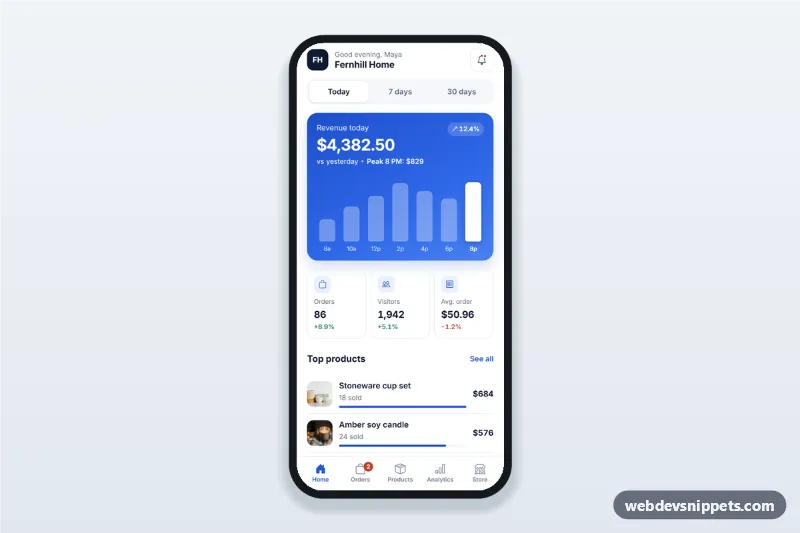
Sales dashboard app screen for store owners with today, 7 and 30 day revenue, a tappable revenue chart, orders and visitors cards, top products and recent orders.
Also known as: store owner app dashboard, ecommerce sales dashboard mobile, shop admin app ui, revenue dashboard app screen, mobile analytics dashboard html
A sales dashboard screen for store owners built with Bootstrap 6: an HTML mobile template with revenue, orders, visitors, average order value, a revenue bar chart, top products and recent orders on one phone screen. Use this ecommerce dashboard UI as the home screen of a shop admin app, a merchant mobile site or a PWA, or package it as a native app with Capacitor.
How it works
The root .ssd-app is a 430 px app column with a sticky top bar (.ssd-top), the content (.ssd-main) and a sticky bottom tab bar (.ssd-tabs).
Period switch: .ssd-period is a radio group (name="ssd-period"). Changing it calls render(), which fills every data-kpi element, the product rows and the chart from the PERIODS object.
Revenue chart: render() builds one .ssd-col button per value. Tapping a bar sets aria-pressed="true" and writes its value into .ssd-tip. Day and date labels are computed from today, so they never go stale.
Top products: each .ssd-product row shows units sold, revenue and a share bar (.ssd-share-fill).
Recent orders: every .ssd-order opens a Bootstrap 6 Drawer (.ssd-sheet) with items and totals from ORDERS. "Mark as fulfilled" updates the status badge and the count on the Orders tab.
Notifications: the bell opens a Bootstrap 6 Menu (data-bs-toggle="menu").
Customization
--ssd-blue on .ssd-app: the brand color of the revenue card, icons, links and active tab (keep --bs-primary-bg in sync).
PERIODS in script.js: replace the sample numbers with data from your store API; bars sets the chart values.
labels: 'hours' in a period: use 'days' or 'spans' to label bars by weekday or by date.
ORDERS in script.js: the items and address in the order sheet; add a fetch() call in the .ssd-fulfil click handler.
.ssd-logo and .ssd-store-name: your store initials and name.
height: 150px on .ssd-chart: a taller or flatter chart.
Use cases
Online shop admin apps: the owner checks today's revenue and new orders each morning.
Retail and point-of-sale apps: a daily summary of store and online sales.
Marketplace seller apps: top products and order statuses at a glance.
Ecommerce PWAs and Capacitor apps that need a ready-made home screen.
Accessibility
The period switch uses real radio inputs. Chart bars are buttons whose aria-label includes the value, Left and Right arrows move between them, and .ssd-tip is an aria-live region. The order sheet is a native dialog that closes with Escape or the backdrop and focuses its close button on open. Tabs use aria-current="page"; touch targets are at least 44 px.
Bootstrap 6 notes
The sheet is a Bootstrap 6 Drawer (drawer drawer-bottom, replacing Offcanvas), the bell uses Menu (replacing Dropdown), buttons use btn-solid theme-primary and btn-outline theme-secondary, and status badges use badge-subtle. Built on 6.0.0-alpha.1; alpha APIs can still change. Product photos come from Unsplash; replace them with your own images.
Can I use the Sales Dashboard for Store Owners code for free?
Yes. You can copy or download the code and use it in personal and commercial projects, including client work. No sign-up is needed. Reselling it as part of a component library or template collection is not allowed; see the license.
How do I add it to my website?
Load Bootstrap 6 and Bootstrap Icons and fonts.googleapis.com from a CDN (the links are under Requirements).
Paste the HTML where the component should appear, add the CSS to your stylesheet and load the JavaScript before the closing </body> tag.
Download HTML gives you a complete page with everything already linked.
Does it need jQuery or a JavaScript framework?
No. The script is plain vanilla JavaScript, so it works without jQuery, React or Vue. You can still use the markup inside those frameworks.
Can I turn this screen into an iOS or Android app?
Yes. It is plain HTML, CSS and JavaScript, so it works in a mobile website or progressive web app as it is. To ship it as a store app, put it in the web folder of a Capacitor or Cordova project and build it for iOS and Android; replace the sample data with calls to your own API.
How does it look on a desktop screen?
The screen is designed for phones. On wider screens it stays at phone width in the middle of the page, so it still looks like an app. The live demo opens at mobile width; use the Tablet and Desktop buttons to check other sizes.
Requirements
Add these to your page (already included in the download):
Built for Bootstrap 6.0.0-alpha.1. Bootstrap 6 ships as an ES module, so its script and this component's
JavaScript load with type="module". Alpha releases can still change before the stable version.
Sales Dashboard for Store Owners · Bootstrap 6 Mobile Dashboards
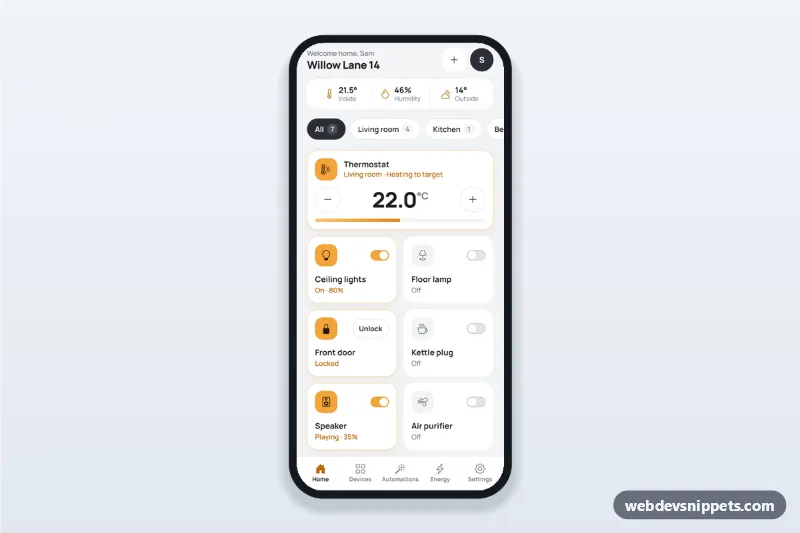
Smart home app dashboard with room tabs, device tiles with on/off switches, a thermostat stepper, a door lock, today's energy usage and one-tap scenes.