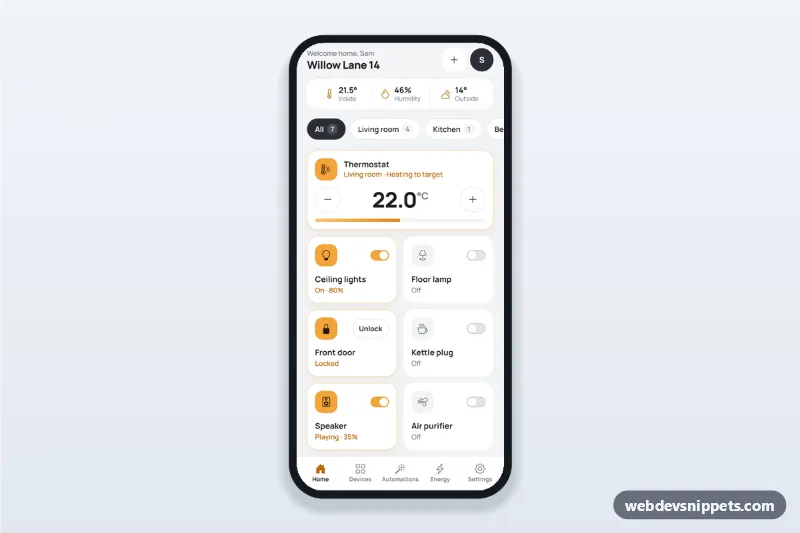
Smart home app dashboard with room tabs, device tiles with on/off switches, a thermostat stepper, a door lock, today's energy usage and one-tap scenes.
Also known as: smart home app ui, home automation dashboard, iot device control panel, thermostat app screen, smart home mobile template
A smart home control dashboard built with Bootstrap 6: an HTML mobile template with room tabs, device tiles with on/off switches, a thermostat stepper, a door lock, today's energy usage and one-tap scenes. Use this home automation app UI for IoT control panels, connected-device websites or a PWA, and package it as a native app with Capacitor.
How it works
The root .shc-app is a 430 px app column on a light grey background with a sticky top bar (.shc-top) and a sticky bottom tab bar (.shc-tabs).
Room tabs: .shc-rooms is a tablist of .shc-room buttons. script.js hides every .shc-tile whose data-room does not match the selected tab. Left/Right, Home and End move between tabs.
Device tiles: each tile holds a Bootstrap 6 .switch (role="switch"). On change the tile gets .is-on (amber icon and border) and its status line swaps between data-on and data-off.
Thermostat: the .shc-step buttons change the target in 0.5° steps between MIN_TEMP and MAX_TEMP, update the value, the .shc-thermo-fill bar and the mode text, and disable themselves at the limits.
Lock: .shc-lock-btn toggles the front door and swaps the icon and button label.
Scenes: each .shc-scene applies the states in SCENES (switches, temperature, lock), sets aria-pressed="true" and shows a Bootstrap 6 Toast. Changing a device by hand clears the active scene.
Customization
--shc-amber and --shc-amber-deep on .shc-app: the accent for active tiles, icons and the energy chart; --bs-switch-checked-bg colors the switches.
--shc-bg on .shc-app: the light grey background behind the white cards.
SCENES in script.js: which devices each scene turns on, its temperature and lock state.
MIN_TEMP, MAX_TEMP and INDOOR: the thermostat range and the indoor temperature used for the mode text.
data-room on .shc-tile and .shc-room: add rooms and assign devices.
.shc-h-1 to .shc-h-6 in style.css: the heights of the energy bars.
Use cases
Smart home apps: control lights, plugs and climate per room.
Holiday rental and property apps: guests unlock the door and set the temperature.
Energy monitoring apps: today's usage next to the device controls.
IoT companion apps and PWAs built with Capacitor.
Accessibility
Room tabs use aria-selected and a roving tabindex. Every switch has a visible label with the device name, the stepper buttons have aria-labels and the target temperature is an aria-live output. Scene buttons use aria-pressed, the toast has role="status", and touch targets are 40-48 px with a visible focus ring.
Bootstrap 6 notes
Switches use the new .switch markup instead of the Bootstrap 5 form-switch classes. The energy badge is badge badge-subtle theme-success, the toast is shown with Toast.getOrCreateInstance() from the ES module bundle, and icon buttons use btn-icon. Built on 6.0.0-alpha.1; alpha APIs can still change. Connect the handlers to your device API to control real hardware.
Can I use the Smart Home Control Dashboard code for free?
Yes. You can copy or download the code and use it in personal and commercial projects, including client work. No sign-up is needed. Reselling it as part of a component library or template collection is not allowed; see the license.
How do I add it to my website?
Load Bootstrap 6 and Bootstrap Icons and fonts.googleapis.com from a CDN (the links are under Requirements).
Paste the HTML where the component should appear, add the CSS to your stylesheet and load the JavaScript before the closing </body> tag.
Download HTML gives you a complete page with everything already linked.
Does it need jQuery or a JavaScript framework?
No. The script is plain vanilla JavaScript, so it works without jQuery, React or Vue. You can still use the markup inside those frameworks.
Can I turn this screen into an iOS or Android app?
Yes. It is plain HTML, CSS and JavaScript, so it works in a mobile website or progressive web app as it is. To ship it as a store app, put it in the web folder of a Capacitor or Cordova project and build it for iOS and Android; replace the sample data with calls to your own API.
How does it look on a desktop screen?
The screen is designed for phones. On wider screens it stays at phone width in the middle of the page, so it still looks like an app. The live demo opens at mobile width; use the Tablet and Desktop buttons to check other sizes.
Requirements
Add these to your page (already included in the download):
Built for Bootstrap 6.0.0-alpha.1. Bootstrap 6 ships as an ES module, so its script and this component's
JavaScript load with type="module". Alpha releases can still change before the stable version.
Smart Home Control Dashboard · Bootstrap 6 Mobile Dashboards
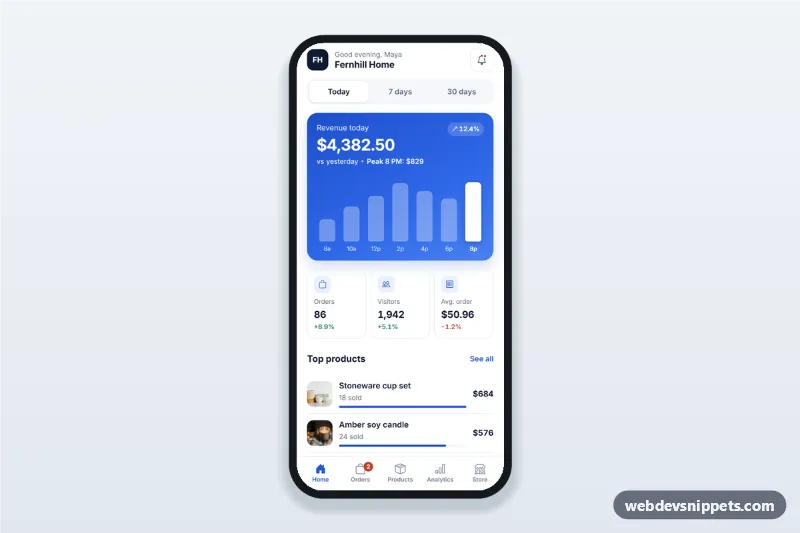
Sales dashboard app screen for store owners with today, 7 and 30 day revenue, a tappable revenue chart, orders and visitors cards, top products and recent orders.