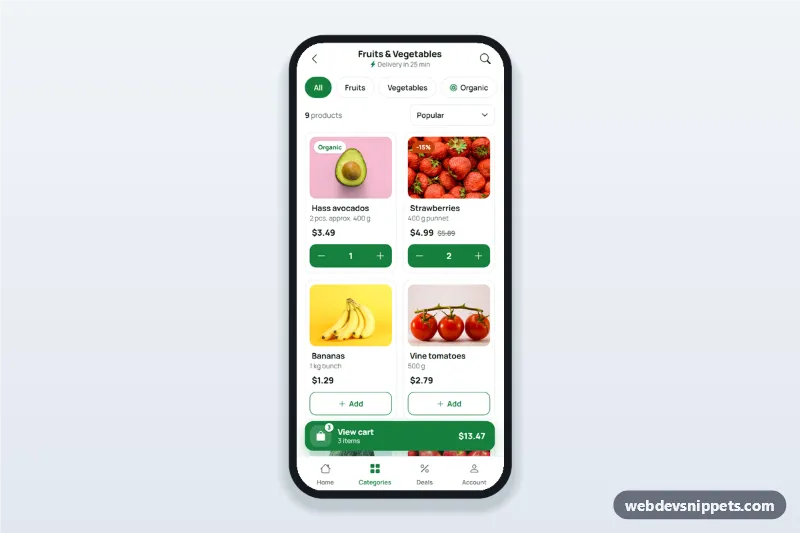
Grocery app product list screen with filter chips, a two-column product grid with add-to-cart steppers and a floating cart button showing the item count and total.
Also known as: grocery app ui, grocery delivery app product screen, supermarket app product grid, online grocery shopping app design, mobile shop screen html
A grocery app product list screen built with Bootstrap 5: an HTML mobile template with filter chips, a two-column product grid with add-to-cart steppers and a floating cart button that shows the item count and running total. Use this grocery app UI for a supermarket or grocery delivery website, a PWA, or package it as a native app with Capacitor.
How it works
The root .gpl-app is a 430 px app column that stays centred on wider screens.
.gpl-top: a sticky app bar with back link, category title, delivery time and a search button that toggles the .gpl-search field.
.gpl-chips: filter chips with aria-pressed. Each .gpl-item lists its groups in data-cats; .gpl-empty appears when nothing matches.
.gpl-toolbar: the live product count and a sort select that reorders the grid by data-rank or data-price.
.gpl-grid: product cards with photo, tag, weight, price and a .gpl-qty box. "Add" turns it into a stepper (.is-in-cart).
.gpl-dock: the sticky .gpl-cartbar (badge, item count, total) above a tab bar. It hides when the cart is empty.
The cart button opens a Bootstrap 5 Offcanvas (offcanvas-bottom) styled as a bottom sheet with cart lines, a free-delivery progress bar and totals. Escape, the backdrop and the close button dismiss it. Product photos come from Unsplash; replace them with your own images.
Customization
--gpl-green on .gpl-app: the brand colour of chips, buttons, the cart button and the active tab.
FREE_DELIVERY and DELIVERY_FEE at the top of script.js: the free-delivery threshold and fee.
data-qty on .gpl-qty: the starting quantity; set all to 0 for an empty cart.
Add a product by copying a .gpl-item and editing its data-* values and photo.
Add a filter with a new .gpl-chip and data-filter, then use the same word in data-cats.
--gpl-sale on .gpl-app: the colour of .gpl-tag--sale discount labels.
Replace the timeout in the .gpl-checkout click handler with fetch() to your checkout API.
Use cases
Grocery delivery apps: a category screen where shoppers fill the cart quickly.
Supermarket websites: a mobile product list with filters and a visible total.
Farm shops and organic box schemes: produce with organic and deal filters.
Quick-commerce apps: fast add-to-cart with delivery time in the header.
Accessibility
Chips use aria-pressed, the search toggle aria-expanded, and every add and stepper button has a product-specific aria-label. Quantities are output elements, focus moves to the stepper after "Add" and back when an item is removed, and the product count is a live region. The sheet traps focus; checkout uses aria-busy so focus is not lost. Touch targets are at least 44 px, and the badge animation stops for prefers-reduced-motion.
Usage notes
Requires Bootstrap 5 (added automatically), Bootstrap Icons and the Manrope font. Give the gpl-cart sheet a unique id if you use two screens on one page.
Grocery App Product List with Cart Badge at a glance
Can I use the Grocery App Product List with Cart Badge code for free?
Yes. You can copy or download the code and use it in personal and commercial projects, including client work. No sign-up is needed. Reselling it as part of a component library or template collection is not allowed; see the license.
How do I add it to my website?
Load Bootstrap 5 and Bootstrap Icons and fonts.googleapis.com from a CDN (the links are under Requirements).
Paste the HTML where the component should appear, add the CSS to your stylesheet and load the JavaScript before the closing </body> tag.
Download HTML gives you a complete page with everything already linked.
Does it need jQuery or a JavaScript framework?
No. The script is plain vanilla JavaScript, so it works without jQuery, React or Vue. You can still use the markup inside those frameworks.
Can I turn this screen into an iOS or Android app?
Yes. It is plain HTML, CSS and JavaScript, so it works in a mobile website or progressive web app as it is. To ship it as a store app, put it in the web folder of a Capacitor or Cordova project and build it for iOS and Android; replace the sample data with calls to your own API.
How does it look on a desktop screen?
The screen is designed for phones. On wider screens it stays at phone width in the middle of the page, so it still looks like an app. The live demo opens at mobile width; use the Tablet and Desktop buttons to check other sizes.
Requirements
Add these to your page (already included in the download):
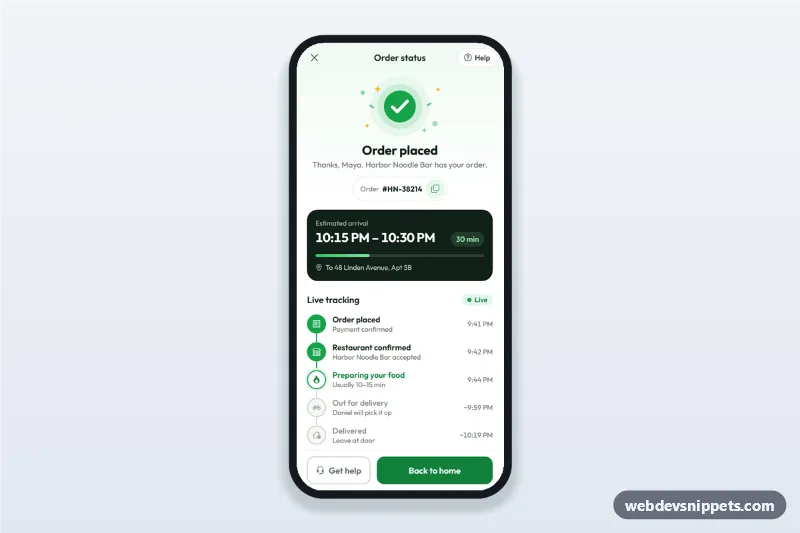
Order confirmation screen for delivery apps with a success illustration, order number, ETA computed from now, live order tracking steps and a help sheet.
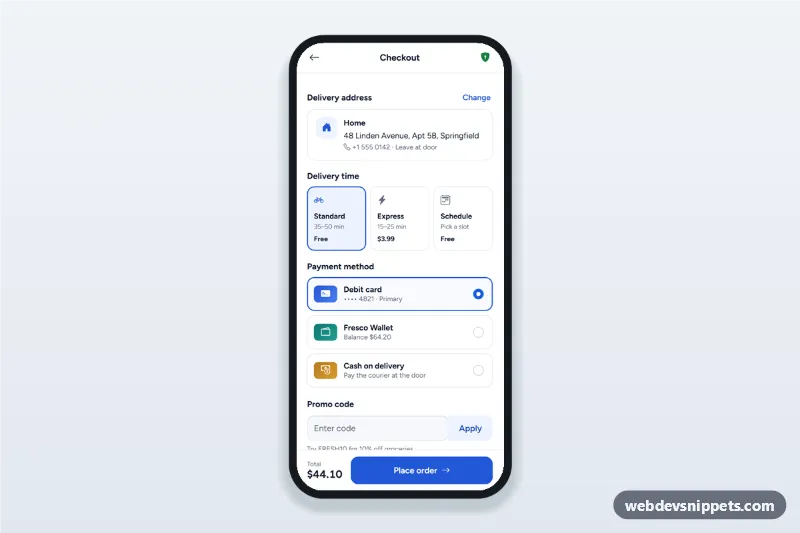
Mobile checkout screen with a delivery address sheet, delivery time options, payment method radio cards, promo code and a live order summary with place order.