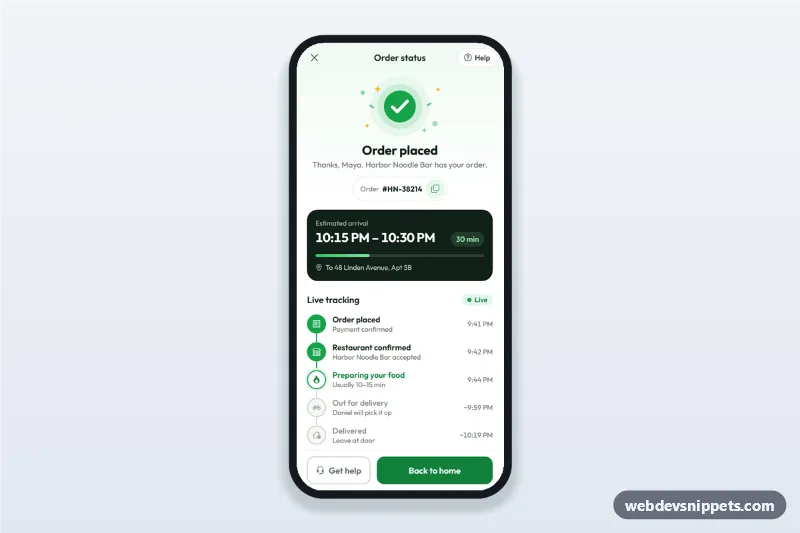
Order Confirmation and Tracking Screen
Order confirmation screen for delivery apps with a success illustration, order number, ETA computed from now, live order tracking steps and a help sheet.
Mobile e-commerce screens: product lists, product details, cart, checkout and order confirmation.
2 components
Order confirmation screen for delivery apps with a success illustration, order number, ETA computed from now, live order tracking steps and a help sheet.
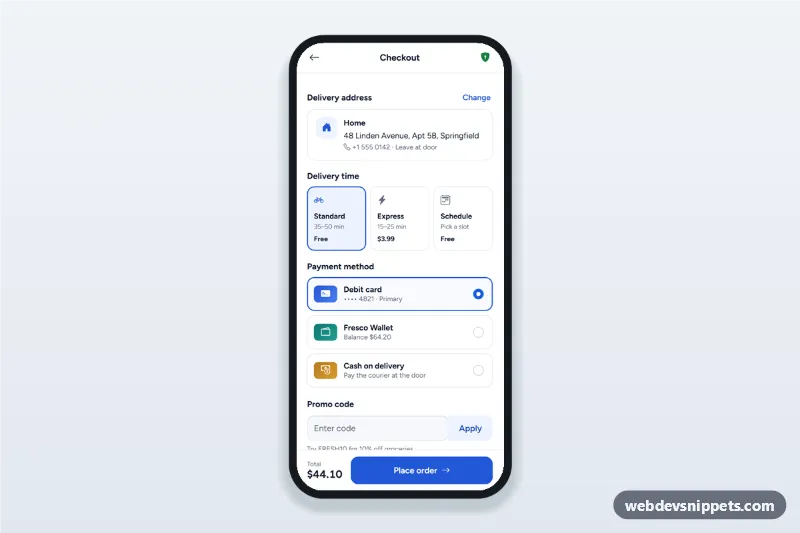
Mobile checkout screen with a delivery address sheet, delivery time options, payment method radio cards, promo code and a live order summary with place order.
Mobile shop screens cover the buying flow on a phone: browsing products, viewing details, adding to the bag, checking out and confirming the order. Most mobile shopping happens on phones, so these screens need to be fast and easy to use with one hand.
Use them for online stores, food and grocery delivery, ticketing and any mobile-first checkout flow.
Each screen is available in one of Bootstrap 6, Bootstrap 5, Tailwind CSS or pure CSS. The live preview opens at phone width; switch to tablet or desktop to see how the screen stays centred on larger displays. Copy the HTML, CSS and JavaScript or download the complete page, replace the sample data and connect it to your own API.