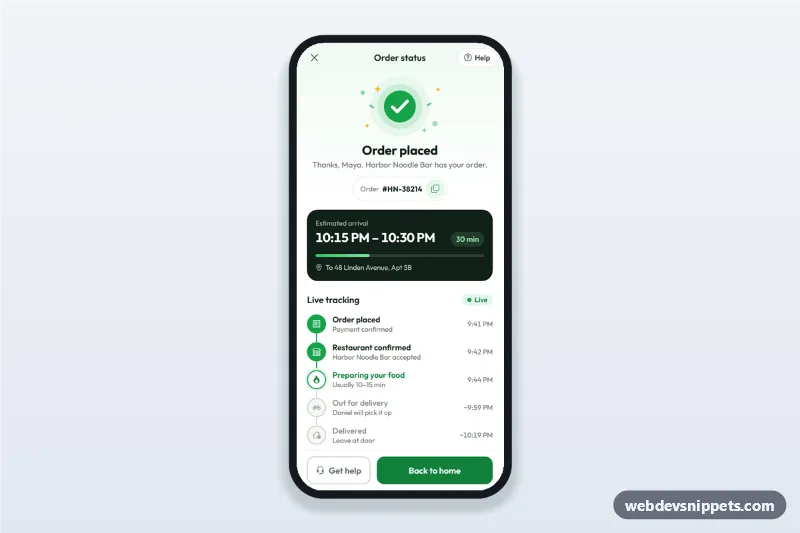
Order confirmation screen for delivery apps with a success illustration, order number, ETA computed from now, live order tracking steps and a help sheet.
Also known as: order placed screen, order tracking app ui, delivery status page, thank you page mobile, food delivery tracking screen
An order confirmation and tracking screen built with Bootstrap 6: an HTML mobile template that shows a success illustration, the order number with a copy button, an estimated arrival window computed from the current time, live tracking steps, the courier and a help sheet. Use this order placed page and delivery status UI in food delivery, grocery and shop apps, as a PWA or packaged with Capacitor.
How it works
The root .oct-app is a 430 px app column with a sticky top bar (.oct-bar) and a sticky action bar (.oct-cta).
Success header: .oct-hero holds an inline SVG illustration (.oct-art), the heading and the .oct-order pill. The copy button confirms with a Bootstrap 6 Toast.
ETA: script.js sets .oct-eta-time to a window 30 to 45 minutes from now and keeps the minutes left in .oct-eta-min. The .progress bar shows how far along the order is.
Tracking: each .oct-step gets .is-done or .is-current (with aria-current="step"). Times come from placedAt plus the minutes in plannedOffsets; future steps show a "~" estimate. A demo timer moves to the next step every STEP_MS and switches the screen to "Order delivered" at the end.
Courier and details: .oct-courier uses the Bootstrap 6 .avatar; the items sit in a native <details> accordion.
Help: "Help" and "Get help" open a Bootstrap 6 Drawer (.oct-sheet) with support options. Options with data-msg close the sheet and show that message as a toast; "Cancel order" is disabled while the food is being prepared.
Customization
--oct-green and --oct-green-strong on .oct-app: the success color for the illustration ring, done steps and the main button.
plannedOffsets in script.js: minutes after ordering at which each step happens.
current in script.js: the step that is active on load (0 = placed, 4 = delivered).
STEP_MS: the demo speed; remove the setInterval and call render() from your order-status API or WebSocket instead.
data-msg on a .oct-opt button: the confirmation text shown after choosing that help option.
Use cases
Food delivery apps: the screen right after checkout, with live kitchen and courier status.
Grocery and pharmacy delivery: delivery window, tracking steps and courier contact.
Online shops: an order placed page that turns into a shipment tracker.
Accessibility
The tracking list is an ordered list with aria-live="polite", so new steps are announced, and the active step carries aria-current="step". The progress bar has role="progressbar" with aria-valuenow. The help sheet is a native modal <dialog> that closes with Escape or the backdrop, and focus moves to its first option. Touch targets are at least 44 px. The live dot stops pulsing with prefers-reduced-motion.
Bootstrap 6 notes
Built on Bootstrap 6.0.0-alpha.1 (alpha APIs can still change). The help sheet uses the new Drawer instead of Offcanvas, the order details use the <details> accordion (no accordion-button), the courier uses .avatar, toasts are shown with Toast.getOrCreateInstance, and buttons use btn-solid theme-primary and btn-outline theme-secondary.
Order Confirmation and Tracking Screen at a glance
Can I use the Order Confirmation and Tracking Screen code for free?
Yes. You can copy or download the code and use it in personal and commercial projects, including client work. No sign-up is needed. Reselling it as part of a component library or template collection is not allowed; see the license.
How do I add it to my website?
Load Bootstrap 6 and Bootstrap Icons and fonts.googleapis.com from a CDN (the links are under Requirements).
Paste the HTML where the component should appear, add the CSS to your stylesheet and load the JavaScript before the closing </body> tag.
Download HTML gives you a complete page with everything already linked.
Does it need jQuery or a JavaScript framework?
No. The script is plain vanilla JavaScript, so it works without jQuery, React or Vue. You can still use the markup inside those frameworks.
Can I turn this screen into an iOS or Android app?
Yes. It is plain HTML, CSS and JavaScript, so it works in a mobile website or progressive web app as it is. To ship it as a store app, put it in the web folder of a Capacitor or Cordova project and build it for iOS and Android; replace the sample data with calls to your own API.
How does it look on a desktop screen?
The screen is designed for phones. On wider screens it stays at phone width in the middle of the page, so it still looks like an app. The live demo opens at mobile width; use the Tablet and Desktop buttons to check other sizes.
Requirements
Add these to your page (already included in the download):
Built for Bootstrap 6.0.0-alpha.1. Bootstrap 6 ships as an ES module, so its script and this component's
JavaScript load with type="module". Alpha releases can still change before the stable version.
Order Confirmation and Tracking Screen · Bootstrap 6 Mobile Shop & Checkout
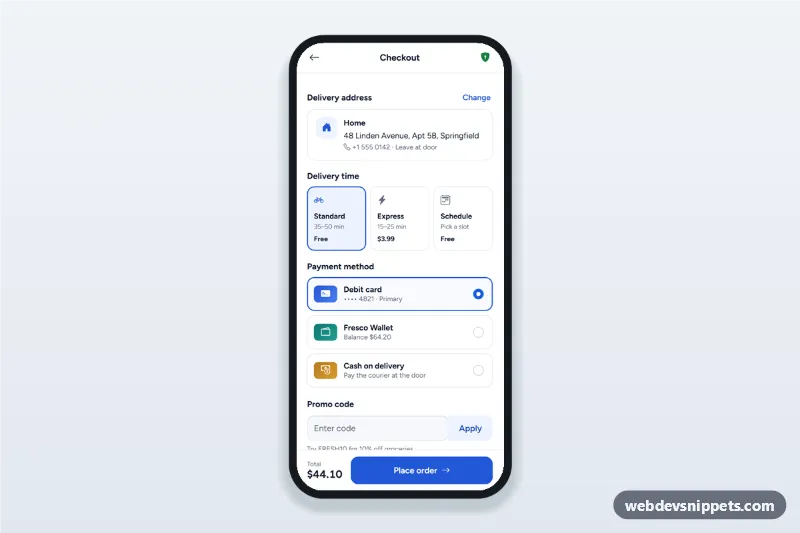
Mobile checkout screen with a delivery address sheet, delivery time options, payment method radio cards, promo code and a live order summary with place order.