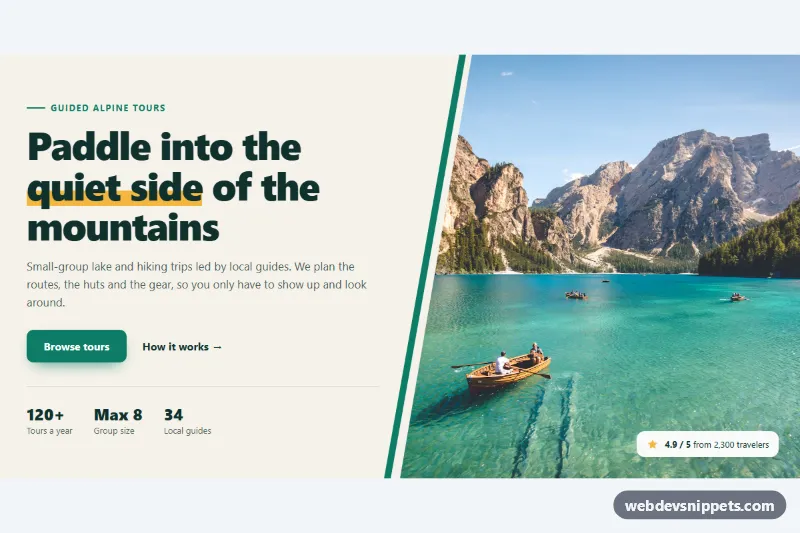
A Bootstrap 5 hero section with a large serif headline, two call-to-action buttons and a row of stats on the left, and a collage of five photos with a floating "next departure" card on the right. It suits travel brands, tour operators, photography workshops and any landing page that sells an experience through pictures.
How it works
The root is section.hc-hero. A Bootstrap row splits it into a col-lg-5 text column and a col-lg-7 collage column; below the lg breakpoint the collage moves under the text. The text column holds the .hc-eyebrow pill, the h1.hc-title with an accent-colored em, the .hc-lead paragraph, the .hc-btn--solid and .hc-btn--line buttons and the .hc-stats list.
The collage is a CSS grid, not Bootstrap columns. .hc-collage uses grid-template-areas, and each figure.hc-tile is placed with a modifier from .hc-tile--a to .hc-tile--e. On phones the grid has two columns and three rows; from 768px it switches to four columns and five rows of var(--hc-row), so the boat photo and the balloon photo become tall tiles while the other three stack on the right. Every image fills its tile with object-fit: cover. The first and last tiles get one large rounded corner for an organic shape, .hc-tag labels name two of the places, and the .hc-card is absolutely centered over the collage from the md breakpoint. No JavaScript is needed.
The photos come from Unsplash; replace them with your own images.
Customization
--hc-accentand--hc-accent-hoverin.hc-hero: recolor the primary button, the italic part of the headline, the eyebrow dot and the card details.--hc-bgand--hc-inkin.hc-hero: change the sand background and the dark teal text color.--hc-rowin.hc-hero: set the row height of the desktop collage; a larger value makes the whole collage taller.--hc-gapand--hc-radiusin.hc-hero: control the spacing between photos and the corner rounding of every tile.grid-template-areasin.hc-collageinside themin-width: 768pxmedia query: rearrange the letters to move or resize the tiles.top: 60%in.hc-card: move the floating card up or down, or delete the.hc-cardelement to show only photos.
Accessibility
The section is labelled by #hc-title. Every photo has a descriptive alt text, width and height to prevent layout shift and decoding="async"; the first photo uses fetchpriority="high" and the lower ones loading="lazy". Icons are aria-hidden. The floating card has role="note" with a label, so it is announced as a side note. Buttons have a visible outline on :focus-visible, and the zoom-on-hover effect of .hc-tile img is turned off with prefers-reduced-motion: reduce.
Usage notes
Requires Bootstrap 5 and Bootstrap Icons. Keep each alt text in sync when you swap a photo.