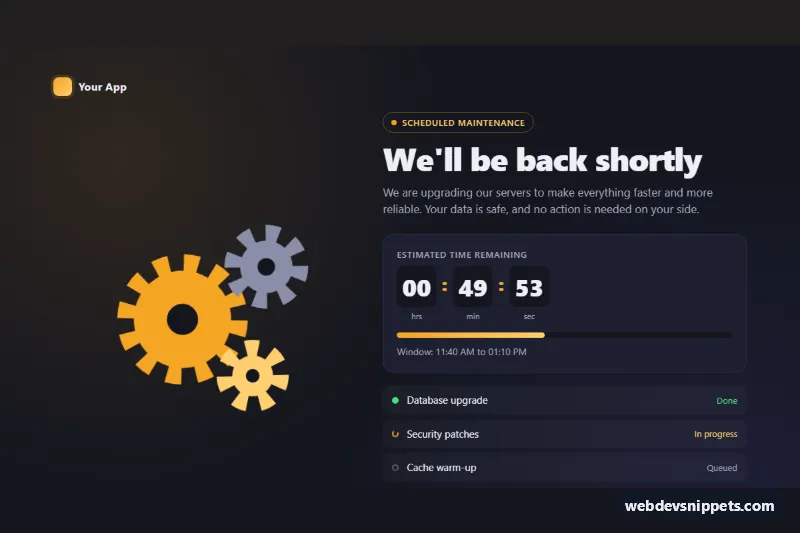
Maintenance Page with Animated Gears
Dark full-page scheduled maintenance notice with interlocking SVG gears, a live countdown, progress bar and task checklist in pure CSS and vanilla JS.
Scheduled maintenance notices.
1 component(s)
Dark full-page scheduled maintenance notice with interlocking SVG gears, a live countdown, progress bar and task checklist in pure CSS and vanilla JS.
A maintenance page tells visitors that a site or service is temporarily unavailable because of planned work, such as a server upgrade, database migration or deployment. It replaces the normal site for a short time and should explain what is happening, how long it will take and where to find updates. A clear scheduled maintenance page reduces support requests and keeps trust during downtime.
503 Service Unavailable and a Retry-After header so search engines do not index it as your real content.Use a single descriptive h1 such as "We are down for scheduled maintenance". Keep text readable on any background graphic and avoid animations that cannot be paused. If the page refreshes itself to check whether the site is back, do it at a modest interval and tell users it will happen, so screen reader users are not surprised by a reload.
Each maintenance page template comes with a live preview, code tabs, a copy button and a download. Bootstrap 6 versions use the new alpha with theme-* colour roles, Bootstrap 5 versions use its utilities, and Tailwind CSS and pure CSS versions are the easiest to turn into a single static file. Filter by framework, copy the HTML, inline what you need and point your web server or deployment tool at the file while maintenance mode is active.