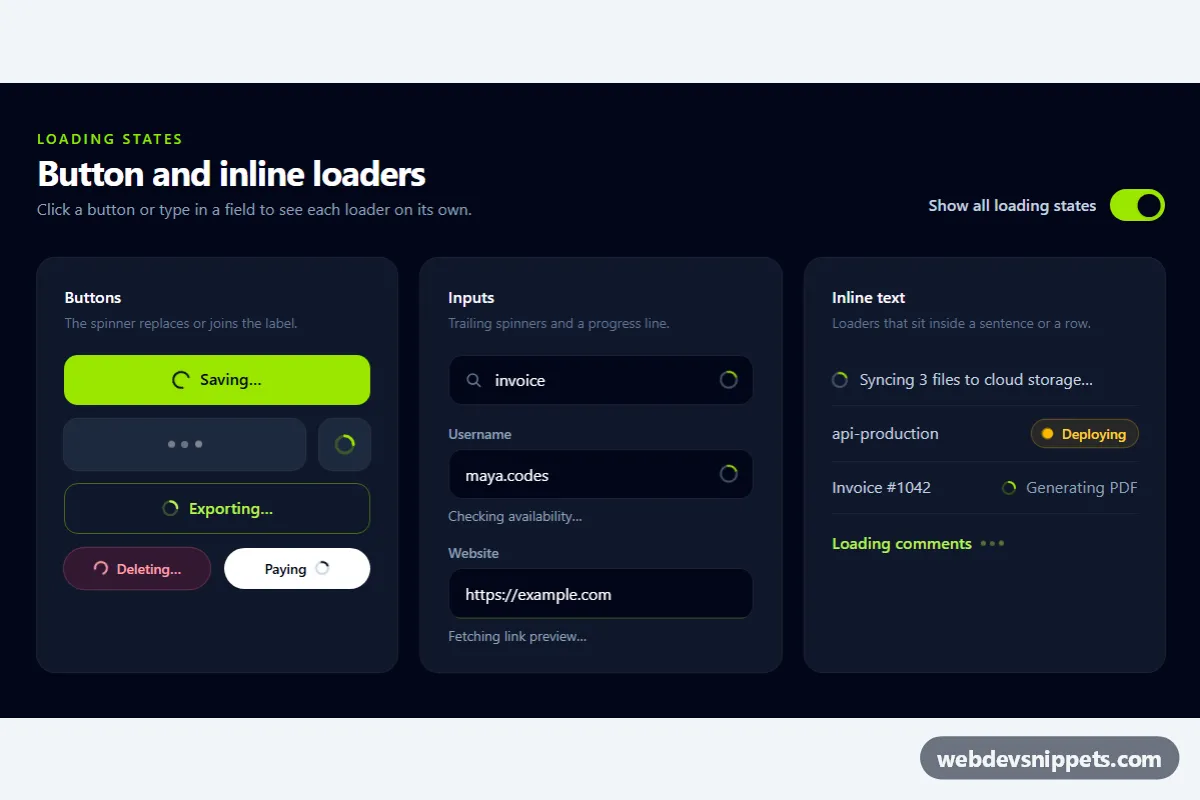
A dark collection of small loading indicators built with Tailwind CSS and a little vanilla JavaScript: spinners inside buttons, trailing spinners in text fields, an indeterminate progress line, and loaders that sit inside a sentence or a table row. Use it for save buttons, live searches, username checks, sync messages and deploy statuses.
How it works
The root is section.tbl-root with three cards: Buttons, Inputs and Inline text. Every demo element is a .tbl-item with a data-busy attribute and contains two sets of children: .tbl-idle parts and .tbl-busy parts. style.css hides .tbl-idle while data-busy="true" and hides .tbl-busy otherwise, so each state is plain markup you can copy.
The spinners use Tailwind's animate-spin on a bordered circle (border-r-transparent or border-t-lime-400) or on an SVG arc. style.css adds the bouncing .tbl-dot animation and the .tbl-bar-fill progress line. The "Save changes" button keeps its label in .tbl-keep with visibility: hidden while the spinner is centered on top, so the button never changes width.
The script initializes each .tbl-root on DOMContentLoaded. Clicking a .tbl-btn sets it busy with aria-disabled="true" for BUTTON_MS milliseconds and then announces its data-tbl-done text. Typing in a .tbl-field shows its spinner until the user stops for data-tbl-delay milliseconds; the username field then checks the value against the TAKEN list. The .tbl-switch in the header flips every item between the busy and the idle state at once.
Customization
BUTTON_MSinscript.js: change the simulated request time; replace the timeout in the.tbl-btnclick handler with yourfetch()call and set the item idle when it settles.data-tbl-delayon each.tbl-field: tune the debounce, for example300for a snappier search.TAKENinscript.js: replace the demo list with a request to your username availability endpoint.data-busy="false"on any.tbl-item: start that element in its idle state.border-t-lime-400andtext-lime-400on the spinners: swaplimefor your accent color.animation: tbl-dot 1sandanimation: tbl-slide 1.2sinstyle.css: speed up or slow down the dots and the progress line.- Remove
.tbl-keepand theabsolute inset-0wrapper to let a button grow with its loading text instead.
Use cases
- Save and submit forms: the button shows a spinner without changing width while a request runs
- Live search fields: a trailing spinner appears while the user types until they pause
- Sign-up pages: the username field shows a spinner while checking whether the name is taken
- Deploy and sync dashboards: loaders inside a sentence or table row show a deploy status pill
- Invite and email flows: bouncing dots and a progress line show a sending state
Accessibility
Busy buttons get aria-disabled="true" instead of disabled, so they keep focus while the request runs. Icon and dot loaders are aria-hidden="true" and paired with readable or sr-only text such as "Sending invite". Non-button items receive aria-busy, field hints are aria-live="polite", and a role="status" region announces completed actions. The header switch uses role="switch" with aria-checked. Under prefers-reduced-motion, spinners slow to 2 seconds per turn, the dots stop bouncing and the ping effect is removed.
Usage notes
Copy only the loader you need: each .tbl-item works on its own as long as style.css is included.