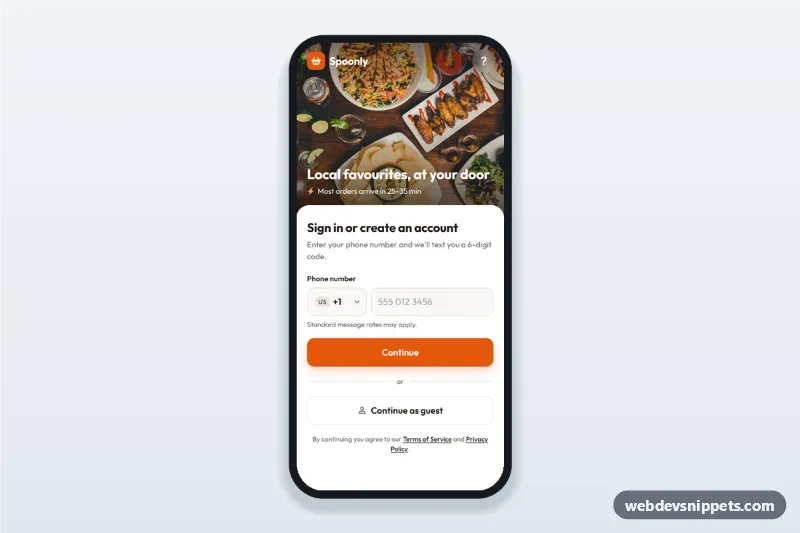
Food Delivery App Phone Login
Food delivery app phone login screen with searchable country code picker, SMS code step and continue as guest: a mobile phone number sign-in UI with a food photo header.
Mobile login, sign up, OTP verification and password reset screens with large inputs and social sign-in.
2 components
Food delivery app phone login screen with searchable country code picker, SMS code step and continue as guest: a mobile phone number sign-in UI with a food photo header.
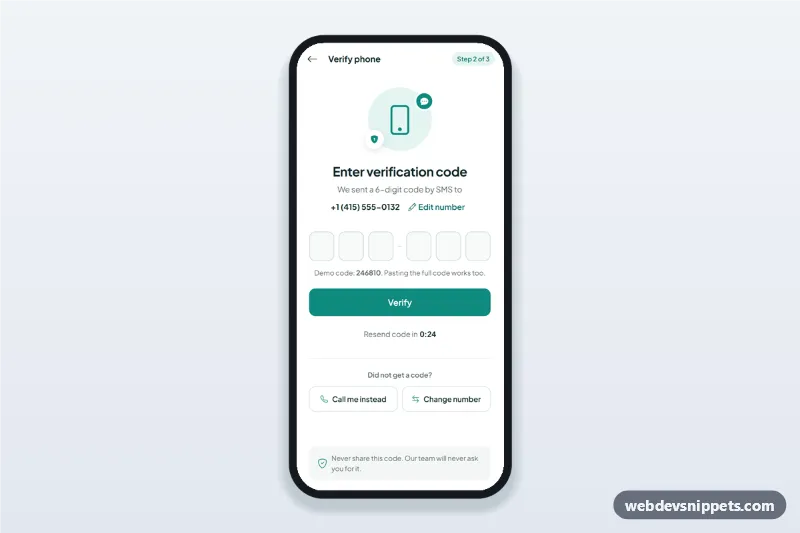
OTP verification screen with six one-digit code inputs, auto advance, paste and one-time-code autofill, a resend timer and an edit phone number sheet.
Mobile login screens let users sign in or create an account on a phone with as little typing as possible: social sign-in, one-time codes, passwordless links and clear error messages.
Use them as the entry point of a mobile app or web app, and for verification steps such as entering an SMS code or resetting a password.
autocomplete values like email, current-password and one-time-code.Each screen is available in one of Bootstrap 6, Bootstrap 5, Tailwind CSS or pure CSS. The live preview opens at phone width; switch to tablet or desktop to see how the screen stays centred on larger displays. Copy the HTML, CSS and JavaScript or download the complete page, replace the sample data and connect it to your own API.